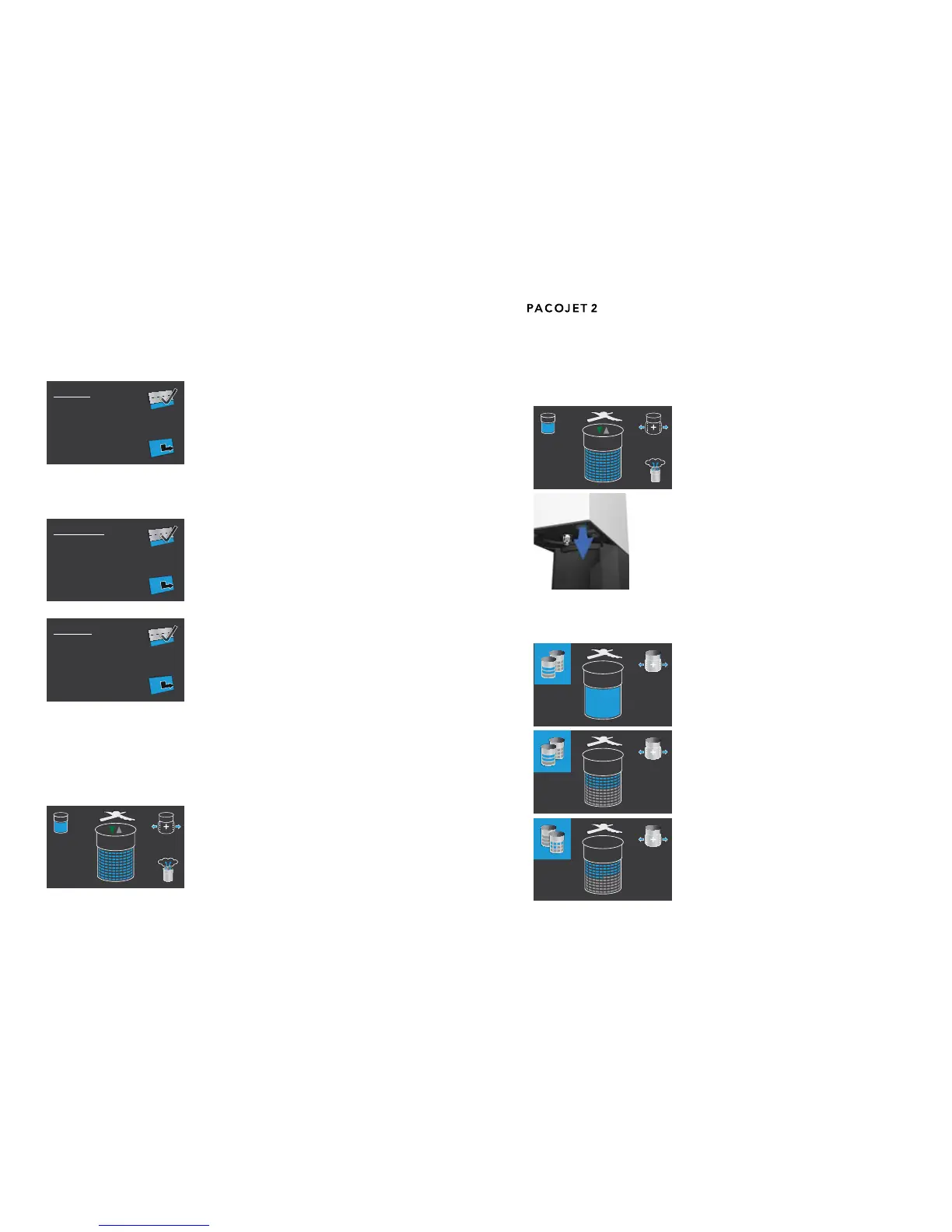
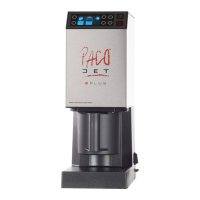
Depressurizing during a processing cycle5.10
During a processing cycle with an activated “over-
pressure” setting, it is possible to depressurize
the pacotizing beaker by pressing the appropriate
selector button for “depressurize” on the control
panel.
Pacotizing according to portions5.11
Simply by pressing the START button, the entire
contents of a pacotizing beaker will be fully proc-
essed–regardlessofllquantityandwithoutneed
foranindicationofaspecicportionamount.
To pacotize food preparations into portions, a beak-
er’s contentslled to the maximum ll-line are di-
vided into ten portions, each of which are further
subdivided into ten decimal portions. In this re-
spect, the total number of portions for a processing
task may be programmed in full or decimal portions.
This portioning feature has been calibrated accord-
ingtothemaximumll-linevolumeofabeaker,not
the actual content volume of a beaker.
a) Presetting the processing mode: Using the ar-
row buttons to scroll through the menu and by
pressingthevalidationbuttontoconrmthese-
lection, it is possible to program the presetting
for each processing mode, as well as the preset-
ting “Neutral”. Should the “Neutral” presetting be
selected, the appropriate processing mode must
be chosen prior to each processing task, as with
this selection, no default processing mode is de-
ned.
b) Presetting the overpressure function: Overpres-
sure can also be deactivated by default using
the arrows and the validation button.
c) Resetting chosen processing options: There
are two selection possibilities. PACOJET 2 can
be set so that any chosen processing options
will be reset to default settings either after each
processing task (changing a beaker) or after
powering off the machine using the ON/OFF
switch.
The default factory settings can be reactivated by selecting “Factory setting”
usingthearrowbuttonsandconrmingtheselectionbypressingthevalida-
tion button.
UP/DOWN display5.9
This display indicates the position and vertical
movement direction of the pacotizing blade during
a pacotizing cycle.


 To Next Page