39
Applying Blood to the Test Strip
STEP 1: Insert the Test Strip
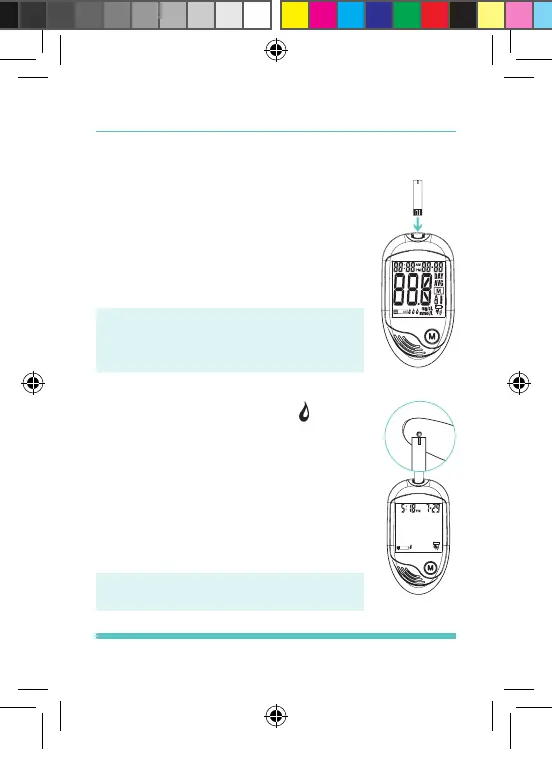
Insert a test strip with the contact bar
end entering into the test strip slot rst.
Push the test strip as far as it will go
without bending it. The meter turns on
automatically. See Figure 26.
Voice Speaks: “Your meter is on.
Please wait. Please apply blood
into the test strip.”
STEP 2: Apply Blood Sample
When the meter shows the “ ”, apply
blood to the opening of the absorbent
channel of the test strip where it meets
the narrow channel. Blood will be
drawn into the test strip. See Figure 27.
If the test strip conrmation window is
full, you will hear a beep. See Figure 28.
Voice Speaks: “Testing.”
Figure 26
Figure 27
Palmdoc 2 User Man.indd 39 24/08/2017 10:49


 To Next Page