ELE-12
4-5. Zoom tracking adjustment (Auto)
1. Set the 72mm Attachment Ring (VFK1809) to the front of Lens.
2. Set the 43mm attachment ring (VFK1164TAR43) to the Collimator (VFK1164TCM01).
3. Set the Collimator (VFK1164TCM01) with the 43mm attachment ring (VFK1164TAR43) to 72mm Attachment
Ring (VFK1809).
4. Adjust the position of lens unit and collimator so that the center of chart is always located at the center of
monitor when moved between T and W.
5. Set the Iris to Auto.
6. Aim the Camera-Recorder at white paper under the Halogen lamp condition (3100K, 2000Lux).
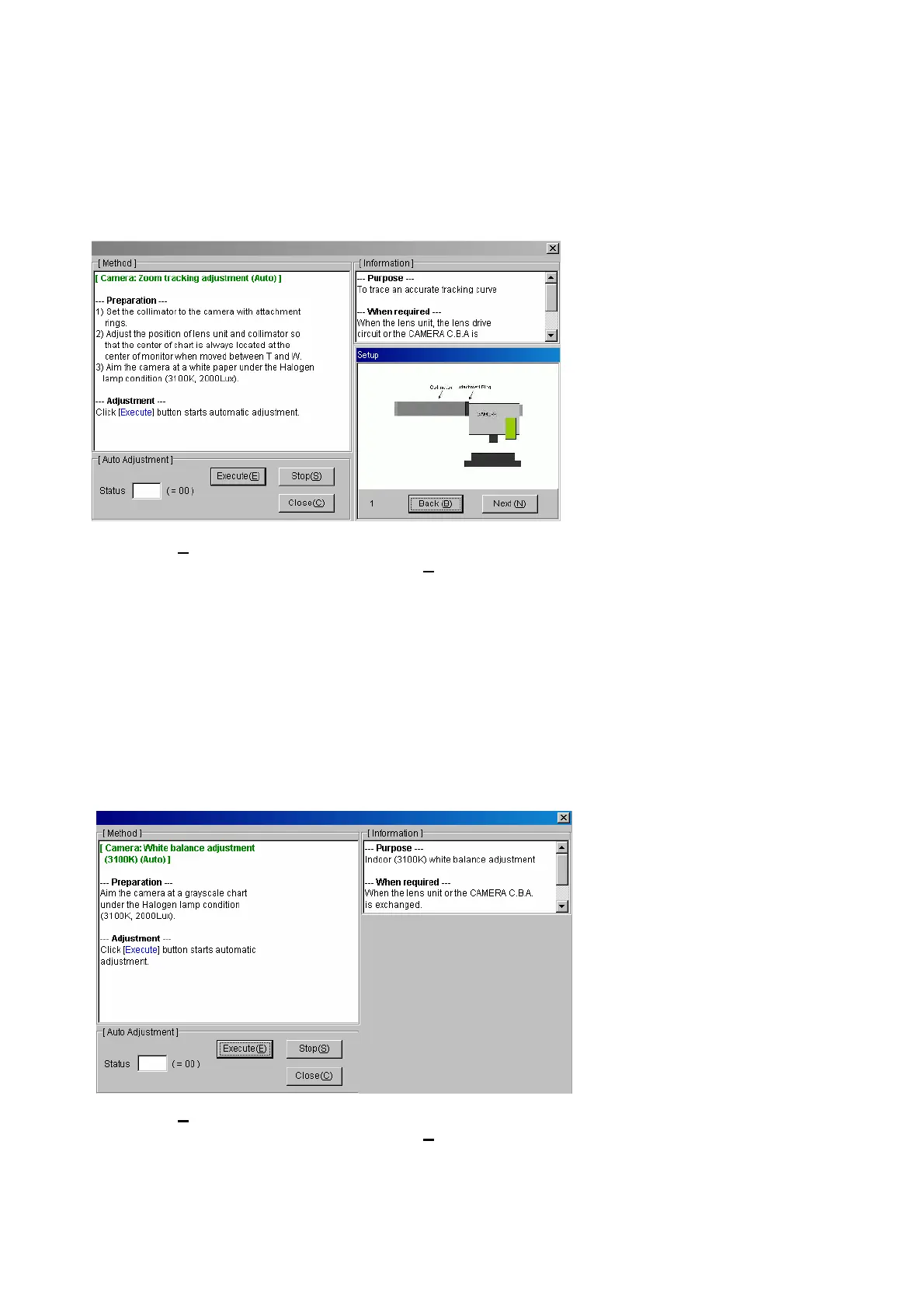
7. Double-click the adjustment item “Zoom tracking” in the main menu. The following screen will appear.
8. Click “Execute(E
)” button. Automatic adjustment starts.
9. After adjustment has been completed, click “Close(C
)” button to escape this menu.
4-6. White balance adjustment
1. Set the ND filter SW to 1/8 position.
2. Set the Camera-Recorder to ATW mode.
3. Set the Iris to Auto.
4. Execute ABB.
4-6-1. White balance adjustment (3100K) (Auto)
1. Aim the Camera-Recorder at grayscale chart under the Halogen lamp condition (3100K, 2000Lux).
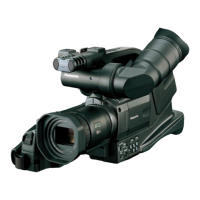
2. Double-click the adjustment item “White balance (3100K)” in the main menu. The following screen will appear.
3. Click “Execute(E
)” button. Automatic adjustment starts.
4. After adjustment has been completed, click “Close(C
)” button to escape this menu.














 To Next Page