56
Function
■ GENERAL FUNCTIONS
Screen
No.
20 Date Time Setting Sets date time registered.
● Day, Month, Year, Time
21 Weekly Timer Sets the weekly On/Off timer. Off
● Off, On (Set)
22 Daylight Time Sets the daylight time. Yes
● No, Yes
23 DHCP Default Sets the DHCP. Yes
● No, Yes
24 TCP/IP Address Sets user IP address.
∗∗
0. 0. 0. 0
● 3 digits x 4
25 TCP/IP Subnet Mask Sets the subnet mask. 0. 0. 0. 0
● 3 digits x 4
26 TCP/IP Default Gateway Sets the gateway address.
∗∗
0. 0. 0. 0
● 3 digits x 4
27 DNS Server Address Sets the DNS server.
∗∗
Yes
● No, Yes
28 MAC Address Indicates the MAC address.
29 Hard Disk Format
∗
Selects the hard disk format Stop
● Stop, Start
30 Hard Disk Error Check Select the hard disk error check Stop
● Stop, Start
31 Address Book Group ID Input group ID for address book. 0
● 0 ~ 99
32 Tandem User Parameter Input parameter of user machine.
33 Community Name (1) Selects to change the SNMP of Community public
Name (1).
∗∗
● Enables read only.
34 Community Name (2) Selects to change the SNMP of Community public
Name (2).
∗∗
● Enables read/write.
35 Device Name Input the device name when necessary.
∗∗
Panasonic
(For Status Monitor/EtherTalk Machine Name)
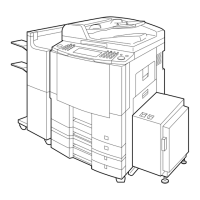
DP-2310 or DP-3010
36 Device Location Input the device location when necessary.
∗∗
(For Status Monitor)
Modes Function
Initial
Setting
05/08
06/08
07/08
08/08
NOTE
● It is necessary to input the Key Operator ID Code before changing items on this page.
∗
Not required in copying mode, but needed when installing options with advanced functions
(See page 65).
∗∗
When functions No. 24 to 27 and No. 33 to 36 are set, cycle the power by turning the Power
Switch OFF and ON.
For Key Operator



 To Next Page