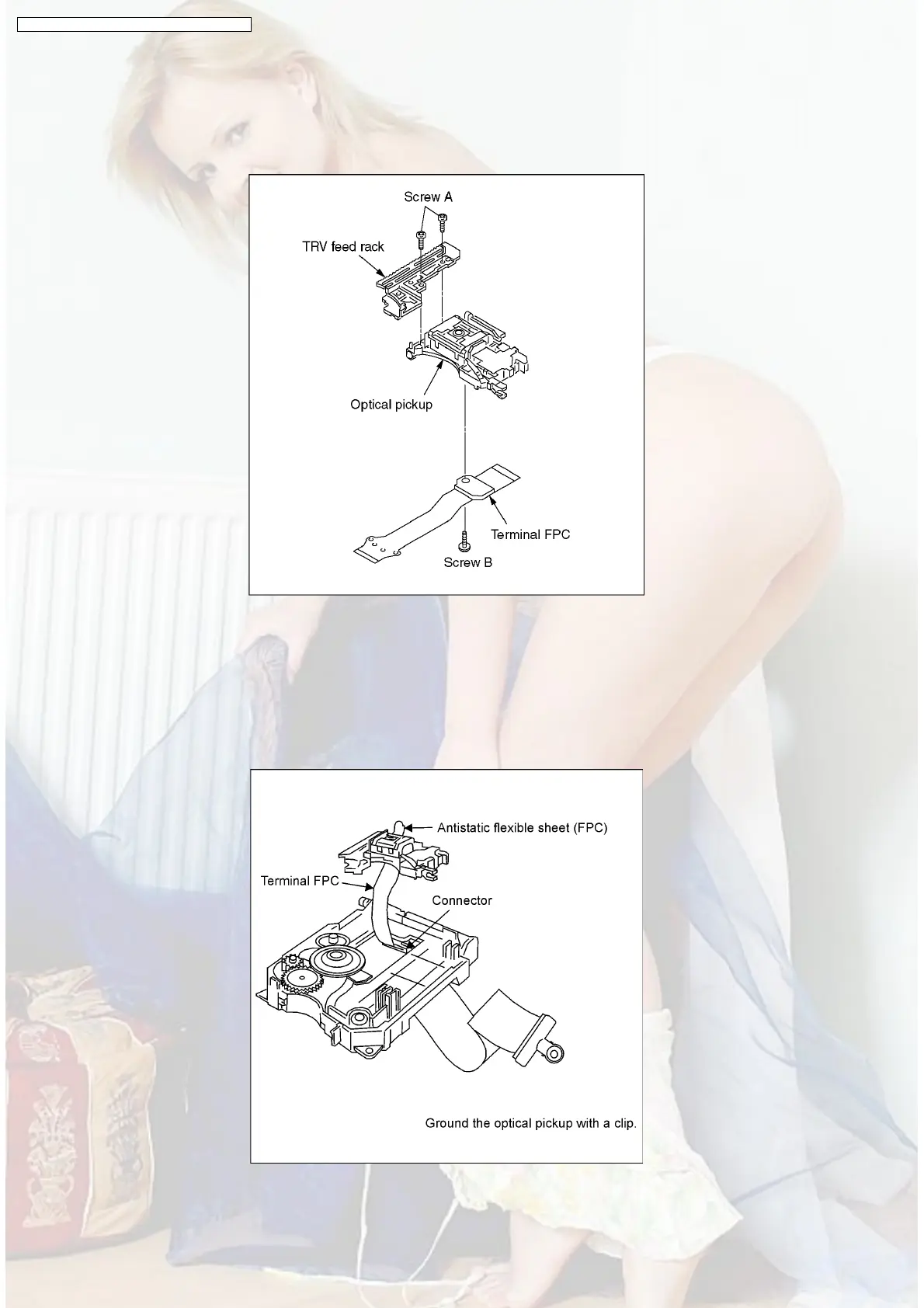
9.8.2. Disassembling the Optical Pickup Unit
1. Remove the 2 screws A and remove the TRV feed rack.
2. Remove the screw B and remove the Terminal FPC.
3. Remove the optical pickup.
Fig. 1
9.8.3. Cautions to be taken when replacing the Optical Pickup
•
• •
• An antistatic flexible sheet (FPC) is connected with the new optical pickup.
Replace the optical pickup according to the following procedure.
1. Install the Terminal FPC, TRV feed rack on the optical pickup. (See Fig. 1)
2. Install the Terminal FPC in the connector on the Intermediate PCB.
Fig. 2
26
DVD-S35E / DVD-S35EB / DVD-S35EG / DVD-S31EG



 To Next Page