EasyManua.ls Logo

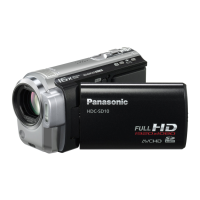
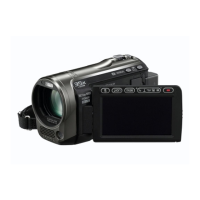
Panasonic HDC-SD100 - User Manual

Panasonic HDC-SD100
140 pages
Print Icon
To Next Page IconTo Next Page
Loading...
Operating Instructions
High Definition Video Camera
Model No. HDC-SD100
Before use, please read these instructions completely.
VQT1T90
GN

Table of Contents

Questions and Answers

  • R
    Rebecca HooverSep 9, 2025
    Why can't I delete scenes on my Panasonic HDC-SD100 Camcorder?
    • F
      frank11Sep 9, 2025
      If you cannot delete scenes on your Panasonic Camcorder, it could be because the scenes are protected; release the protect setting. Alternatively, scenes/still pictures where the thumbnails are displayed as cannot be deleted; format the SD card to erase the data if these scenes/still pictures are unnecessary. Finally, check if the SD card’s write protect switch is set to LOCK, as this disables deletion.
  • V
    Veronica MillsSep 7, 2025
    Why are some Panasonic Camcorder playback images skipped automatically?
    • P
      Philip FrankSep 7, 2025
      If some playback images are being skipped automatically on your Panasonic Camcorder, the play mode may be set to (Intelligent scene selection). Change the play mode to (All scenes).
  • M
    Mr. William VazquezAug 22, 2025
    What to do if my Panasonic HDC-SD100 Camcorder won't turn on?
    • A
      Amanda Lawrence MDAug 22, 2025
      If your Panasonic Camcorder won't turn on, try the following: Charge the battery using the AC adapter. If that doesn't work, the battery protection circuit may have operated. Attach the battery to the AC adapter for 5 to 10 seconds. If the unit still doesn’t work, the battery is faulty. Also, make sure the LCD monitor is opened.
  • N
    nwalkerSep 5, 2025
    Why does my Panasonic Camcorder arbitrarily stop recording?
    • J
      James WilkinsonSep 5, 2025
      If your Panasonic Camcorder arbitrarily stops recording, use an SD card that is suitable for motion picture recording. Also, if the [AGS] setting is [ON], record in the normal horizontal position or set [AGS] to [OFF].
  • M
    Miss Jacqueline Mills MDSep 4, 2025
    What to do if my Panasonic Camcorder remote control does not function?
    • A
      Anthony HowellSep 4, 2025
      If the remote control for your Panasonic Camcorder does not function, the button-type battery may be run out. Replace it with a new button-type battery.
  • S
    Sheila HodgeSep 3, 2025
    Why is my Panasonic HDC-SD100 autofocus not working?
    • J
      Jorge SalazarSep 3, 2025
      If the auto focus function on your Panasonic Camcorder is not working, first ensure that the AUTO/MANUAL switch is set to AUTO. If you are trying to record a scene that is difficult to focus on in auto mode, try using the manual focus mode to adjust the focus.
  • J
    James RodriguezSep 1, 2025
    What to do if my Panasonic HDC-SD100 Camcorder cannot be operated though it is turned on?
    • T
      terrydwayneSep 1, 2025
      If your Panasonic Camcorder cannot be operated even when it's turned on, ensure that the LCD monitor is opened when the LCD/EVF select switch is set to LCD. If that's not the issue, try turning the power off and on again. If the problem persists, remove the battery or AC adapter, wait about 1 minute, and then reconnect it. Wait another minute before turning the power on again.
  • N
    Nathan RuizAug 31, 2025
    What to do if my Panasonic HDC-SD100 is turned off automatically?
    • M
      Melissa WellsAug 31, 2025
      If your Panasonic Camcorder turns off automatically, it might be due to the VIERA Link feature. If you connect to a TV compatible with VIERA Link using a HDMI mini cable and turn off the TV with its remote, the camcorder will also turn off. If you are not using VIERA Link, set the [VIERA Link] setting to [OFF].
  • E
    emily96Aug 30, 2025
    Why is my Panasonic HDC-SD100 Camcorder not detected by the PC?
    • S
      Susan SimmonsAug 30, 2025
      If your Panasonic Camcorder is not detected by the PC when connected by USB, try selecting another USB terminal on the PC. Also, turn the power to the unit off and then back on again and reconnect the USB cable.
  • E
    Elizabeth HawkinsAug 28, 2025
    What to do if my Panasonic Camcorder screen is frozen?
    • C
      carterrobertAug 29, 2025
      If the indication disappears, the screen is frozen, and no operation can be performed on your Panasonic Camcorder, turn off the power to the unit. If the power cannot be turned off, remove the battery or AC adapter and then reattach it. Turn on the power again.

Summary

Information for Your Safety

Safety Warnings and Precautions

Covers fire, shock, damage warnings, installation precautions, and disposal.

Preparation

Setup Procedures

Details power supply, SD cards, mode selection, menu usage, date/time, LCD adjustment.

Power Supply

Battery Management and Charging

Covers compatible batteries, charging, insertion/removal, and AC connection.

SD Card Management

SD Card Usage and Handling

Details usable cards, formatting, and insertion/removal procedures.

Selecting a Mode and Using the Menu

Recording

Recording (Basic)

Covers initial recording steps, motion pictures, still pictures, zoom, stabilizer, auto mode.

Recording (Advanced)

Details advanced recording functions, icons, menus, and manual controls.

Motion Picture Recording

Still Picture Recording

Manual Recording Controls

Playback

Motion Picture Playback

Instructions for playing back recorded videos.

Still Picture Playback

Instructions for playing back recorded photos.

Backup

Connecting a DVD Burner

Preparation, copying, and playback with a DVD burner.

With a PC

What You Can Do with a PC

Software overview, data transfer, editing, and PC playback.

PC Connection Setup and Usage

Software installation, unit-PC connection, and HD Writer usage.

Others

Helpful Hints and Troubleshooting

Provides tips, function conflicts, and solutions to common problems.

Troubleshooting

Unit Power, Battery, and Operation Issues

Covers power, battery life, unresponsiveness, and remote control problems.

Recording, Playback, and Focus Issues

Addresses recording start/stops, focus, color balance, and playback skips.

SD Card, Display, and Connection Issues

Covers SD card recognition, display problems, and USB/VIERA Link errors.

Specifications

Motion Picture and Still Picture Specifications

Technical details for motion picture and still picture recording.

Panasonic HDC-SD100 Specifications

General IconGeneral
Video FormatAVCHD
Sensor Type3MOS
Optical Zoom12x
LCD Screen Size2.7 inches
Digital Zoom700x
Image StabilizationOptical
HD Video RecordingYes
Maximum Video Resolution1920 x 1080
MicrophoneStereo
Recording MediaSD/SDHC
Weight380g
LCD Screen Resolution230, 000 dots

Related product manuals