53
VQT3J95
≥ Change the mode to .
When you record images in different situations, this mode automatically sets optimum shutter
speeds and apertures.
≥ (Sunset/Low light)
jThe shutter speed is 1/30 or more
≥ (Sunset/Fireworks/Scenery/Night scenery)
jImage may get blurry when a close object is recorded.
≥ (Sports)
jDuring normal playback, the image movement may not look smooth.
jColor and screen brightness may change under indoor lighting.
j
If the brightness is insufficient, the Sports Mode does not function. The
5
display flashes.
≥ (Portrait)
jColor and screen brightness may change under indoor lighting.
≥ (Fireworks)
jThe shutter speed is 1/30.
jImage may get washed out when recorded in bright surroundings.
≥ (Night scenery)
jUsing a tripod is recommended.
Advanced (Recording)
Recording functions of menus
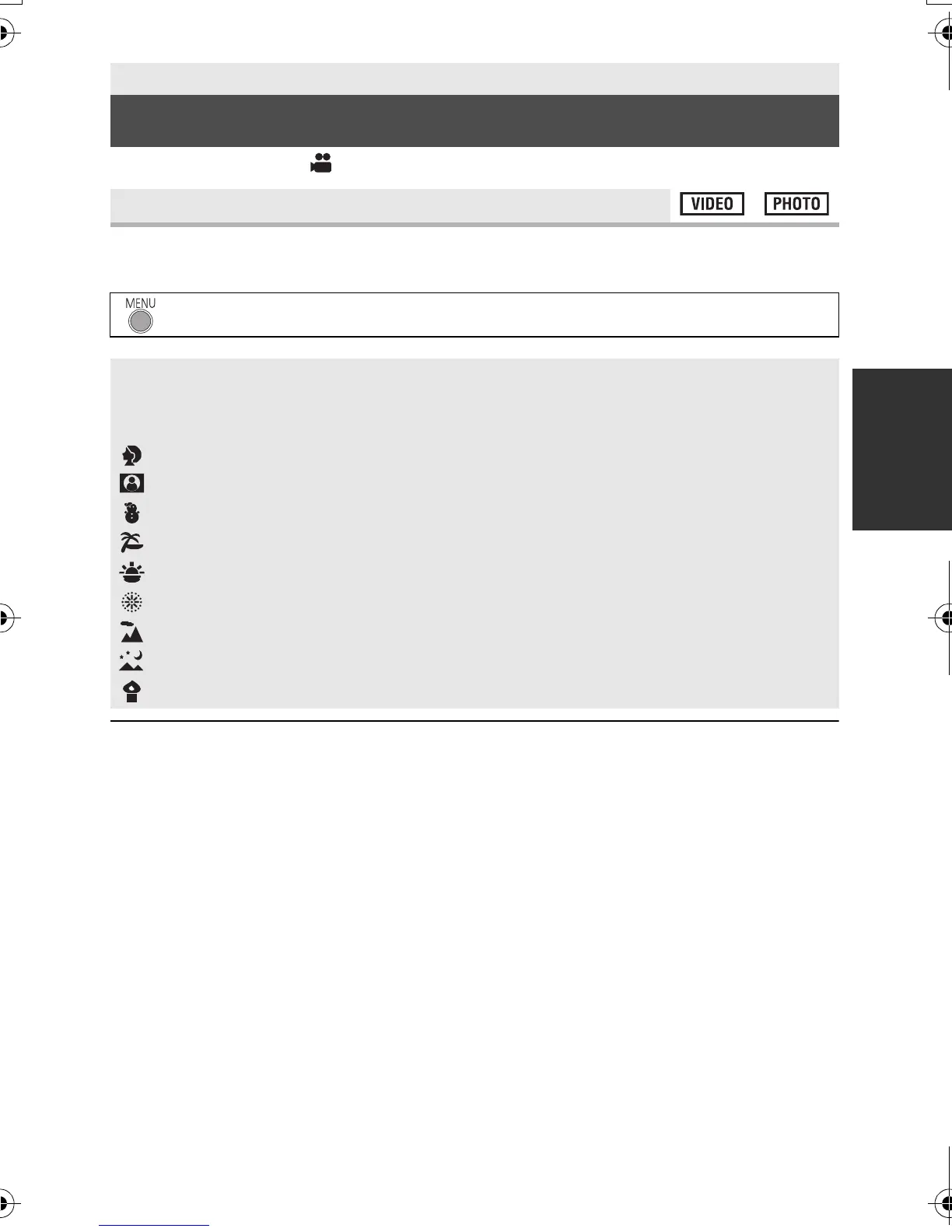
[SCENE MODE]
: [RECORD SETUP] # [SCENE MODE] # desired setting
[OFF]: Cancel the setting
5Sports: To make fast moving scenes less shaky with slow playback
and pause of playback
Portrait: To make people stand out against the background
Spotlight: Improved quality when subject is brightly illuminated.
Snow: Improved image quality when shooting in snowy locations.
Beach: To make blue in the sea or sky vibrant
Sunset: To make red in the sunrise or sunset vibrant
Fireworks: To capture the fireworks in the night sky beautifully
Scenery: For spatial scenery
Night scenery: To capture the evening or night scenery beautifully.
Low light: For dark scenes, such as at dusk
HDC-SD40&TM40P_PC_VQT3J95_mst.book 53 ページ 2011年1月20日 木曜日 午前11時49分















 To Next Page