Shared Phonebook
16
For assistance, please visit http://www.panasonic.com/help
Shared phonebook
The shared phonebook allows you to make
calls without having to dial manually. Any
handset registered to the base unit can use
the shared phonebook. You can add 50 names
and phone numbers to the shared phonebook.
Important:
L Only 1 person can access the shared
phonebook at a time.
Adding entries
1 {k} s {MENU}
2 {r}: “Add new entry” s {OK}
3 Enter the party’s name (16 characters
max.). s {OK}
4 Enter the party’s phone number (24 digits
max.). s {OK} 2 times
L To add other entries, repeat from step
3.
5 {OFF}
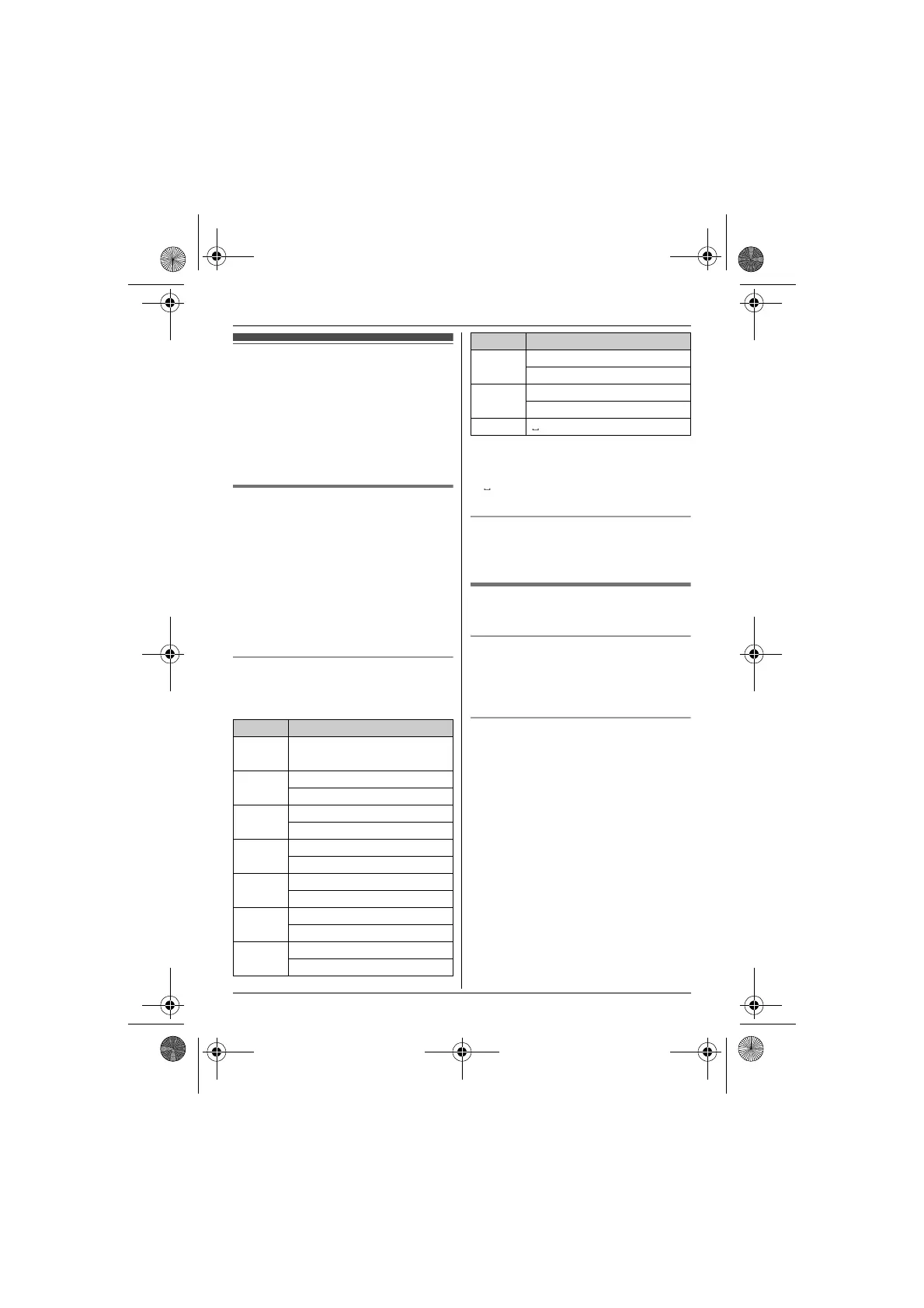
Character table for entering names
While entering characters, you can switch
between uppercase and lowercase by
pressing * (A→a).
L To enter another character that is located
on the same dial key, first press {>} to
move the cursor to the next space.
L in the above table represents a single
space.
Erasing the character or number
Press {<} or {>}. s {CLEAR}
L Press and hold {CLEAR} to erase all
characters or numbers.
Finding and calling a phonebook
entry
Scrolling through all entries
1 {k}
2 {r}: Select the desired entry.
3 {C}
Searching by first character
1 {k}
2 Press the dial key () – 9) which
contains the character you are searching
for (page 16).
L Press the same dial key repeatedly to
display the first entry corresponding to
each character located on that dial
key.
L If there is no entry corresponding to
the character you selected, the next
entry is displayed.
3 {r}: Scroll through the phonebook if
necessary.
4 {C}
Key Character
1 #&’ ( )
; , –./1
2 ABC2
abc2
3 DEF3
def 3
4 GHI 4
ghi 4
5 JKL5
jkl5
6 MNO6
mn o 6
7 PQRS7
pqrs7
8 TUV8
tuv8
9 WX Y Z 9
wx yz9
) 0
Key Character
TG122x.book Page 16 Wednesday, September 29, 2010 2:13 PM








 To Next Page