Programming
18
For assistance, please visit http://www.panasonic.com/help
Programmable settings
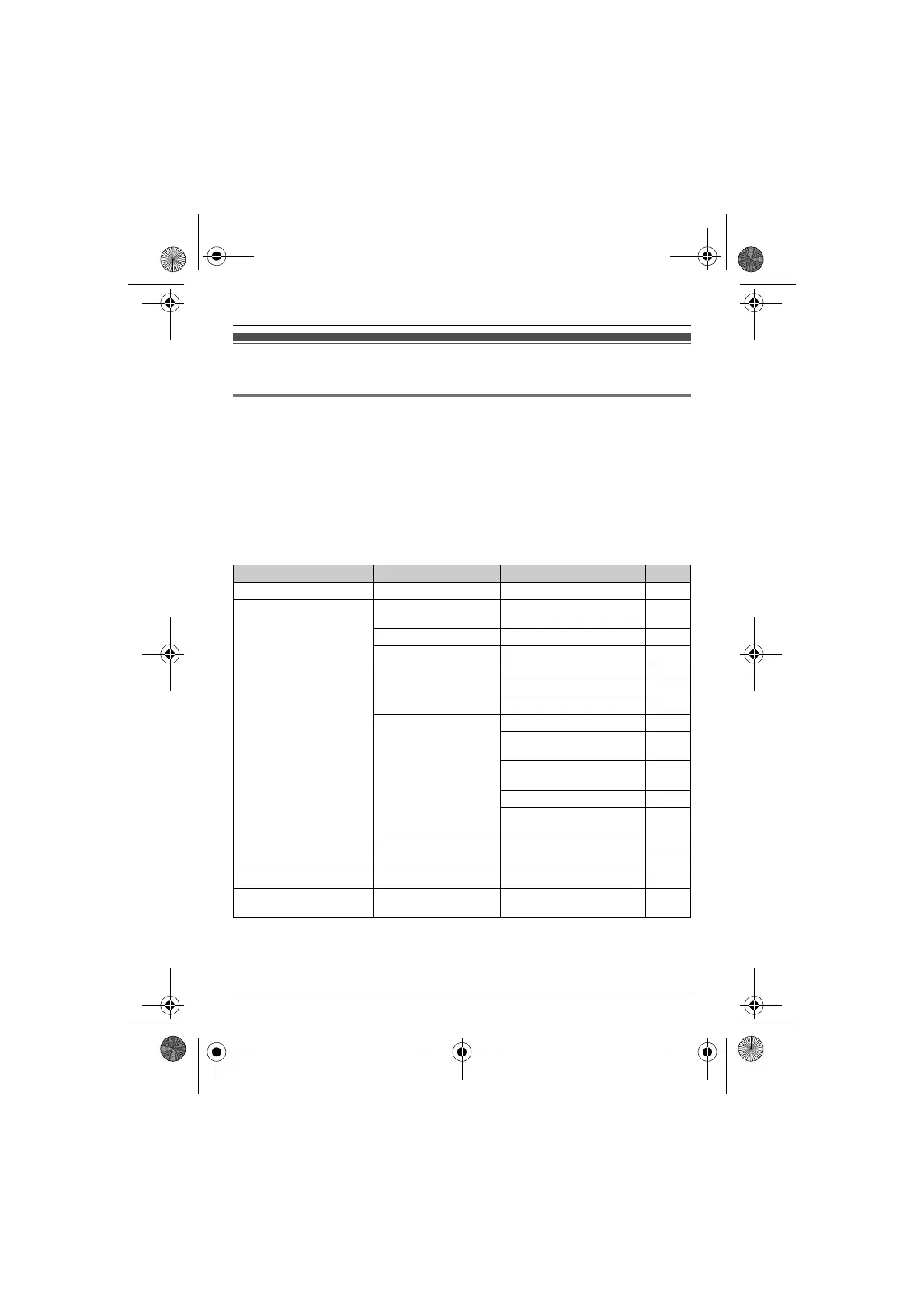
You can customize the unit by programming the following features using the handset.
Programming by scrolling through the display menus
1
{MENU}
2 Press {V} or {^} to select the desired main menu. s {OK}
3 Press {V} or {^} to select the desired item in sub-menu 1. s {OK}
L In some cases, you may need to select from sub-menu 2. s {OK}
4 Press {V} or {^} to select the desired setting. s {OK}
L This step may vary depending on the feature being programmed.
L To exit the operation, press {OFF}.
Note:
L In the following table, < > indicates the default settings.
Main menu Sub-menu 1 Sub-menu 2 Page
Caller list ––21
Answering device Play new msg.
(msg.: message)
–24
Play all msg. –24
Erase all msg.
*1
–25, 25
Greeting Record greeting
*1
23
Check greeting 24
Pre-recorded
*1
24
Settings Remote code
*1
<111>25
Ring count
*1
<4 rings>
26
Recording time
*1
<3 min>
27
Screen call <On>23
Voice prompt
*1
<English>
11
Answer on
*1
–23
Answer off
*1
–23
Intercom ––29
Ph.book settings
(Ph.book: phonebook)
Add new entry
*1
–16
TG122x.book Page 18 Wednesday, September 29, 2010 2:13 PM








 To Next Page