Getting Started
10
For assistance, please visit http://www.panasonic.com/help
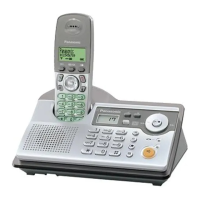
Controls
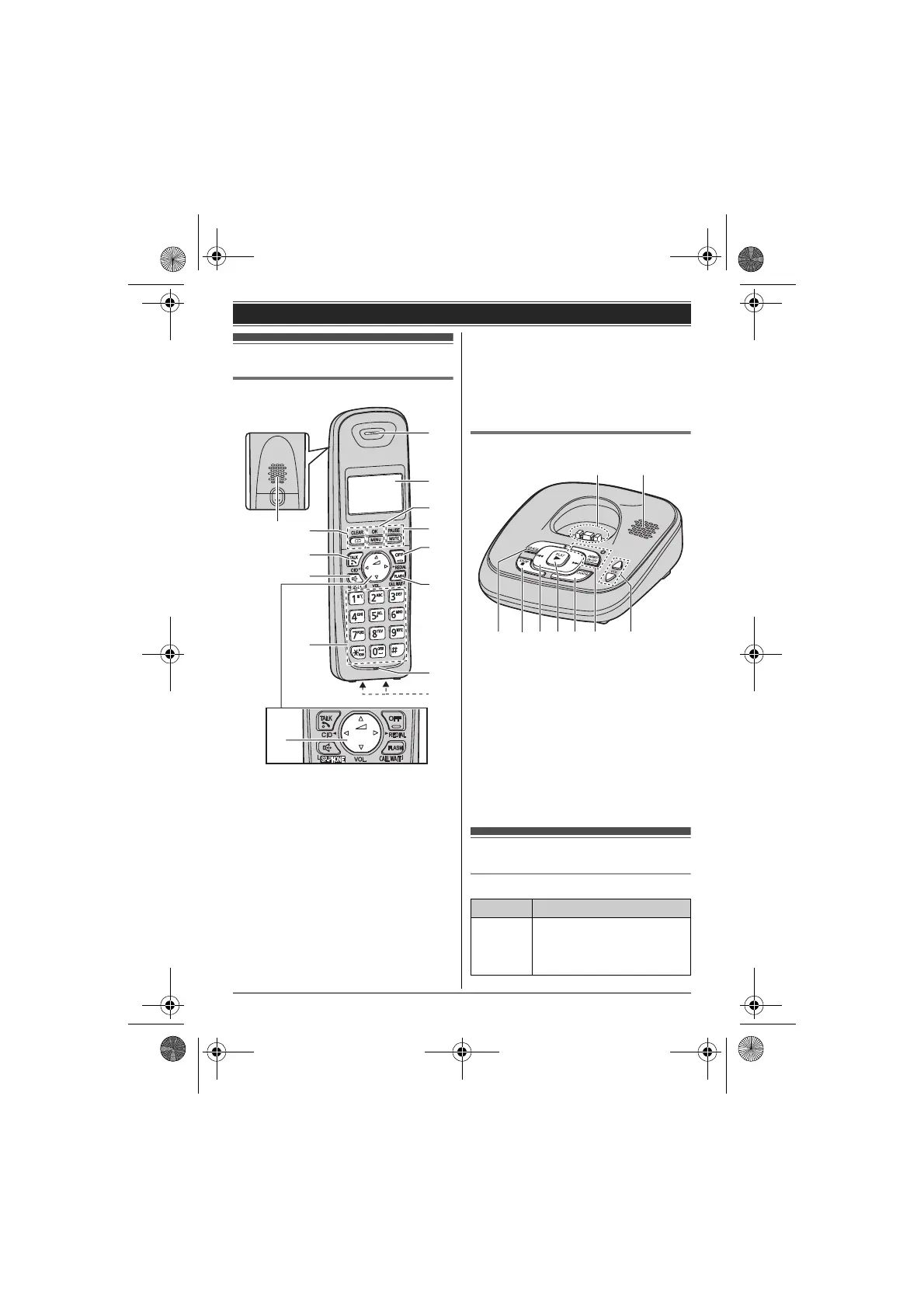
Handset
A Speaker
B {k} (Phonebook) {CLEAR}
C {C} (TALK)
D {s} (SP-PHONE: Speakerphone)
E Dial keypad (*: TONE)
F Receiver
G Display
H {MENU} {OK}
I {MUTE} {PAUSE}
J {OFF}
K {FLASH} {CALL WAIT}
L Microphone
M Charge contacts
A Navigator key
– {^}, {V}, {<}, or {>}: Scroll through various
lists and items.
– ? VOL. (Volume: {^} or {V}): Adjust the
receiver or speaker volume while talking.
– {<} CID (Caller ID): View the caller list.
– {>} REDIAL: View the redial list.
Base unit
A Charge contacts
B Speaker
C {ERASE}
D {■} (STOP)
E {7}/{8} (Repeat/Skip)
F {6} (PLAY)
Message indicator
G {LOCATOR}
H {ANSWER ON/OFF}
ANSWER ON/OFF indicator
I VOL. (Volume: {^}/{V})
Display
Handset display items
A
M
C
B
D
E
J
H
K
G
I
F
L
A
Item Meaning
w Within base unit range
L When flashing: Handset is
searching for the base
unit. (page 32)
DC E F G
H I
A B
TG122x.book Page 10 Wednesday, September 29, 2010 2:13 PM








 To Next Page