EasyManua.ls Logo

Panasonic KX-TG1032C - User Manual

Panasonic KX-TG1032C
48 pages
Print Icon
To Next Page IconTo Next Page
Loading...
This unit is compatible with Call Display. To use this feature, you must
subscribe to the appropriate service offered by your telephone service
provider.
Please read these Operating Instructions before using the unit and save for
future reference.
For assistance, please call 1-800-561-5505 or visit us at
www.panasonic.ca
Charge the handset batteries for 7 hours before initial use.
Operating Instructions
Expandable Digital Cordless
Answering System
with 2 Handsets
Model No.
KX-TG1032C
with 3 Handsets
Model No.
KX-TG1033C
with 4 Handsets
Model No.
KX-TG1034C
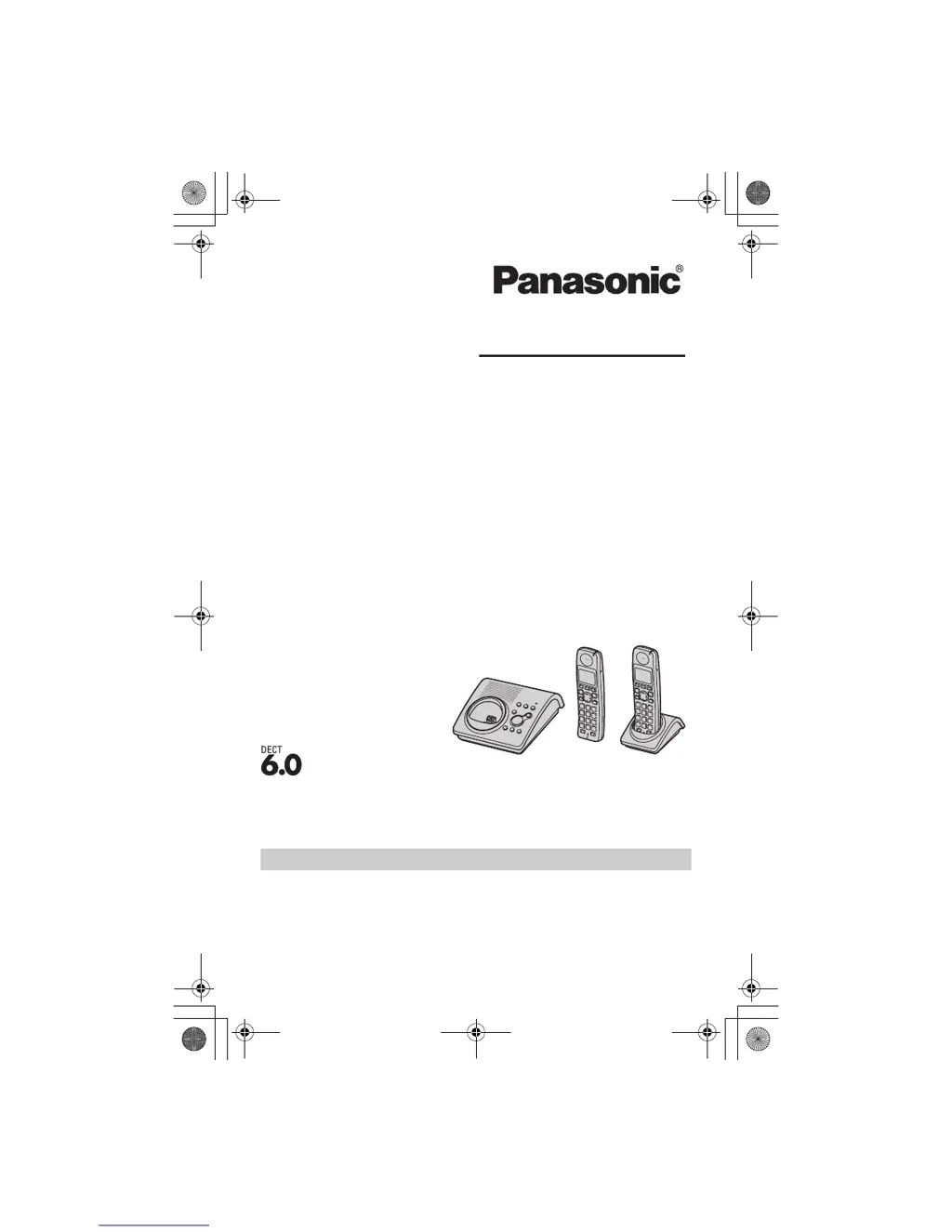
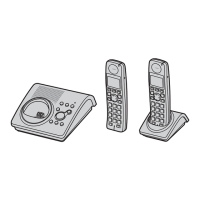
Model shown is KX-TG1032C.
TG103xC.bookPage1Wednesday,February28,20075:25PM

Questions and Answers

  • M
    Melissa WallaceSep 4, 2025
    What to do if I cannot hear a dial tone on my Panasonic KX-TG1032C Answering Machine?
    • D
      Dr. Robin BakerSep 4, 2025
      If you cannot hear a dial tone on your Panasonic Answering Machine, first confirm that the telephone line cord is properly connected. If it is, disconnect the unit and connect a known working telephone. If the working telephone operates properly, contact service personnel to have the unit repaired. If the working telephone does not operate properly, contact your telephone service provider.
  • D
    Damon BridgesSep 18, 2025
    Why can't I dial the edited phone number on my Panasonic KX-TG1032C Answering Machine?
    • E
      Elijah RodriguezSep 18, 2025
      If you cannot dial the phone number edited in the caller list on your Panasonic Answering Machine, the phone number you dialed might have an incorrectly edited pattern (for example, the long distance “1” or the area code is missing). Edit the phone number with another pattern.
  • B
    boydmatthewSep 16, 2025
    Why can't I page the handset on my Panasonic Answering Machine?
    • D
      Darrell CallahanSep 16, 2025
      If you cannot page the handset on your Panasonic Answering Machine, the called handset is too far from the base unit or the called handset is in use. Try again later.
  • G
    Gabriel FrederickSep 14, 2025
    Why can't I make long distance calls on my Panasonic Answering Machine?
    • W
      William BradleySep 14, 2025
      If you cannot make long distance calls on your Panasonic Answering Machine, make sure that you have long distance service.
  • K
    Kimberly MatthewsSep 12, 2025
    What to do if I cannot have a conversation using the headset on my Panasonic KX-TG1032C?
    • A
      Annette SullivanSep 12, 2025
      If you cannot have a conversation using the headset on your Panasonic Answering Machine, make sure that an optional headset is connected properly.
  • C
    Christine BrownSep 12, 2025
    Why does the battery icon continue to flash on my Panasonic KX-TG1032C after fully charging?
    • J
      Jeremy SmithSep 12, 2025
      If the battery icon continues to flash on your Panasonic Answering Machine after fully charging, clean the charge contacts and charge again. The batteries may also need to be replaced with new ones.
  • P
    Paul HarmonSep 9, 2025
    Why does my Panasonic KX-TG1032C ring while programming?
    • V
      Valerie SmithSep 9, 2025
      If your Panasonic Answering Machine handset starts to ring while programming, it means a call is being received. Answer the call and start again after hanging up.
  • B
    Bobby GonzalezSep 7, 2025
    Why does my Panasonic KX-TG1032C Answering Machine display 'w' but I cannot make a call?
    • J
      James WoodSep 7, 2025
      If your Panasonic Answering Machine displays 'w' but you cannot make a call, the handset and base unit could not communicate due to interference from other electrical appliances. Move the handset and base unit away from other electrical appliances and closer to each other.
  • E
    Elizabeth SmithSep 5, 2025
    Why is the indicator flashing on my Panasonic KX-TG1032C Answering Machine handset?
    • G
      Gary Morales DDSSep 6, 2025
      The indicator on the top right of the handset of your Panasonic Answering Machine flashes slowly because new messages or new Voice Mail messages have been recorded. Listen to the new messages or new Voice Mail messages.
  • A
    Andrew AndersonAug 21, 2025
    Why does my Panasonic KX-TG1032C handset display blank?
    • D
      dianaphillipsAug 21, 2025
      If the handset display of your Panasonic Answering Machine is blank, make sure that the batteries are properly installed and fully charged.

Panasonic KX-TG1032C Specifications

General IconGeneral
Number of Handsets2
Expandable up to6 handsets
Answering SystemDigital
Recording Time18 minutes
Caller IDYes
Call Waiting Caller IDYes
Talk TimeUp to 10 hours
SpeakerphoneYes
IntercomYes
Backlit DisplayYes
RangeUp to 1000 feet
TypeCordless Phone
Phonebook Capacity50
Battery TypeNi-MH
Frequency1.9 GHz

Related product manuals