EasyManua.ls Logo

Panasonic KX-TG6621E - User Manual

Panasonic KX-TG6621E
48 pages
Print Icon
To Next Page IconTo Next Page
Loading...
Thank you for purchasing a Panasonic product.
Please read these operating instructions before using the unit and save them for
future reference.
This unit is compatible with Caller ID. You must subscribe to the appropriate service
offered by your service provider/telephone company.
Before initial use, see “Getting Started”
on page 11.
Please access our online customer survey:
http://panasonic.net/pcc/tel/q
Operating Instructions
Model No. KX-TG6621E
KX-TG6622E
Digital Cordless Answering System
Model No. KX-TG6611E
KX-TG6612E
KX-TG6613E
Digital Cordless Phone
KX-TG6623E
KX-TG6624E
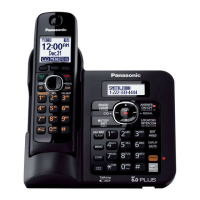
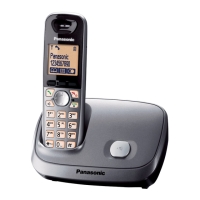
Model shown is KX-TG6611.
TG6611-6621E(e).book Page 1 Tuesday, December 7, 2010 2:00 PM

Questions and Answers

  • X
    xfullerSep 23, 2025
    What to do if liquid entered my Panasonic KX-TG6621E?
    • M
      Mrs. Danielle MeyerSep 23, 2025
      If liquid or other form of moisture has entered the handset/base unit of your Panasonic Cordless Telephone, disconnect the AC adaptor and telephone line cord from the base unit. Remove the batteries from the handset and leave to dry for at least 3 days. After the handset/base unit are completely dry, reconnect the AC adaptor and telephone line cord. Insert the batteries and charge fully before use. If the unit does not work properly, contact an authorised service centre.
  • K
    Kimberly BestAug 23, 2025
    What to do if my Panasonic Cordless Telephone does not work?
    • A
      Ashley BrennanAug 23, 2025
      If your Panasonic Cordless Telephone is not working, ensure the batteries are installed correctly and fully charged. Check all connections. Try unplugging the base unit’s AC adaptor to reset the unit, turn off the handset, reconnect the adaptor, and turn on the handset again. Also, ensure the handset is registered to the base unit.
  • M
    Michelle OsborneAug 25, 2025
    Why can't I hear a dial tone on my Panasonic KX-TG6621E Cordless Telephone?
    • B
      Benjamin SmithAug 26, 2025
      If you cannot hear a dial tone on your Panasonic Cordless Telephone, ensure you are using the supplied telephone line cord. Check that the base unit’s AC adaptor or telephone line cord is connected properly. If the issue persists, disconnect the base unit from the telephone line and connect the line to a known working telephone to determine if the problem is with the unit or your service provider.
  • S
    Susan FergusonAug 27, 2025
    Why is my Panasonic Cordless Telephone beeping and the battery icon flashing?
    • J
      Jacqueline MaxwellAug 27, 2025
      If the handset of your Panasonic Cordless Telephone beeps and/or the battery icon flashes, it indicates that the battery charge is low. Fully charge the batteries.
  • T
    Thomas KnightAug 28, 2025
    Why is the base unit of my Panasonic KX-TG6621E not ringing?
    • C
      colemancarlosAug 28, 2025
      If the base unit of your Panasonic Cordless Telephone does not ring, check if the ringer volume is turned off and adjust it.
  • J
    John RussellSep 18, 2025
    Why is the phonebook name not fully displayed on my Panasonic KX-TG6621E during a call?
    • M
      mmartinSep 18, 2025
      If the name stored in the phonebook is not fully displayed while an outside call is being received on your Panasonic Cordless Telephone, edit the phonebook entry name to fit in 1 line of text.
  • C
    Christine PetersonSep 15, 2025
    Why can't I register a handset to the base unit of my Panasonic Cordless Telephone?
    • A
      Antonio RothSep 15, 2025
      If you cannot register a handset to a base unit of your Panasonic Cordless Telephone, it may be because the maximum number of handsets (6) is already registered. Cancel unused handset registrations from the base unit. You may have also entered the wrong PIN.
  • C
    Christopher ColeSep 17, 2025
    Why has the time shifted on my Panasonic Cordless Telephone?
    • J
      Jon JamesSep 17, 2025
      If the time on your Panasonic Cordless Telephone has shifted, it may be due to incorrect time information from incoming Caller ID. Set the time adjustment to “Manual” (off).
  • R
    Renee BenderSep 6, 2025
    Why is caller information slow to display on my Panasonic KX-TG6621E Cordless Telephone?
    • H
      Hannah HullSep 7, 2025
      Caller information on your Panasonic Cordless Telephone may display slowly because, depending on your service provider, the unit may display the caller’s information at the 2nd ring or later. Moving closer to the base unit may also help.
  • J
    Jose ParksSep 4, 2025
    Why is caller information not displayed on my Panasonic KX-TG6621E Cordless Telephone?
    • K
      Katrina LuceroSep 4, 2025
      If caller information is not displayed on your Panasonic Cordless Telephone, ensure you subscribe to a Caller ID service. If the unit is connected to additional telephone equipment, remove it and plug the unit directly into the wall jack. If you use a DSL/ADSL service, connect a DSL/ADSL filter between the base unit and the telephone line jack. Also, other telephone equipment may be interfering with the unit, so disconnect it and try again.

Summary

Introduction

Model Composition

Details the specific models included in the series and their configurations.

Accessory Information

Lists all supplied accessories and optional items for the unit.

Expanding Your Phone System

Explains how to add additional handsets to the base unit.

Sales and Support Information

Provides contact details for customer support and sales channels.

General Information

Covers unit's intended use, conformity, and warranty reference fields.

For Your Future Reference

Fields to record purchase details for warranty and repair assistance.

Important Information and Safety

For Your Safety

Crucial safety warnings to prevent injury and property damage during product use.

Battery Usage and Safety

Guidelines for safe battery installation, handling, and charging.

Best Performance Tips

Recommendations for optimal base unit placement and minimizing interference.

Product Specifications

Technical details of the unit including frequency, power, and operating conditions.

Getting Started

Setting Up Connections

Step-by-step instructions for connecting the base unit and charger.

Battery Installation and Charging

Detailed guide on installing and charging the handset batteries.

Controls and Display Overview

Identification of buttons and indicators on the base unit and charger.

Handset Display Items and Icons

Explanation of symbols and text shown on the handset display.

Turning Power On;Off and Date;Time Setting

Procedures for powering the unit and configuring date and time.

Wall Mounting Instructions

Guidance on securely mounting the base unit to a wall.

Making and Answering Calls

Making and Answering Calls

Basic procedures for initiating and receiving phone calls.

Useful Features During a Call

Explains call hold, mute, call waiting, and equalizer functions.

Key Lock Functionality

How to lock and unlock the handset to prevent unauthorized use.

Phonebook Management

Handset Phonebook Operations

Adding, editing, finding, and erasing phonebook entries.

Chain Dial and Copying Entries

Using phonebook during calls and copying contacts between handsets.

Programming Features

Programmable Settings Overview

Accessing and customizing various unit settings via menus or codes.

Ringing and Night Mode Settings

Adjusting ringer volume, tone, and enabling night mode for quiet periods.

Alarm and Handset Name Settings

Setting alarms and customizing handset names for intercom use.

Handset Registration and Repeater Setup

Registering new handsets and configuring a DECT repeater for extended range.

Caller ID Service

Using Caller ID Features

How to utilize caller identification services and features.

Caller List Management

Viewing, editing, and erasing entries in the caller list.

Storing Caller Information

Saving caller details from the list into the phonebook.

Answering System

Answering System Operations

Turning the system on/off and using call screening feature.

Greeting Message and Message Playback

Recording, playing, and managing greeting messages.

Listening to and Managing Messages

Accessing and erasing recorded messages via base unit or handset.

Remote Operation and Settings

Operating the answering system remotely and adjusting its settings.

Intercom and Locator

Intercom Call Functions

Making and answering intercom calls between handsets.

Handset Locator and Call Transfer

Finding a misplaced handset and transferring outside calls.

Useful Information and Troubleshooting

Character Entry Guide

Explains entering characters using dial keys and different modes.

Error Messages and Solutions

Lists common error messages and their corresponding causes and solutions.

General Troubleshooting

Provides solutions for common operational problems with the unit.

Caller ID and Answering System Issues

Troubleshooting specific problems related to Caller ID and answering system.

Liquid Damage and Guarantee

Advice on handling liquid damage and warranty conditions.

Conditions of Guarantee

Details on the product guarantee terms and limitations.

Panasonic KX-TG6621E Specifications

General IconGeneral
TypeCordless Telephone
Number of Handsets1
DECT TechnologyYes
GAP compatibleYes
Frequency1.9 GHz
DisplayLCD
Caller IDYes
Call WaitingYes
Conference CallingYes
IntercomYes
SpeakerphoneYes
Answering MachineYes
Recording TimeUp to 18 minutes
Battery TypeNi-MH
Power SourceAC Adapter
Range300 meters outdoors, 50 meters indoors
Phonebook Capacity50 entries

Related product manuals