EasyManua.ls Logo

Panasonic KX-TG6700 - User Manual

Panasonic KX-TG6700
72 pages
Print Icon
To Next Page IconTo Next Page
Loading...
This unit is compatible with Caller ID. To use this feature, you must subscribe to
the appropriate service offered by your telephone service provider.
Please read these Operating Instructions before using the unit and save for
future reference.
For assistance, visit our website:
http://www.panasonic.com/phonehelp for customers in the U.S.A. or Puerto
Rico.
Charge the handset battery for 7 hours before initial use.
Operating Instructions
5.8 GHz Expandable Digital Cordless
Answering System
Model No.
KX-TG6700
5.8 GHz Expandable Digital Cordless
Answering System with Two Handsets
Model No.
KX-TG6702
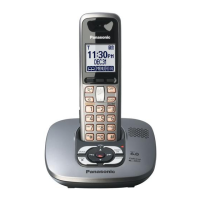
Model shown is KX-TG6700.
TG6700.book Page 1 Monday, April 24, 2006 10:28 AM

Other manuals for Panasonic KX-TG6700

Questions and Answers

  • J
    James GilbertAug 20, 2025
    What to do if my Panasonic Answering Machine does not work?
    • A
      Andrea GreenAug 20, 2025
      If your Panasonic Answering Machine is not working, ensure the battery is correctly installed and fully charged. Also, check the connections. Try to unplug the base unit’s AC adapter to reset the unit, then reconnect it. If the handset has not been registered to the base unit, register the handset.
  • F
    fyatesAug 22, 2025
    How to fix a blank display on my Panasonic Answering Machine handset?
    • S
      stephensshawnAug 22, 2025
      If the handset display is blank on your Panasonic Answering Machine, first confirm that the battery is properly installed. If it is, fully charge the battery.
  • L
    Linda Smith MDAug 25, 2025
    Why can't I listen to messages remotely on my Panasonic Answering Machine?
    • A
      Ashley MillsAug 25, 2025
      If you cannot listen to messages from a remote location on your Panasonic Answering Machine, ensure that you are using a touch tone phone. Also, make sure you enter the remote code correctly. The answering system must be on.
  • J
    johnsonalexanderAug 26, 2025
    What to do if I cannot make a call on my Panasonic Answering Machine?
    • M
      Michael EdwardsAug 26, 2025
      If you cannot make a call on your Panasonic Answering Machine, the dialing mode may be set incorrectly. Change the setting. Also, make sure that the base unit (including answering system) or another handset is not in use.
  • C
    Chelsea WilcoxAug 28, 2025
    How to fix my Panasonic KX-TG6700 when the handset and base unit do not ring?
    • T
      Tony StoneAug 28, 2025
      If the handset and base unit of your Panasonic Answering Machine do not ring, the ringer volume is likely turned off. Adjust it.
  • E
    Evan WillisAug 30, 2025
    How to eliminate static and sound cutting out on my Panasonic Answering Machine?
    • M
      Marcus CaldwellAug 30, 2025
      If you are experiencing static or sound cutting in and out on your Panasonic Answering Machine, it might be due to interference from other electrical units. Try the following: * Move the handset and base unit away from other electrical appliances. * Move closer to the base unit. * Raise the base unit antennas. * Turn on the clarity booster feature. If your unit is connected to a telephone line with DSL service, we recommend connecting a noise filter between the base unit and the telephone line jack. Contact your DSL provider for details.
  • K
    Kristin WangAug 31, 2025
    What to do if I cannot program items on my Panasonic KX-TG6700 Answering Machine?
    • O
      obridgesAug 31, 2025
      If you cannot program items on your Panasonic Answering Machine, it may be because another user is listening to messages or the answering system is answering a call. Try again later.
  • N
    nortizSep 2, 2025
    How to enable headset conversation on my Panasonic KX-TG6700 Answering Machine?
    • K
      Keith HoffmanSep 2, 2025
      If you cannot have a conversation using the headset on your Panasonic Answering Machine, make sure that an optional headset is connected properly. If “SP-phone” is displayed on the handset, press {C} to switch to the handset.
  • M
    Megan MontgomerySep 4, 2025
    Why can't I page the handset or base unit on my Panasonic KX-TG6700?
    • C
      Christopher RobinsonSep 4, 2025
      If you cannot page the handset or base unit on your Panasonic Answering Machine, the called handset may be too far from the base unit, or the called unit is in use. Try again later.
  • S
    Stephanie CochranSep 6, 2025
    Why can't I make long distance calls on my Panasonic KX-TG6700?
    • J
      Jasmine EstesSep 6, 2025
      If you cannot make long distance calls on your Panasonic Answering Machine, make sure that you have long distance service.

Summary

Product Introduction and Safety

Model Differences

Highlights differences between the KX-TG6700 and KX-TG6702 models.

Included Accessories

Details all accessories included with the telephone system.

Important Safety Instructions

Provides essential safety guidelines for using the product to prevent injury or damage.

Preparation and Initial Setup

Setting Up the Base Unit

Guides users through connecting the AC adapter and telephone line to the base unit.

Handset Setup and Battery Management

Explains how to install the handset battery and manage its charging.

Controls Overview

Identifies controls on base unit and handset.

Initial Unit Configuration

Covers essential initial settings like language, dialing mode, and date/time.

Call Operations

Making Calls

Initiates calls using handset, speakerphone, and redial list.

Answering Calls

Details procedures for answering incoming calls and adjusting ringer settings.

Call Management Features

Covers features like putting calls on hold and changing the ringer tone.

Phonebook, Caller ID, and Programming

Handset Phonebook

Provides instructions for adding and managing contacts in the handset phonebook.

Base Unit Speed Dialer

Details how to program and use speed dial numbers on the base unit.

Using Caller ID Service

Explains how to use Caller ID services and view call information.

Programmable Settings

Covers menu-based and direct command programming of features.

Answering System and Multi-unit Features

Answering System Basics

Covers turning the answering system on/off and using call screening.

Managing Messages

Explains listening to, repeating, skipping, and erasing messages.

Remote Operation

Provides instructions for operating the answering system remotely via phone.

Intercom and Call Transferring

Explains making intercom calls and transferring calls between units.

Conference Calls

Guides on setting up conference calls involving outside callers.

Room Monitoring

Explains how to set up and use the room monitor feature.

Handset Registration

Covers the procedures for registering and deregistering handsets.

Useful Information and Support

Optional Accessories

Describes optional accessories like headsets, wall mounts, and belt clips.

Error Messages

Lists common error messages and their corresponding causes and solutions.

Troubleshooting

Addresses common problems and provides solutions for general use and features.

Product Specifications

Lists technical specifications for the base unit, handset, and charger.

Customer Service and Support

Provides contact information for customer support, parts, and service.

Warranty Information

Outlines the terms and conditions of the product's limited warranty.

Assistance

Getting Help with Setup and Operation

Offers guidance on obtaining help with setup, operation, and product shipping.

Panasonic KX-TG6700 Specifications

General IconGeneral
BrandPanasonic
ModelKX-TG6700
CategoryAnswering Machine
LanguageEnglish

Related product manuals