Installation 6
Check after installation
1
Run puried water for about 3 to 4 minutes to expel the air inside the main unit.
①
Set the bypass selector to “
”.
②
Turn on the water faucet to let the water ow.
z
If air is not removed, water is poorly drained o from the main spout when stopped.
z
The indicator lighting may become unstable.
2
Check the items on P. EN14. In the case of abnormality, refer to the
actions to be taken for each part.
Check item
Trouble inspection location and remedial action
Reference
page
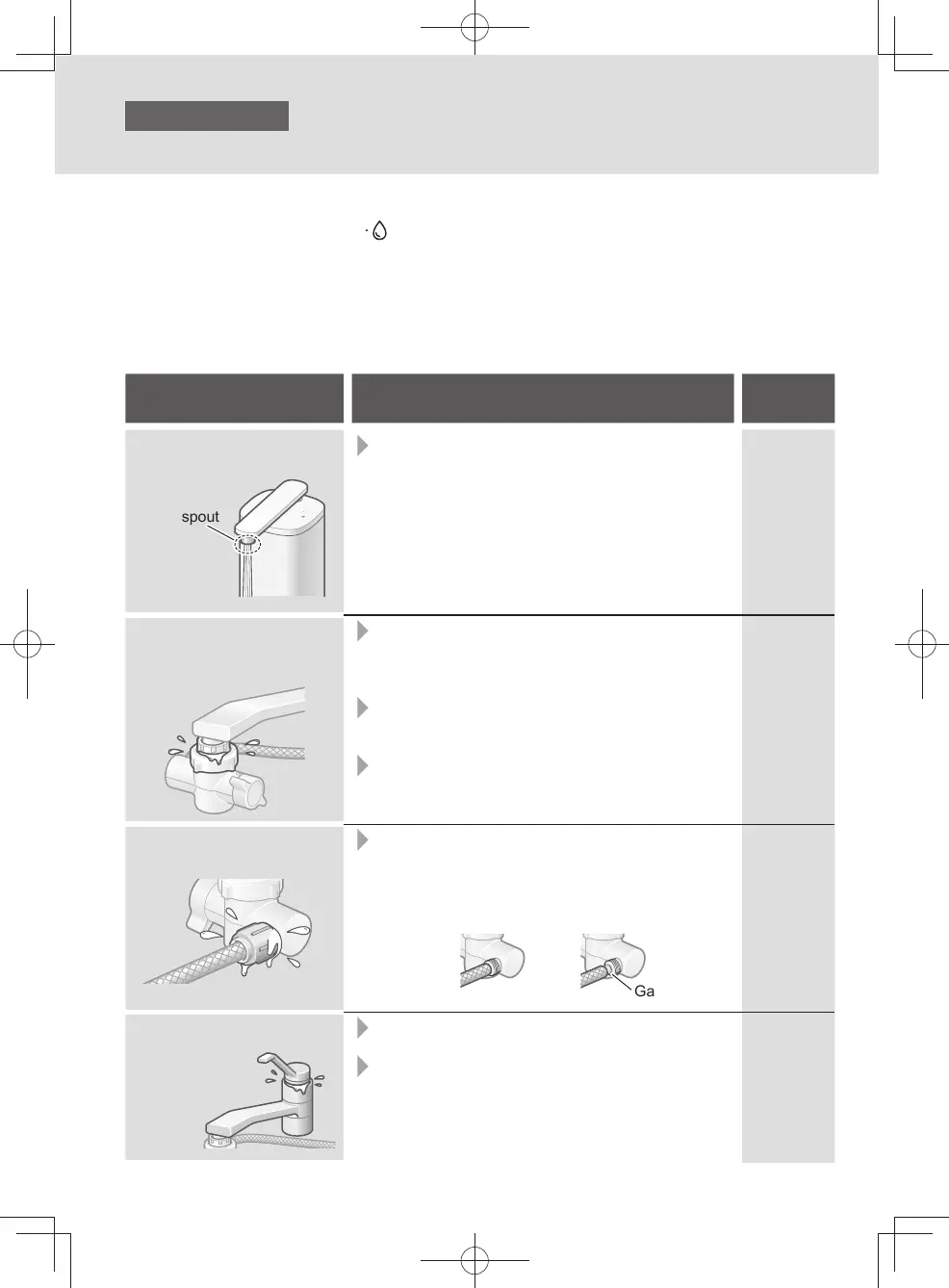
Is water coming out of the
main spout?
Main spout
z
Is the hose bent or attened?
→ If it is, straighten it.
EN13
Is there any water leakage
from the joint of the
bypass selector?
z
Has the bypass selector been installed
securely on the faucet?
→ Check again the instructions for “Attach the
bypass selector”, and install it securely.
z
Have the parts inside the bypass selector been
inserted properly?
→ If not, install them properly.
z
Are there any cracks at the end of the faucet
(in the insulating cap, for instance)?
→ Consult a plumber.
EN10-EN12
EN10-EN12
―
Is there any water leakage
from the joint of the hose?
z
Has the hose been attached securely to the
bypass selector?
→ Insert it as far as it will go, and use the hose
fastening nut to secure it.
< OK > < NG >
Gap
EN13
Is water leaking from the
faucet?
z
Is the gasket on the faucet old?
→ Consult a plumber.
z
Are there any cracks in the faucet (in the
insulating cap, for instance)?
→ Consult a plumber.
―
―
EN14
TK-CS500_01_EN.indd 13TK-CS500_01_EN.indd 13 2024/01/17 9:57:082024/01/17 9:57:08



 To Next Page