Maintenance
(continued)
Bypass selector mounting part
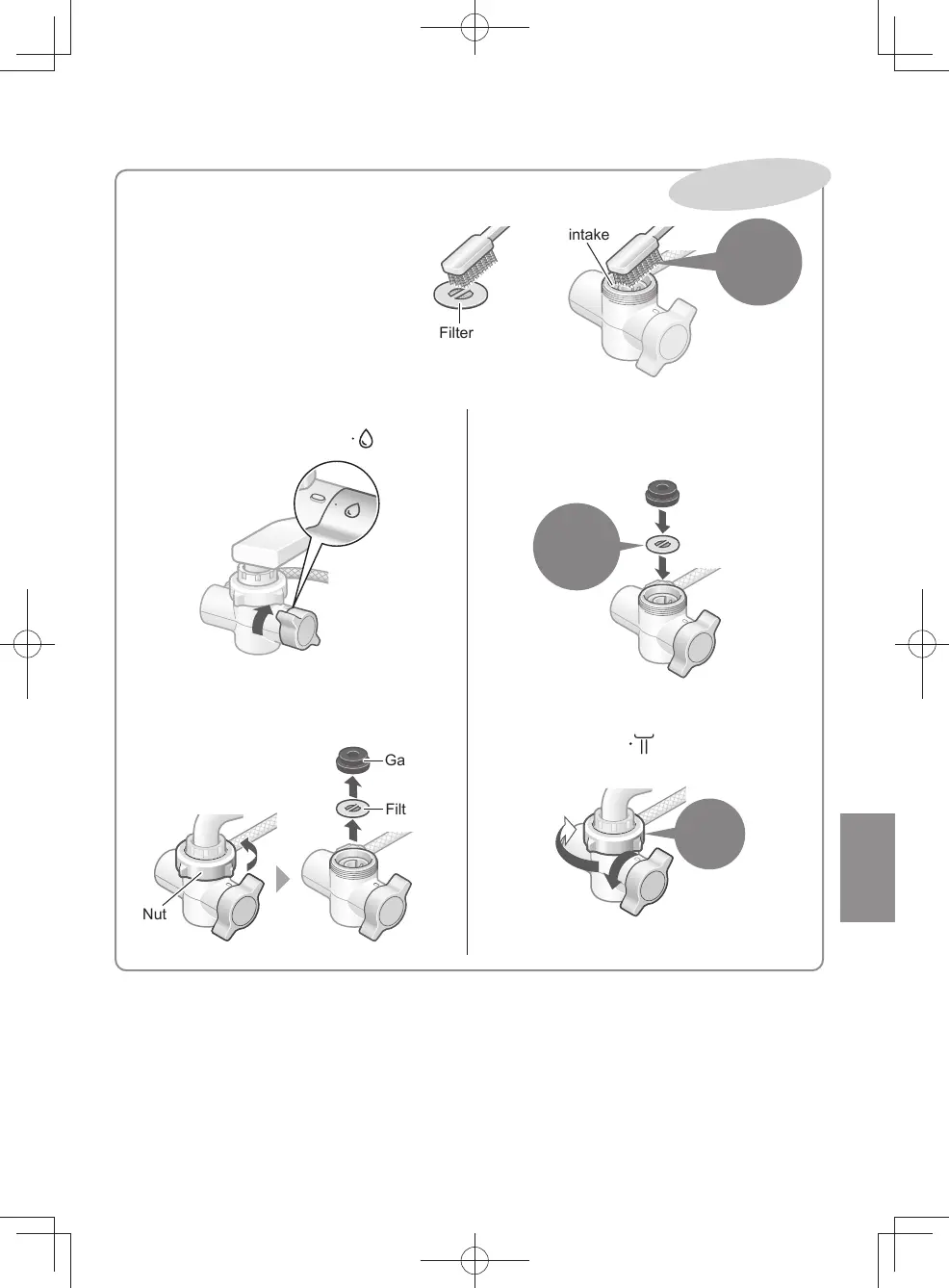
Remove the bypass selector, then
rinse the lter and water intake.
z
The water ow may decrease when
the lter in the bypass selector
connection area becomes clogged
with impurities.
How to remove
①
Set the bypass selector to “ ”.
②
Loosen the nut, remove the bypass
selector, and take out the gasket and
lter.
Filter
Nut
Gasket
How to attach
Be sure to follow this order.
①
Reinstall
Ensure to
install
(No front
or back)
②
Securely tighten the nut.
③
After mounting the bypass selector,
set the lever to “ ” and allow water to
ow for about 5 seconds.
Tighten
rmly by
hand
●③
②
Once a year
Water intake
Filter
Using a clean
toothbrush or
similar tools
EN17
TK-CS500_01_EN.indd 16TK-CS500_01_EN.indd 16 2023/12/19 9:58:202023/12/19 9:58:20



 To Next Page