www.barton-telecom.co.uk info@barton-telecom.co.uk 01604 812813
Section 1 – Basic User Training:
Making Calls
To Make an External Call
Lift your handset (or press SP-PHONE for hands-
free).
Dial 9 or press a free line key and dial the
number.
To Make an Internal Call
Lift your handset (or press SP-PHONE for hands-
free).
Dial the extension number.
Answering Calls
To Answer a Call Without a Headset
Lift your handset (or press SP-PHONE for hands-
free) and speak.
To Answer a Call With a Headset
Press the answer button on the side of your
headset and speak.
Using the Hold Facility Placing a Call On Hold Retrieving a Call on Hold
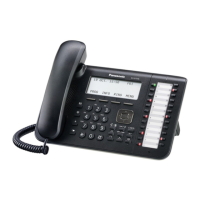
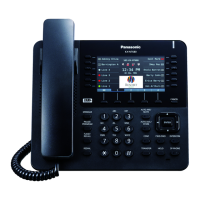
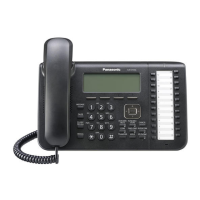
Panasonic System Telephone
Press the hold key once (System
Hold).
Press hold key twice (Exclusive
Hold).
Press slow flashing line button.
Basic or Cordless Telephone
Press button marked ‘Recall’, ‘R’
or ‘Transfer’.
Press button marked ‘Recall’, ‘R’
or ‘Transfer’.
N.B. System Hold holds the call on ALL key handsets so that anyone can pick up the call.
Exclusive Hold holds the call on YOUR handset only, preventing the call being
picked up elsewhere.
Transferring a Call
Panasonic System Telephone
Press ‘Transfer’.
Dial the extension number (or one touch key).
Announce call (optional).
Replace your handset.
If no answer while transferring press your
transfer key to get the call back.
Basic or Cordless Telephone
Press button marked ‘Recall’, ‘R’ or ‘Transfer’.
Dial extension number (or one touch key).
Announce call (optional).
Replace your handset.
If no answer while transferring press your
transfer key to get the call back.










 To Next Page