www.barton-telecom.co.uk info@barton-telecom.co.uk 01604 812813
Section 3 – System Manager Training:
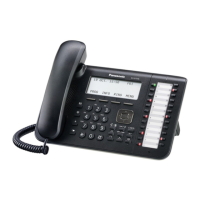
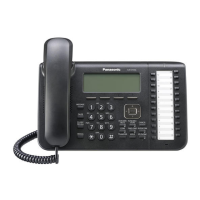
Manager Programming Mode (24 Key Panasonic System Telephones)
To enter manager programming mode, press ‘Program’ then **1234.
To exit manager programming mode, press you ‘Hold’ key.
Once in Manager Programming Mode:
Manager Programming
To Enter a System Speed Dial Number
Enter 001.
Press ‘Auto Dial/Store’ Key.
Enter the location you require (i.e. 000 –999) or
press NEXT or SP-PHONE until you find the
location you wish to change or that reads ‘Not
Stored’.
Enter 9.
Enter the telephone number.
Press ‘Auto Dial/Store’ key.
You can now press NEXT or SP-PHONE to advance
to the next location and continue as above.
Once finished press ‘Hold’.
To Name a System Speed Dial Number
Enter 002.
Press ‘Auto Dial/Store’ Key.
Enter the location you wish to attach a name to
(i.e. 000 –999) or press NEXT or SP-PHONE until
you find the location you require.
Press the button with the first letter of the name
you want to store.
Press Auto Dial / Store Key.
You can now Press NEXT or SP-PHONE to advance
to the next location and continue as above.
Once finished press ‘Hold’
To Change an Extension Name
Dial 004 ENTER
Scroll until you find the extension name you
require.
Press ENTER.
Press CLEAR.
Type in new name using keypad.
Press ENTER.
Once finished press ‘Hold’
To Change the Time
Leave your handset down.
Press program, then ** 1234
Dial 000.
The screen will say ‘Date and Time set’.
Press ‘Auto Dial/Store’.
Press Speakerphone.
For hours press arrow in screen so that hours is
flashing, enter new hour using keypad then press
arrow in screen so that minutes is flashing and
enter new minutes using keypad.
Press ‘Auto Dial/Store’.
Lift handset and place it back down again to exit.










 To Next Page