EasyManua.ls Logo

Panasonic NV-RX3A - Page 15

Panasonic NV-RX3A
64 pages
Print Icon
To Next Page IconTo Next Page
To Previous Page IconTo Previous Page
Loading...
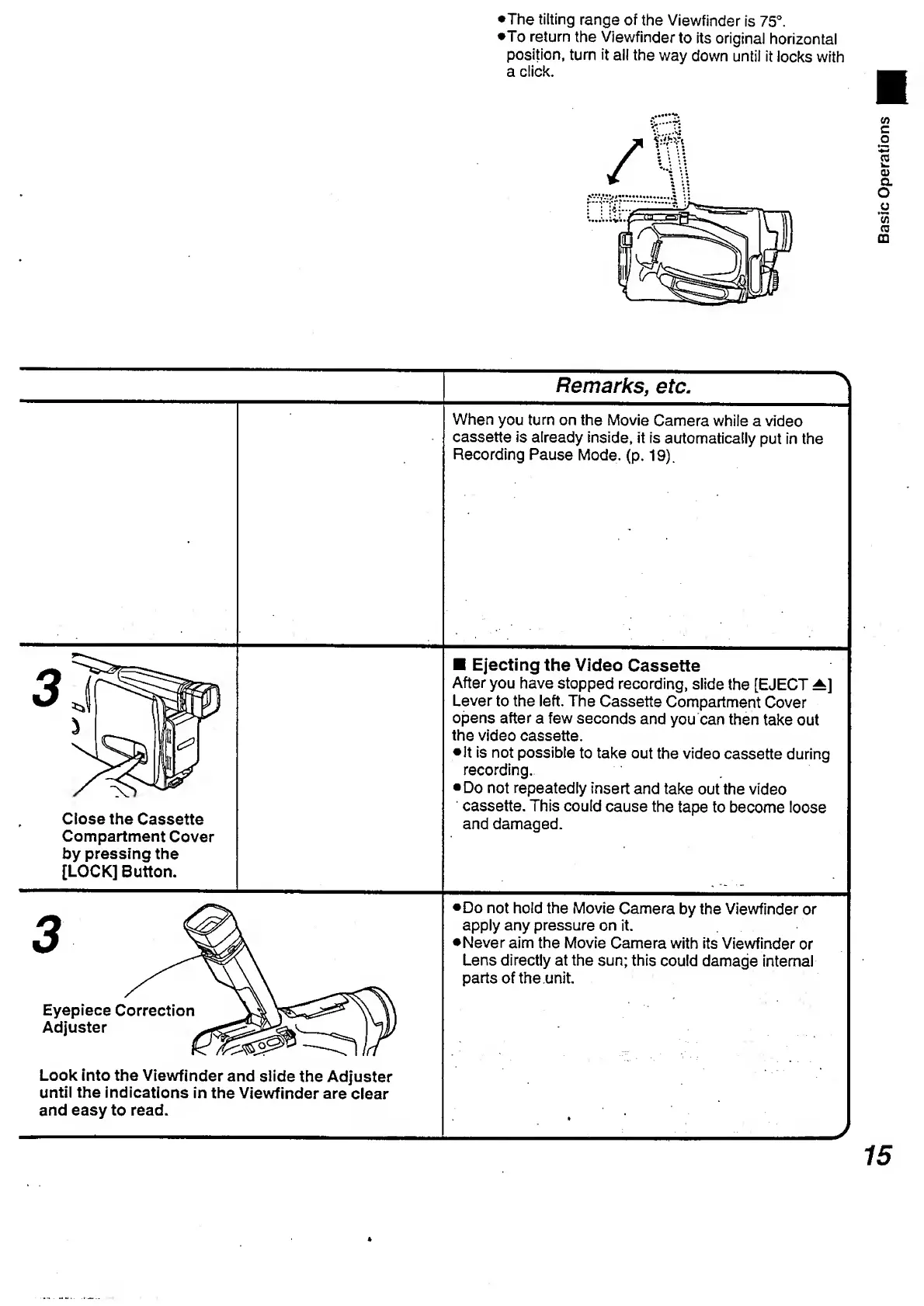
•The
tilting
range
of
the
Viewfinder
is
75°.
•To
return
the
Viewfinder
to
its
original
horizontal
position,
turn
it
ail
the
way
down
until
it
locks
with
a
click.
Remarks,
etc.
>
When
you
turn
on
the
Movie
Camera
while
a
video
cassette
is
already
inside,
it
is
automatically
put
in
the
Recording
Pause
Mode.
(p.
19).
3
5
jf
Close
the
Cassette
Compartment
Cover
by
pressing
the
[LOCK]
Button.
Ejecting
the
Video
Cassette
After
you
have
stopped
recording,
slide
the
[EJECT
A]
Lever
to
the
left.
The
Cassette
Compartment
Cover
opens
after
a
few
seconds
and
you
can
then
take
out
the
video
cassette.
•It
is
not
possible
to
take
out
the
video
cassette
during
recording.
Do
not
repeatedly
insert
and
take
out
the
video
cassette.
This
could
cause
the
tape
to
become
loose
and
damaged.
3
Do
not
hold
the
Movie
Camera
by
the
Viewfinder
or
apply
any
pressure
on
it.
Never
aim
the
Movie
Camera
with
its
Viewfinder
or
Lens
directly
at
the
sun;
this
could
damage
internal
parts
of
the
.unit.
Eyepiece
Correction
u
Vi
Look
into
the
Viewfinder
and
slide
the
Adjuster
until
the
indications
in
the
Viewfinder
are
clear
and
easy
to
read.
■■
'
'
J
15
Basic
Operations

Table of Contents

Related product manuals