EasyManua.ls Logo

Panasonic NV-RX3A - Checking the End of a Recorded Scene; Eliminating Picture Distortions by Adjusting the Tracking; Locating a Point Where You Wish to Add a New Scene

Panasonic NV-RX3A
64 pages
Print Icon
To Next Page IconTo Next Page
To Previous Page IconTo Previous Page
Loading...
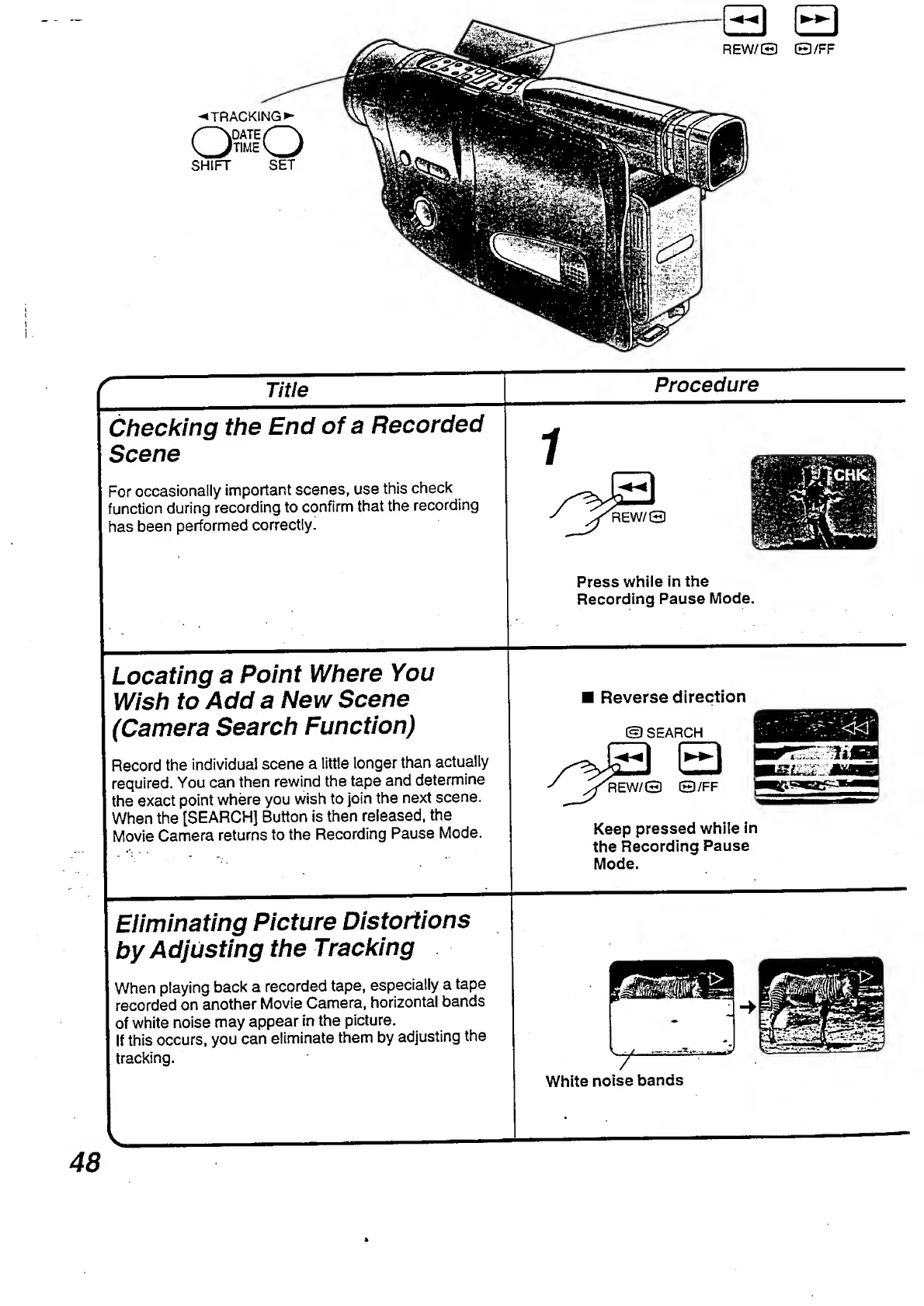
Procedure
_
Title
_
Checking
the
End
of
a
Recorded
Scene
1
For
occasionally
important
scenes,
use
this
check
function
during
recording
to
confirm
that
the
recording
has
been
performed
correctly.
Press
while
in
the
Recording
Pause
Mode.
Locating
a
Point
Where
You
Wish
to
Add
a
New
Scene
(Camera
Search
Function)
Record
the
individual
scene
a
little
longer
than
actually
required.
You
can
then
rewind
the
tape
and
determine
the
exact
point
where
you
wish
to
join
the
next
scene.
When
the
[SEARCH]
Button
is
then
released,
the
Movie
Camera
returns
to
the
Recording
Pause
Mode.
Reverse
direction
©SEARCH
^REW/O
©/FF
Keep
pressed
while
in
the
Recording
Pause
Mode.
Eliminating
Picture
Distortions
by
Adjusting
the
Tracking
When
playing
back
a
recorded
tape,
especially
a
tape
recorded
on
another
Movie
Camera,
horizontal
bands
of
white
noise
may
appear
in
the
picture.
If
this
occurs,
you
can
eliminate
them
by
adjusting
the
tracking.
White
noise
bands
v.
48

Table of Contents

Related product manuals