EasyManua.ls Logo

Panasonic NV-RX3A - Page 48

Panasonic NV-RX3A
64 pages
Print Icon
To Next Page IconTo Next Page
To Previous Page IconTo Previous Page
Loading...
Remarks,
etc
.
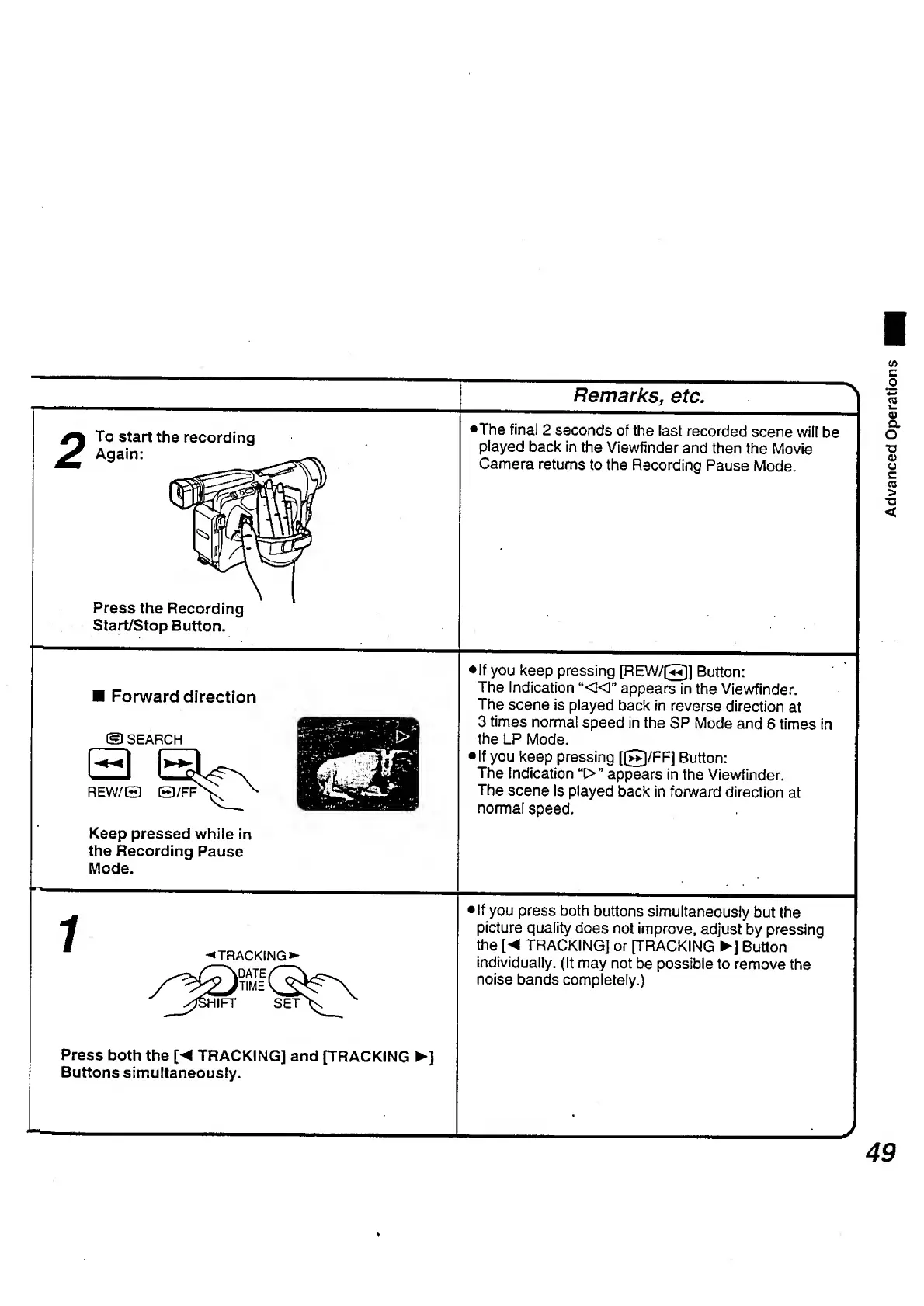
2
To
start
the
recording
Again:
Press
the
Recording
Start/Stop
Button.
•The
final
2
seconds
of
the
last
recorded
scene
will
be
played
back
in
the
Viewfinder
and
then
the
Movie
Camera
returns
to
the
Recording
Pause
Mode.
Forward
direction
©
SEARCH
a
REW/O
0/FF
Keep
pressed
while
in
the
Recording
Pause
Mode.
•If
you
keep
pressing
[REW/©]
Button:
The
Indication
“«"
appears
in
the
Viewfinder.
The
scene
is
played
back
in
reverse
direction
at
3
times
norma!
speed
in
the
SP
Mode
and
6
times
in
the
LP
Mode.
If
you
keep
pressing
[©/FF]
Button:
The
Indication
u
>”
appears
in
the
Viewfinder.
The
scene
is
played
back
in
forward
direction
at
normal
speed.
i
TRACKING
DATE
TIME
SET
If
you
press
both
buttons
simultaneously
but
the
picture
quality
does
not
improve,
adjust
by
pressing
the
[
TRACKING]
or
[TRACKING
]
Button
individually.
(It
may
not
be
possible
to
remove
the
noise
bands
completely.)
Press
both
the
[
TRACKING]
and
[TRACKING
]
Buttons
simultaneously.
J
49
Advanced
Operations

Table of Contents

Related product manuals