EasyManua.ls Logo

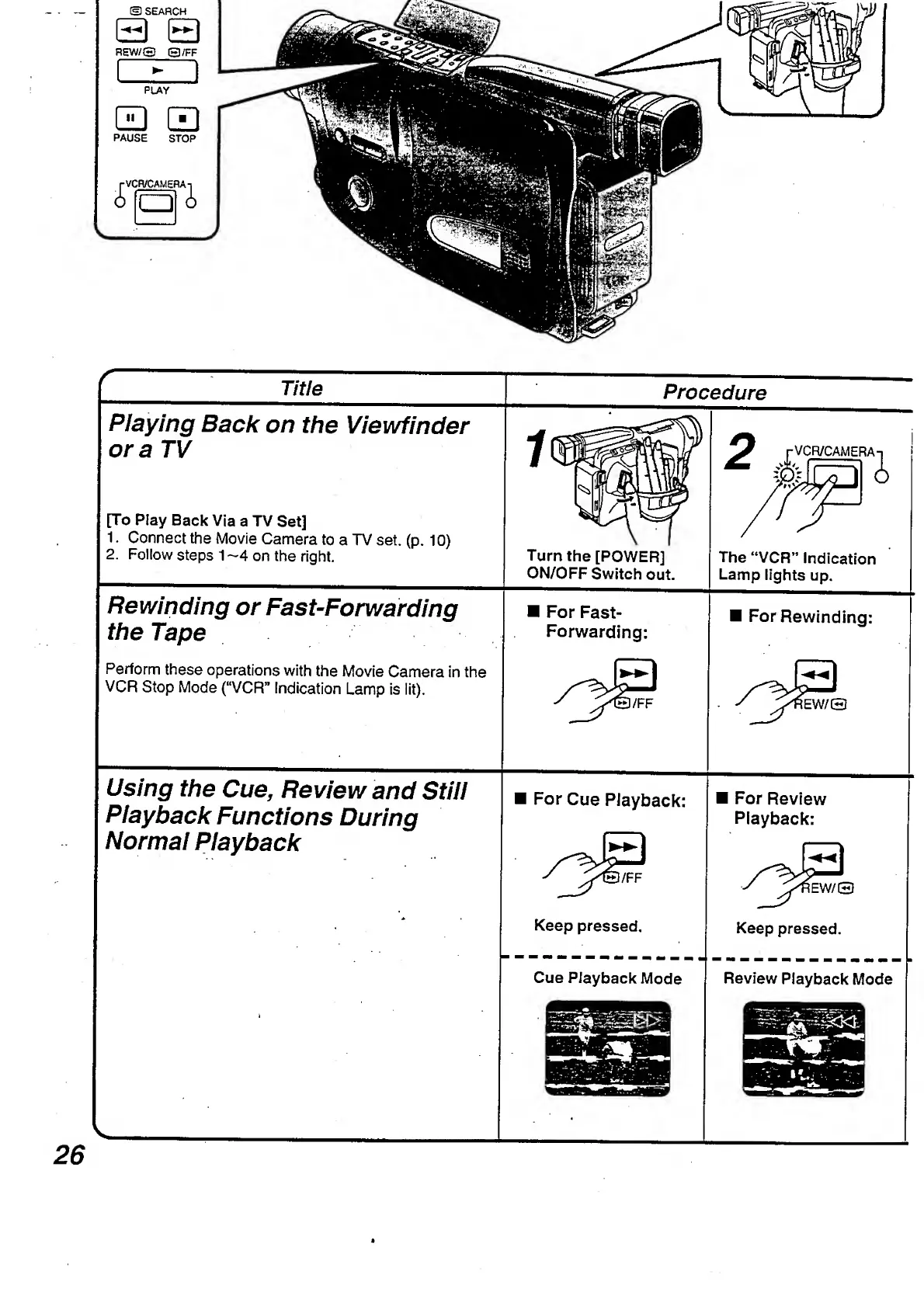
Panasonic NV-RX3A - Rewinding or Fast-Forwarding the Tape.26; Using the Cue, Review and Still Playback

Panasonic NV-RX3A
64 pages
Print Icon
To Next Page IconTo Next Page
To Previous Page IconTo Previous Page
Loading...
r
Title
Procedure
Playing
Back
on
the
Viewfinder
ora
TV
[To
Play
Back
Via
a
TV
Set]
1.
Connect
the
Movie
Camera
to
a
TV
set.
(p.
10)
2.
Follow
steps
1
—4
on
the
right.
Turn
the
[POWER]
ON/OFF
Switch
out.
The
“VCR”
Indication
Lamp
lights
up.
Rewinding
or
Fast-Forwarding
the
Tape
Perform
these
operations
with
the
Movie
Camera
in
the
VCR
Stop
Mode
(“VCR"
Indication
Lamp
is
lit).
For
Fast-
Forwarding:
For
Rewinding:
EW/Q
Using
the
Cue,
Review
and
Still
Playback
Functions
During
Normal
Playback
For
Cue
Playback:
Keep
pressed.
Cue
Playback
Mode
For
Review
Playback:
lEW/O
Keep
pressed.
Review
Playback
Mode
26

Table of Contents

Related product manuals