EasyManua.ls Logo

Panasonic NV-RX3A - Recording in the Auto Focus Mode; Recording in the Manual Focus Mode

Panasonic NV-RX3A
64 pages
Print Icon
To Next Page IconTo Next Page
To Previous Page IconTo Previous Page
Loading...
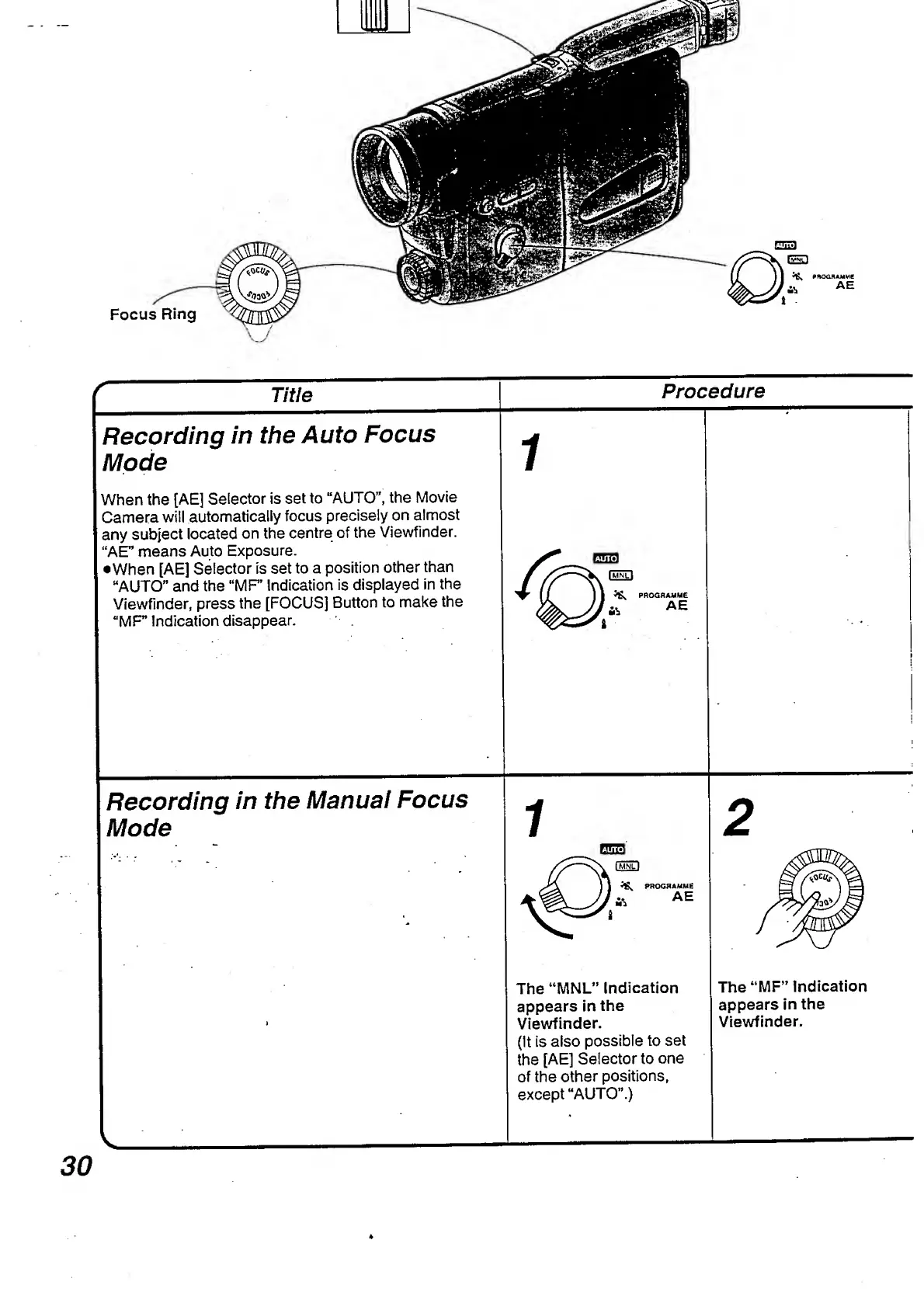
Focus
Ring
MSSm
i
Title
Recording
in
the
Auto
Focus
Mode
When
the
[AE]
Selector
is
set
to
“AUTO”,
the
Movie
Camera
will
automatically
focus
precisely
on
almost
any
subject
located
on
the
centre
of
the
Viewfinder.
“AE”
means
Auto
Exposure.
•When
[AE]
Selector
is
set
to
a
position
other
than
“AUTO”
and
the
"MF
Indication
is
displayed
in
the
Viewfinder,
press
the
[FOCUS]
Button
to
make
the
"MF”
Indication
disappear.
Recording
in
the
Manual
Focus
Mode
Procedure
ft
PROGRAMME
ft
AE
(3533
V
fMNTl
^
PROGRAMME
..
AE
Ml
The
“MNL”
Indication
appears
in
the
Viewfinder.
(It
is
also
possible
to
set
the
[AE]
Selector
to
one
of
the
other
positions,
except
“AUTO”.)
The
“MF”
Indication
appears
in
the
Viewfinder.
3
I

Table of Contents

Related product manuals