EasyManua.ls Logo

Panasonic NV-RX3A - Recording with Automatic White Balance Adjustment; Recording with Manual White Balance

Panasonic NV-RX3A
64 pages
Print Icon
To Next Page IconTo Next Page
To Previous Page IconTo Previous Page
Loading...
_
Title
_
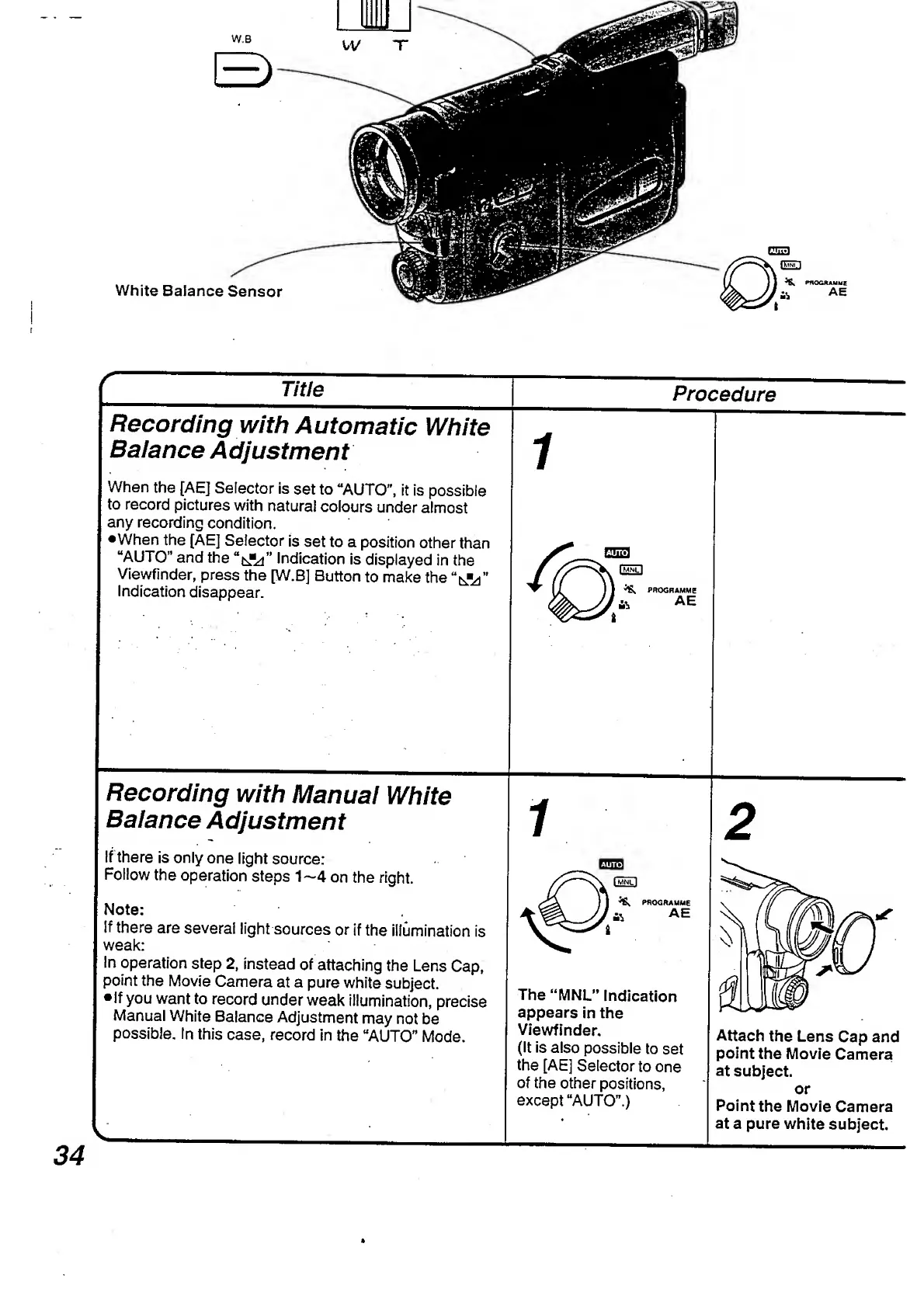
Recording
with
Automatic
White
Balance
Adjustment
1
Procedure
When
the
[AE]
Selector
is
set
to
“AUTO”,
it
is
possible
to
record
pictures
with
natural
colours
under
almost
any
recording
condition.
•When
the
[AE]
Selector
is
set
to
a
position
other
than
“AUTO”
and
the
Indication
is
displayed
in
the
Viewfinder,
press
the
[W.B]
Button
to
make
the
Indication
disappear.
Recording
with
Manual
White
Balance
Adjustment
PROGRAMME
AE
2
If
there
is
only
one
light
source:
Follow
the
operation
steps
1—4
on
the
right.
Note:
If
there
are
several
light
sources
or
if
the
illumination
is
weak:
In
operation
step
2,
instead
of
attaching
the
Lens
Cap,
point
the
Movie
Camera
at
a
pure
white
subject.
If
you
want
to
record
under
weak
illumination,
precise
Manual
White
Balance
Adjustment
may
not
be
possible.
In
this
case,
record
in
the
“AUTO"
Mode.
The
“MNL”
Indication
appears
in
the
Viewfinder.
(It
is
also
possible
to
set
the
[AE]
Selector
to
one
of
the
other
positions,
except
“AUTO”.)
Attach
the
Lens
Cap
and
point
the
Movie
Camera
at
subject.
or
Point
the
Movie
Camera
at
a
pure
white
subject.
34

Table of Contents

Related product manuals