EasyManua.ls Logo

Panasonic NV-RX3A - Recording a Still Picture for 5 Seconds

Panasonic NV-RX3A
64 pages
Print Icon
To Next Page IconTo Next Page
To Previous Page IconTo Previous Page
Loading...
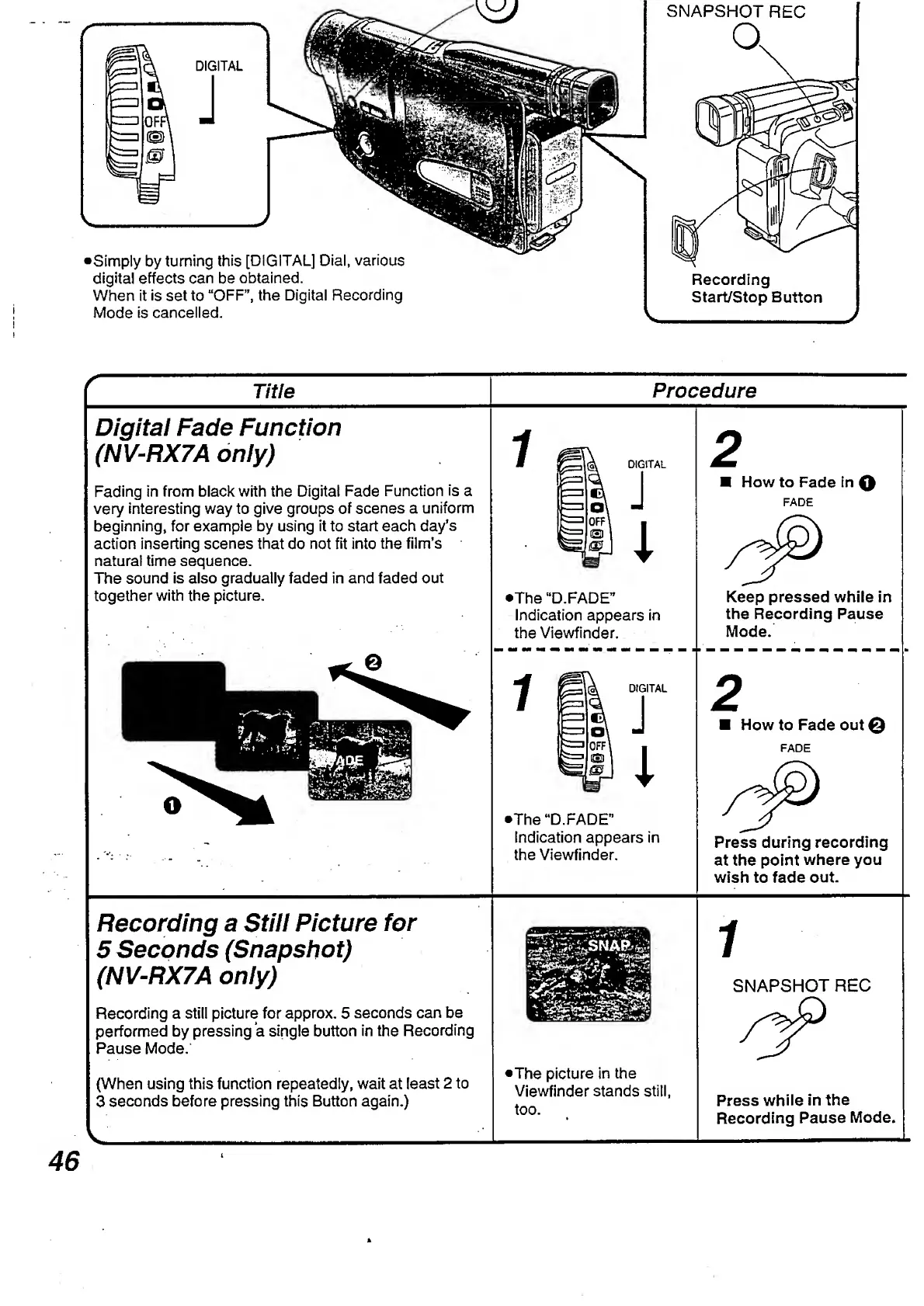
DIGITAL
S
i
m
ply
by
turning
this
[DIGITAL]
Dial,
various
digital
effects
can
be
obtained.
When
it
is
set
to
“OFF”,
the
Digital
Recording
Mode
is
cancelled.
SNAPSHOT
REC
a
Recording
Start/Stop
Button
r
Title
Procedure
Digital
Fade
Function
(NV-RX7A
only)
Fading
in
from
black
with
the
Digital
Fade
Function
is
a
very
interesting
way
to
give
groups
of
scenes
a
uniform
beginning,
for
example
by
using
it
to
start
each
day’s
action
inserting
scenes
that
do
not
fit
into
the
film’s
natural
time
sequence.
The
sound
is
also
gradually
faded
in
and
faded
out
together
with
the
picture.
2
How
to
Fade
in
0
FADE
•The
“D.FADE”
Indication
appears
in
the
Viewfinder.
Keep
pressed
while
in
the
Recording
Pause
Mode.
•The
“D.FADE"
Indication
appears
in
the
Viewfinder.
2
How
to
Fade
out
e
FADE
Press
during
recording
at
the
point
where
you
wish
to
fade
out.
Recording
a
Still
Picture
for
5
Seconds
(Snapshot)
(NV-RX7A
only)
Recording
a
still
picture
for
approx.
5
seconds
can
be
performed
by
pressing
a
single
button
in
the
Recording
Pause
Mode.
(When
using
this
function
repeatedly,
wait
at
least
2
to
3
seconds
before
pressing
this
Button
again.)
•The
picture
in
the
Viewfinder
stands
still,
too.
Press
while
in
the
Recording
Pause
Mode.

Table of Contents

Related product manuals