EasyManua.ls Logo

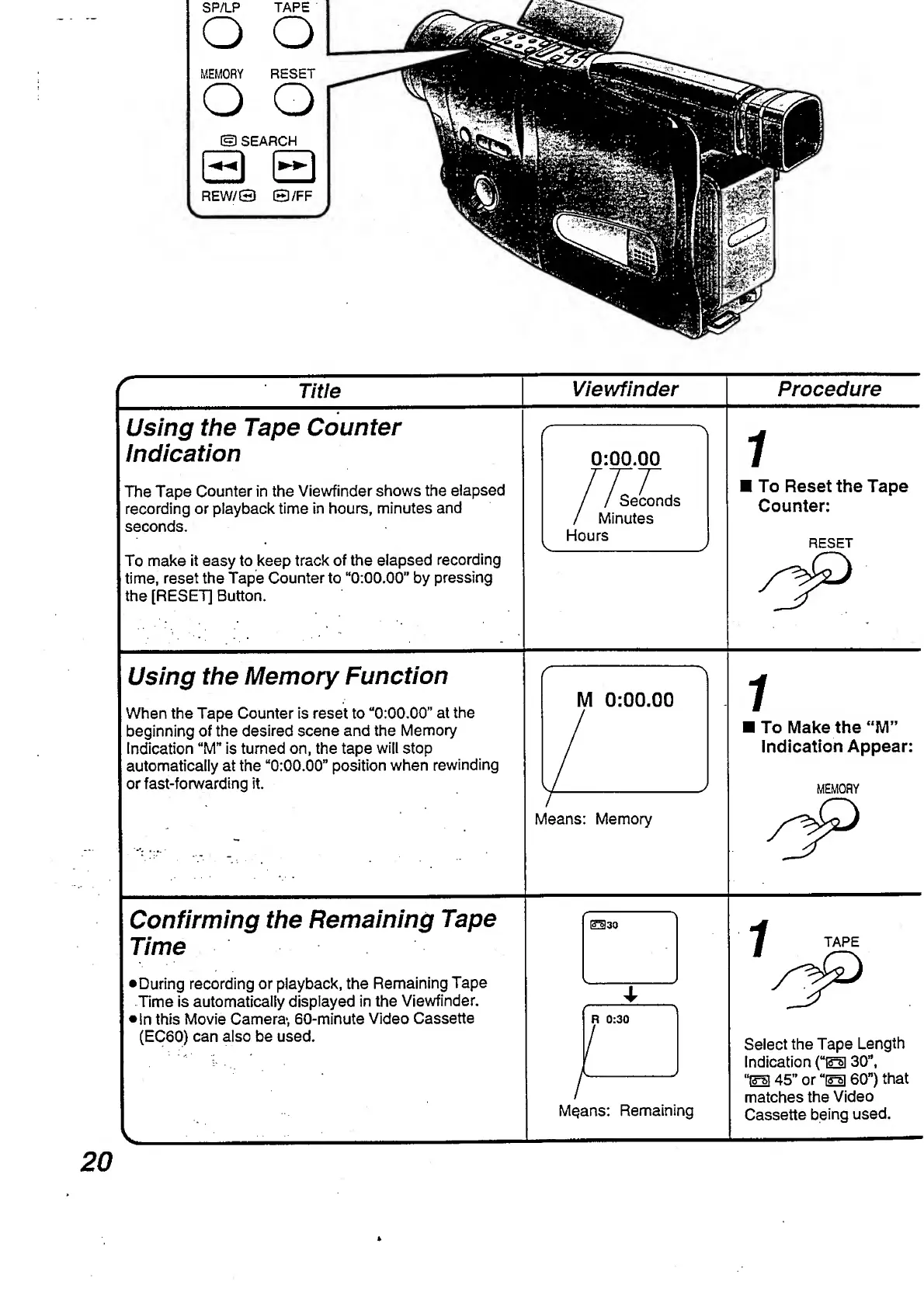
Panasonic NV-RX3A - Confirming the Remaining Tape Time; Using the Memory Function; Using the Tape Counter Indication

Panasonic NV-RX3A
64 pages
Print Icon
To Next Page IconTo Next Page
To Previous Page IconTo Previous Page
Loading...
Title
Viewfinder
Procedure
Using
the
Tape
Counter
Indication
The
Tape
Counter
in
the
Viewfinder
shows
the
elapsed
recording
or
playback
time
in
hours,
minutes
and
seconds.
To
make
it
easy
to
keep
track
of
the
elapsed
recording
time,
reset
the
Tape
Counter
to
“0:00.00"
by
pressing
the
[RESET]
Button.
0:00.00
/
/
Seconds
/
Minutes
Hours
To
Reset
the
Tape
Counter:
RESET
Using
the
Memory
Function
When
the
Tape
Counter
is
reset
to
“0:00.00”
at
the
beginning
of
the
desired
scene
and
the
Memory
Indication
“M”
is
turned
on,
the
tape
will
stop
automatically
at
the
“0:00.00”
position
when
rewinding
or
fast-forwarding
it
M
0:00.00
Means:
Memory
To
Make
the
“M”
Indication
Appear:
MEMORY
Confirming
the
Remaining
Tape
Time
During
recording
or
playback,
the
Remaining
Tape
Time
is
automatically
displayed
in
the
Viewfinder.
•In
this
Movie
Camera*,
60-minute
Video
Cassette
(EC60)
can
also
be
used.
Means:
Remaining
Select
the
Tape
Length
Indication
(“ESI
30",
“El
45”
or
“El
60”)
that
matches
the
Video
Cassette
being
used.
20

Table of Contents

Related product manuals