EasyManua.ls Logo

Panasonic NV-RX3A - Page 29

Panasonic NV-RX3A
64 pages
Print Icon
To Next Page IconTo Next Page
To Previous Page IconTo Previous Page
Loading...
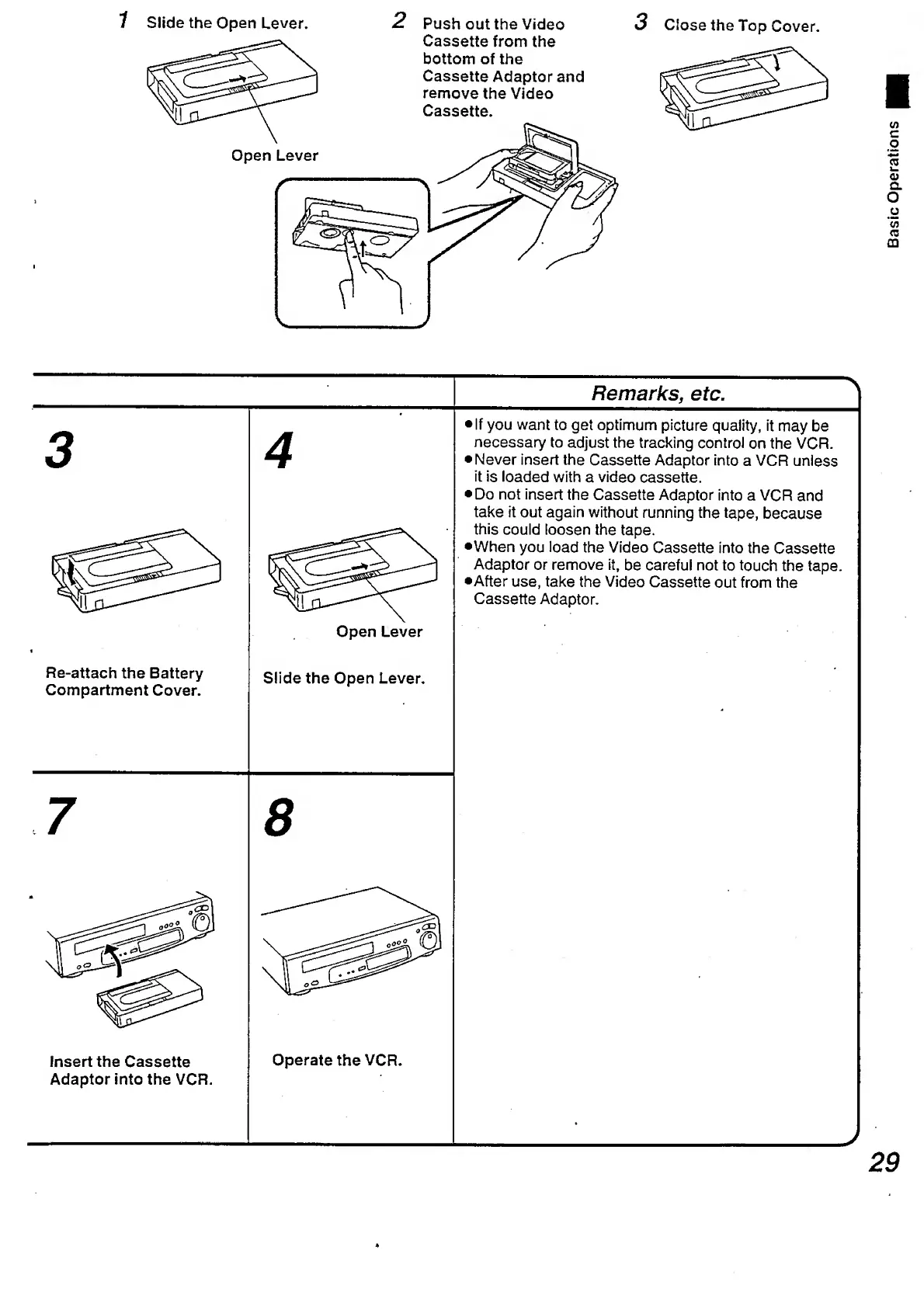
1
Slide
the
Open
Lever.
2
Push
out
the
Video
3
Close
the
Top
Cover.
Remarks,
etc.
3
A
Open
Lever
If
you
want
to
get
optimum
picture
quality,
it
may
be
necessary
to
adjust
the
tracking
control
on
the
VCR.
•Never
insert
the
Cassette
Adaptor
into
a
VCR
unless
it
is
loaded
with
a
video
cassette.
Do
not
insert
the
Cassette
Adaptor
into
a
VCR
and
take
it
out
again
without
running
the
tape,
because
this
could
loosen
the
tape.
•When
you
load
the
Video
Cassette
into
the
Cassette
Adaptor
or
remove
it,
be
careful
not
to
touch
the
tape.
•After
use,
take
the
Video
Cassette
out
from
the
Cassette
Adaptor.
Re-attach
the
Battery
Compartment
Cover.
Slide
the
Open
Lever.
*
7
8
insert
the
Cassette
Adaptor
into
the
VCR.
Operate
the
VCR.
29
Basic
Operations

Table of Contents

Related product manuals