EasyManua.ls Logo

Panasonic NV-RX3A - Page 36

Panasonic NV-RX3A
64 pages
Print Icon
To Next Page IconTo Next Page
To Previous Page IconTo Previous Page
Loading...
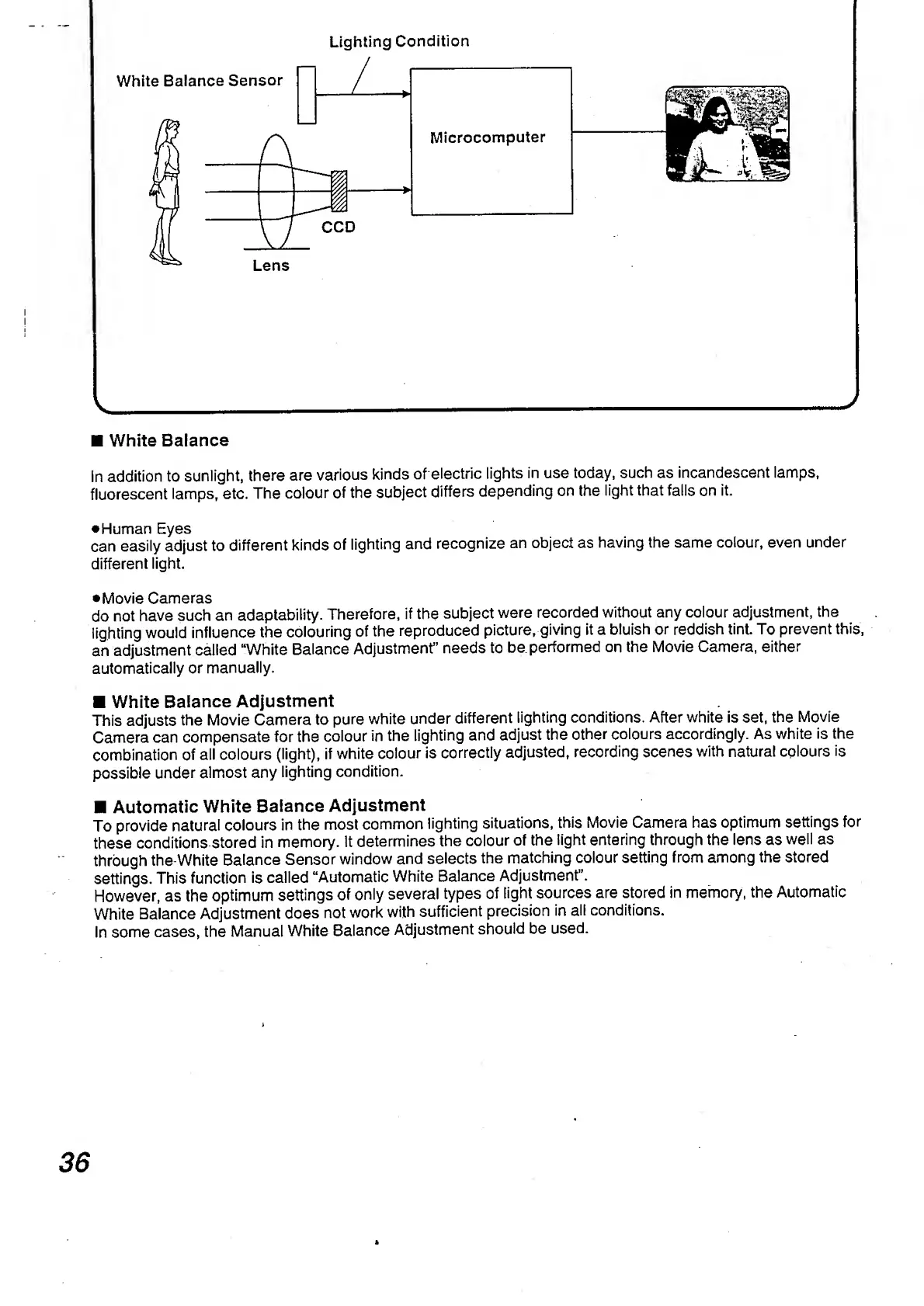
Lighting
Condition
v___'
White
Balance
in
addition
to
sunlight,
there
are
various
kinds
of
electric
lights
in
use
today,
such
as
incandescent
lamps,
fluorescent
lamps,
etc.
The
colour
of
the
subject
differs
depending
on
the
light
that
falls
on
it.
•Human
Eyes
can
easily
adjust
to
different
kinds
of
lighting
and
recognize
an
object
as
having
the
same
colour,
even
under
different
light.
•Movie
Cameras
do
not
have
such
an
adaptability.
Therefore,
if
the
subject
were
recorded
without
any
colour
adjustment,
the
lighting
would
influence
the
colouring
of
the
reproduced
picture,
giving
it
a
bluish
or
reddish
tint.
To
prevent
this,
an
adjustment
called
“White
Balance
Adjustment”
needs
to
be
performed
on
the
Movie
Camera,
either
automatically
or
manually.
White
Balance
Adjustment
This
adjusts
the
Movie
Camera
to
pure
white
under
different
lighting
conditions.
After
white
is
set,
the
Movie
Camera
can
compensate
for
the
colour
in
the
lighting
and
adjust
the
other
colours
accordingly.
As
white
is
the
combination
of
all
colours
(light),
if
white
colour
is
correctly
adjusted,
recording
scenes
with
natural
colours
is
possible
under
almost
any
lighting
condition.
Automatic
White
Balance
Adjustment
To
provide
natural
colours
in
the
most
common
lighting
situations,
this
Movie
Camera
has
optimum
settings
for
these
conditions
stored
in
memory.
It
determines
the
colour
of
the
light
entering
through
the
lens
as
well
as
through
the
White
Balance
Sensor
window
and
selects
the
matching
colour
setting
from
among
the
stored
settings.
This
function
is
called
“Automatic
White
Balance
Adjustment”.
However,
as
the
optimum
settings
of
only
several
types
of
light
sources
are
stored
in
memory,
the
Automatic
White
Balance
Adjustment
does
not
work
with
sufficient
precision
in
all
conditions.
In
some
cases,
the
Manual
White
Balance
Adjustment
should
be
used.
36

Table of Contents

Related product manuals