Switching on/off the projector
36 - ENGLISH
Basic Operation
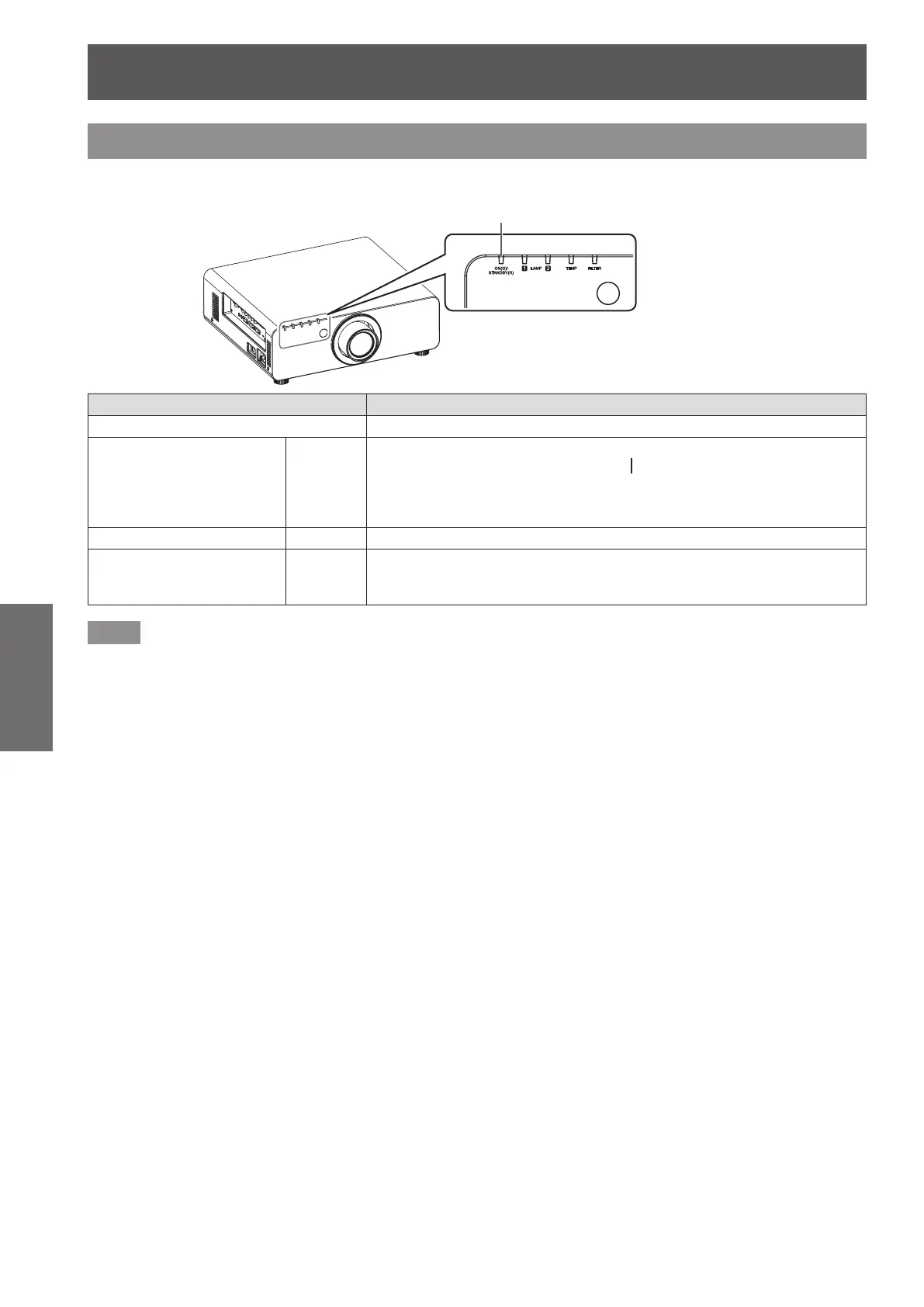
Power indicator
Displays the status of the power. Check the <ON (G)/STANDBY (R)> status of the power indicator before
operating the projector.
Power indicator <ON (G)/STANDBY (R)>
Indicator status Status
No illumination or ashing The main power is switched off.
Red Lit
The power is switched off. (Standby mode.)
Projection will start if the power on <
> button is pressed.
z
The projector may not operate when the lamp indicators
<LAMP1>/<LAMP2> or temperature indicator <TEMP> is ashing.
(
page 102)
Green Lit Projecting.
Orange Lit
The projector is preparing to switch off the power.
The power is switched off after a while. (Changes to the standby
mode.)
Note
z
When the power indicator <ON (G)/STANDBY (R)> lamp is lit in orange, the fan is turning and the projector is
cooling.
z
The projector consumes power even in standby mode (power indicator <ON (G)/STANDBY (R)> is lit in red).
Refer to “Power consumption” (
page 120) for the power consumption.
z
The power indicator <ON (G)/STANDBY (R)> will ash in green if a remote control signal is received.
z
The power indicator <ON (G)/STANDBY (R)> will ash slowly in green while the shutter is closed.(
page 41)
z
If the power indicator <ON (G)/STANDBY (R)> is ashing in red, consult your dealer.




 To Next Page