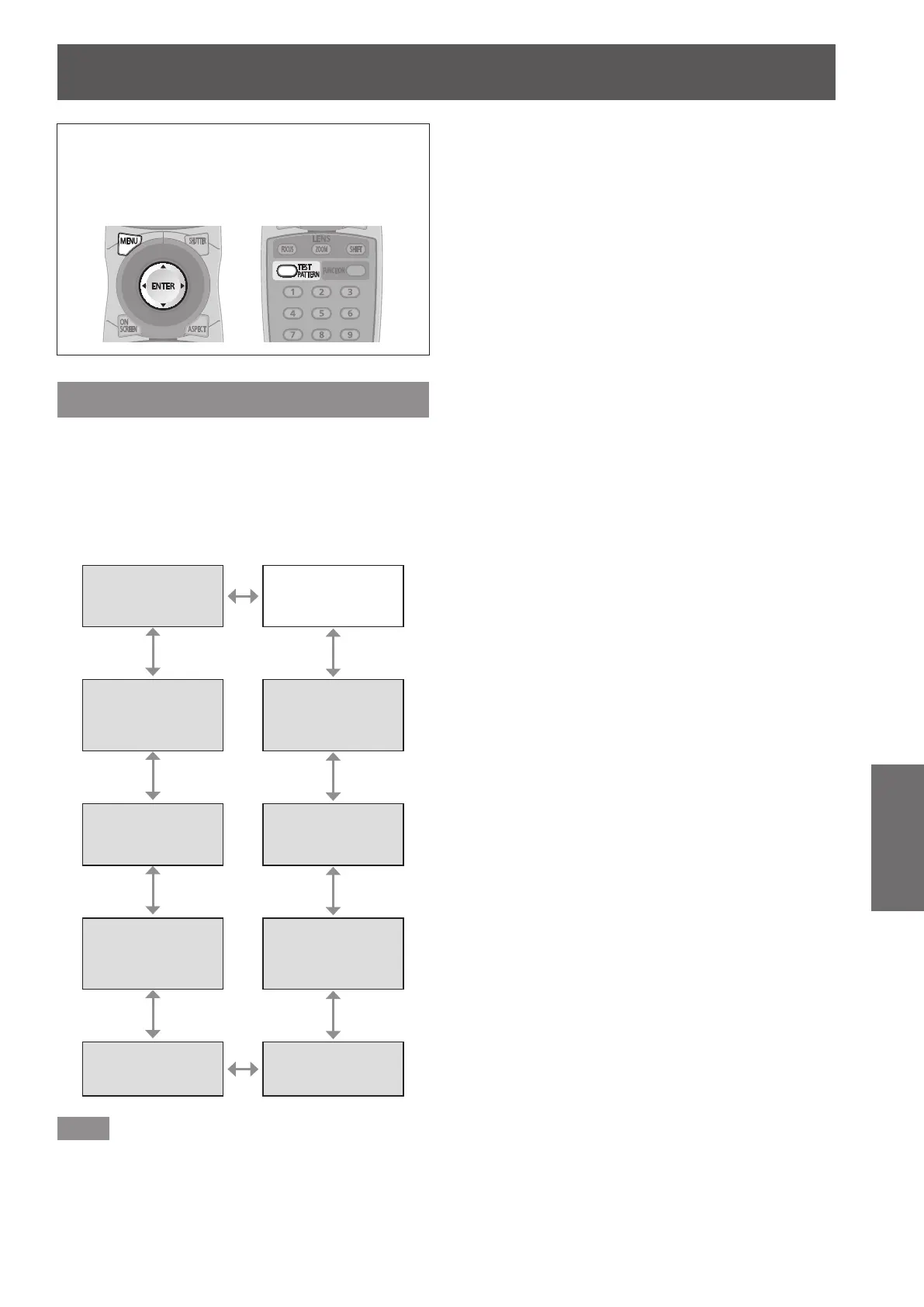
[TEST PATTERN] menu
ENGLISH - 75
Settings
[TEST PATTERN] menu
Select [TEST PATTERN] from the main menu.
Refer to “Navigating through the menu”
(
page 44) for the operation of the menu
screen.
z
Press
to switch.
[TEST PATTERN]
Displays the test pattern built-in to the projector.
Settings of position, size, and other factors will not
be reected in test patterns. Make sure to display the
input signal before performing various adjustments.
Press
to switch [TEST PATTERN].
z
The setting will change as follows each time you
press the button.
Menu screen
+
Focus
Menu screen
+
Entry screen
Menu screen
+
Color bar
(horizontal)
Menu screen
+
All white
Menu screen
+
Color bar (vertical)
Menu screen
+
All black
Menu screen
+
Window
(inversion)
Menu screen
+
Flag
Menu screen
+
Window
Menu screen
+
Flag (inversion)
Note
z
Press the <ON SCREEN> button on the remote
control while the test pattern is displayed to hide
the menu screen.





 To Next Page