Note
f The remote control can be used within a distance of about 7 m (22'11-5/8") if pointed directly at the remote control signal receiver. The
remote control can control at angles of up to ± 30 ° vertically and ± 30 ° horizontally, but the effective control range may be reduced.
f If there are any obstacles between the remote control and the remote control signal receiver, the remote control may not operate correctly.
f You can operate the projector by reecting the remote control signal on the screen. The operating range may differ due to the loss of light
caused by the properties of the screen.
f When the remote control signal receiver is lit with a uorescent light or other strong light source, the projector may become inoperative. Set
the projector as far from the luminous source as possible.
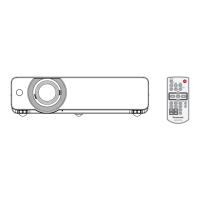
Projector body
1
4
5
6 7 8 9 10 11
12
13
14
2 3
WARNING
Keep your hands and other objects away from the air exhaust port.
f Keep your hand and face away.
f Do not insert your nger.
f Keep heat-sensitive articles away.
Heated air from the air exhaust port can cause burns or external damage.
1 Zoom ring (Back)
Adjust the zoom.
2 Control panel and indicators (x page 25)
3 Lamp cover (x page 118)
The lamp unit is located inside.
4 Projection Lens
5 Focus ring (Front)
Adjust the focus.
6 Remote control signal receiver
7 Air exhaust port
8 Speaker
9 <AC IN> terminal
Connect the supplied power cord.
10 Connecting terminals (x page 26)
11 Air intake port (Side) / Air lter cover (x page 116)
The air lter unit is inside.
12 Adjustable feet
Adjust the projection angle.
13 Air intake port (Bottom)
14 Security Chain Hook
Attaches a burglar prevention cable, etc.
Attention
f Do not block the ventilation ports (intake and exhaust) of the projector.
f If you turn the power off with the direct power off function with the projector installed upside-down, or if you turn the projector upside-down
after turning off the power using the direct power off function, do not put your hands or objects close to the air inlet (bottom) due to the back
ow of heated air from the air inlet(bottom). It may cause burns, injuries or deformation.
24 - ENGLISH
Chapter 1 Preparation - About your projector









 To Next Page