13
RQT7801
ENGLISH
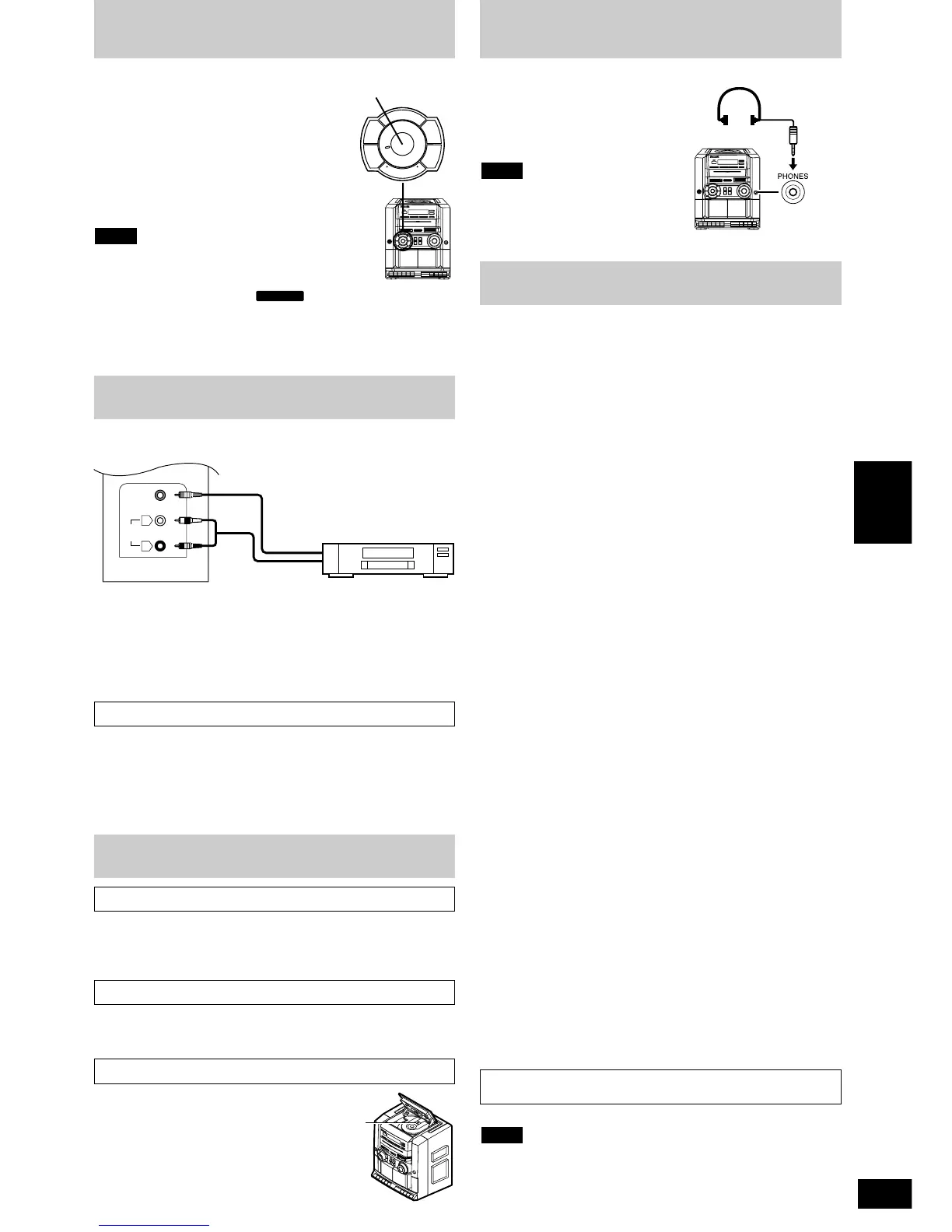
Using headphones
(not included)
To clean this unit, wipe with a soft, dry cloth.
• Never use alcohol, paint thinner or benzine to clean this unit.
• Before using a chemically treated cloth, read the instructions that
came with the cloth carefully.
If the surfaces are dirty
Recording to an external unit
Clean the heads regularly to assure good quality playback and
recording.
Use a cleaning tape (not included).
For a cleaner, crisper sound
Lens care
Radio
Frequency band
FM 87.5–108 MHz
MW 520–1610 kHz
SW1 2.3–7.0 MHz
SW2 7.0–22.0 MHz
Tape recorder
Track system 4 track, 2 channel, stereo
Recording system AC bias
Erasing system Multi pole magnet
Monitor system Variable sound monitor
Frequency range
Normal 40–12000 Hz
CD
Sampling frequency 44.1 kHz
Decoding 16 bit linear
Beam source/wavelength Semiconductor laser/780 nm
Number of channels 2 channel, stereo
Wow and flutter Below measurable limit
D/A converter MASH (1 bit DAC)
Video
Signal system NTSC/PAL
Output level Composite video, 1 Vp-p (75 Ω)
MP3
Sampling frequency 32 kHz, 44.1 kHz, 48 kHz
General
Power supply
AC 110–127 V/220–240 V, 50/60 Hz
Power consumption: 41 W (50 Hz)
Battery 12 V (Eight R20/LR20, D, UM-1 batteries)
DC IN 12–13.2 V
Output power 330 W...PMPO
(DC 12 V/AC 117 V): 18 W x 2/11.9 W x 2...RMS (max.)
Speakers 2 Woofer; 12 cm Cone type, 4 Ω
2 Tweeter; 5.4 cm Cone type, 4 Ω
2 Super tweeter; 1.5 cm Ceramic type
Jacks
Output
VIDEO OUT
LINE OUT: 10 kΩ
Headphones: 32 Ω
Remote control
Battery DC 3 V (Two R6/LR6, AA, UM-3 batteries)
Control keys 37 keys
Dimensions (WxHxD) 696 x 302 x 265 mm
Main unit: 278 x 302 x 265 mm
Speaker box: 209 x 295 x 225 mm
Mass 8.5 kg without batteries
Specifications are subject to change without notice.
Mass and dimensions are approximate.
Note
Power consumption in standby mode: 4.3 W
Clean the lens regularly to prevent
malfunctions.
Use a blower to remove dust and a
cotton swab if it is extremely dirty.
Recommended product: Lens cleaner kit
(SZZP1038C).
• Four types of sound effects can be selected.
The selected sound effect button lights.
CLEAR: Lightens pop and other music
SOFT: Allows background music enjoyment
HEAVY: Adds punch to rock
VOCAL: Enhances vocals
FLAT: No sound effects used
• You can adjust the XBS effect to boost the
bass by turning the XBS adjustor.
When you initially apply the power source
• The preset equalizer will automatically reset to
HEAVY when the unit is turned on.
When the unit is in TAPE/ condition and when the
power source is connected
• The last preset equalizer setting will be retained when you turn on
the CD, RADIO or TAPE function.
• Set the VIDEO SWITCH according to the VCR to be connected.
• A video cassette recorder (VCR), or other recording equipment, can
also be connected.
• For details, refer to the instruction manual of the units which are to
be connected.
• When units other than those described above are to be connected,
please consult your audio dealer.
Using an external unit
ex. connecting to the VCR
Rear panel of this unit
VCR (not included)
VIDEO OUT
VIDEO IN
Maintenance
AUDIO
OUT
AUDIO IN
XBS adjustor



 To Next Page