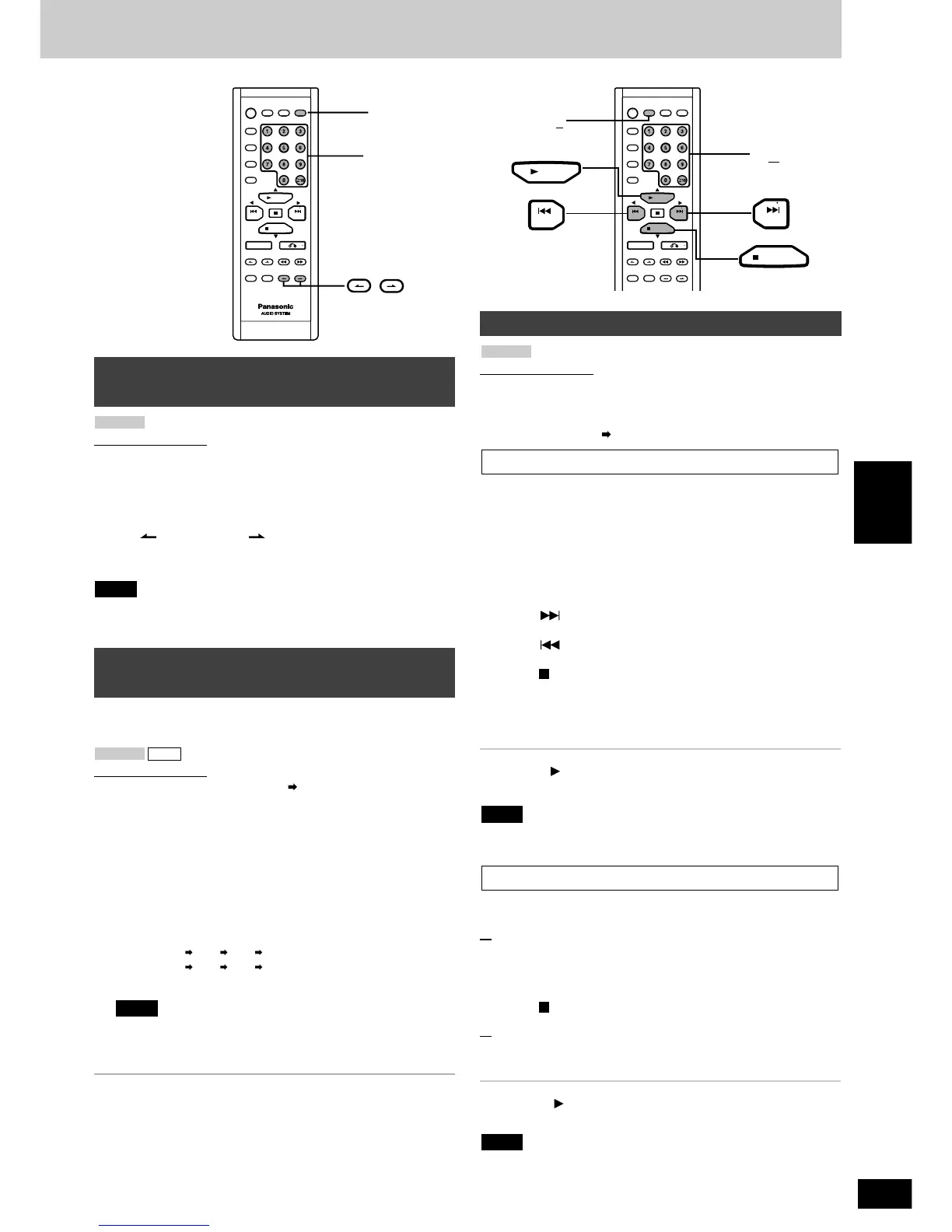
Remote control only
You can locate the particular screen in a track that you want to watch
by selecting the video index number.
Check the user’s manual or other material such as the CD Jacket for
information on whether your video CD software contains video index
numbers.
Press [ V-INDEX] or [ V-INDEX] in the play mode to
select the video index number.
Play starts at the video index selected.
With some discs, it may not be possible to make a video index search
with motion picture.
Note
VCD 1.1
To find a particular scene using a video
index number
Remote control only
There are two multi-screen modes:
DISC MULTI-SCREEN and TRACK MULTI-SCREEN.
Preparation:
Make sure OSD is on ( page 7).
This function divides the screen up into several parts and displays the
picture from each of the tracks. You can select the track you want
from the various pictures on the screen.
1
(While playback is stopped)
Press [MULTI SCREEN].
Track 1 will be played for a few seconds, then displayed as a still
picture. This will then be repeated for subsequent tracks. Up to 9
tracks can be displayed on the screen at any given time.
To display subsequent tracks:
Press [ NEXT].
To display previous tracks:
Press [ PREV].
To cancel the multi-screen mode:
Press [ PBC/CLEAR].
2
Press the numbered buttons to select the desired
track number.
That track will start playing. The number of the selected track is
displayed on the unit’s display.
For your reference:
If you press [ SELECT] or [MULTI SCREEN] while a track is being
displayed as described in step 1, that track will start playing.
You cannot use disc MULTI SCREEN in PROGRAM and RANDOM
modes.
A track is divided into 9 sections and those sections are shown on the
multi screen. Play can start from the section of your choice.
1
(During play)
Press [MULTI SCREEN].
The first five-second segment of the track is played, then the last
frame of this segment remains displayed on the multi screen.
To cancel the multi-screen mode:
Press [ PBC/CLEAR].
2
Press the numbered buttons to select the desired
section of the track.
Play begins from that section.
For your reference:
If you press [ SELECT] or [MULTI SCREEN] as a track is being
displayed, play begins from that section.
You cannot use the MULTI SCREEN function in PROGRAM and
RANDOM modes.
Note
Track multi screen
Note
Disc multi screen
VCD 1.1
Multi screen functions
This function allows you to specify a time on the current track and
start play from that point.
Remote control only
Preparation: Make sure OSD is on ( page 7).
1
Press the numbered buttons to select the desired
track number.
That track will start playing.
2
Press [TIME ACCESS].
The track duration appears on the TV screen.
3
Press the numbered buttons to enter the time of the
desired part.
Example:
22:40 : [2] [2] [4] [0]
00:25 : [0] [0] [2] [5]
Play starts from the selected time.
The time to be entered should be a portion of the current track
time. If, for example, you are playing track 2, and you enter
“0:25”, play begins from 25 seconds into track 2.
To cancel this function
Press [TIME ACCESS] again.
Note
CDVCD 1.1
To find a particular scene using the time
(TIME ACCESS)



 To Next Page