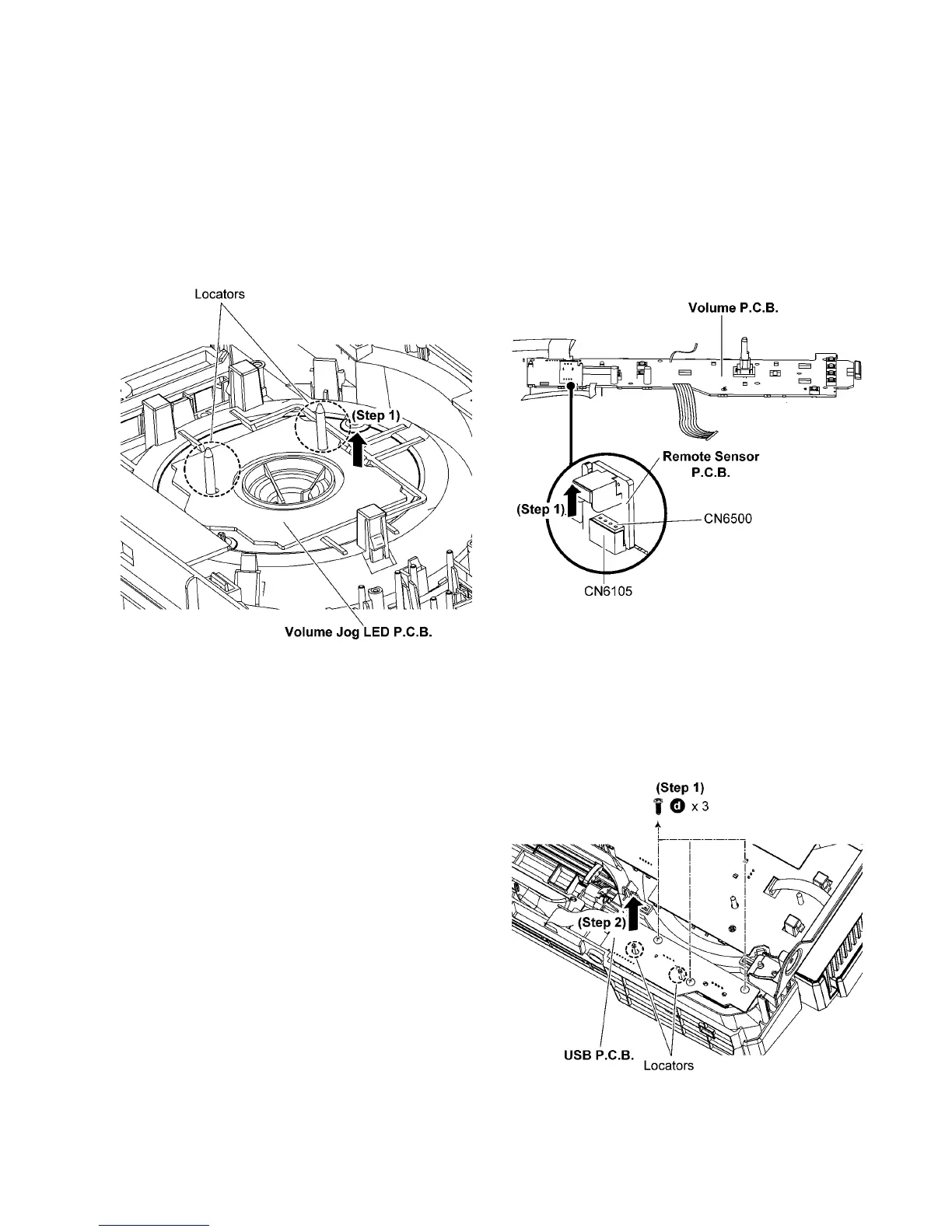
9.12. Disassembly of Volume Jog
LED P.C.B.
• Refer to “Disassembly of Top Cabinet”.
• Refer to “Disassembly of Front Panel Unit”.
• Refer to “Disassembly of FL Display P.C.B.”.
• Refer to “Disassembly of Control P.C.B.”.
• Refer to “Disassembly of Volume P.C.B.”.
Step 1 Lift up to remove the Volume Jog LED P.C.B..
Caution: During assembling, ensure that the Volume Jog
LED P.C.B. is properly inserted into the Front Panel Unit.
9.13. Disassembly of Remote Sensor
P.C.B.
• Refer to “Disassembly of Top Cabinet”.
• Refer to “Disassembly of Front Panel Unit”.
• Refer to “Disassembly of FL Display P.C.B.”.
• Refer to “Disassembly of Control P.C.B.”.
• Refer to “Disassembly of Volume P.C.B.”.
Step 1 Remove the Remote Sensor P.C.B..
Caution: During assembling, ensure that the Remote Sen-
sor P.C.B. is properly inserted & fully connected to the Vol-
ume P.C.B..
9.14. Disassembly of USB P.C.B.
• Refer to “Disassembly of Top Cabinet”.
• Refer to “Disassembly of Front Panel Unit”.
Step 1 Remove 3 screws.
Step 2 Lift up to remove the USB P.C.B..
Caution: During assembling, ensure that the USB P.C.B. is
properly inserted & fully seated onto the Front Panel Unit.



 To Next Page