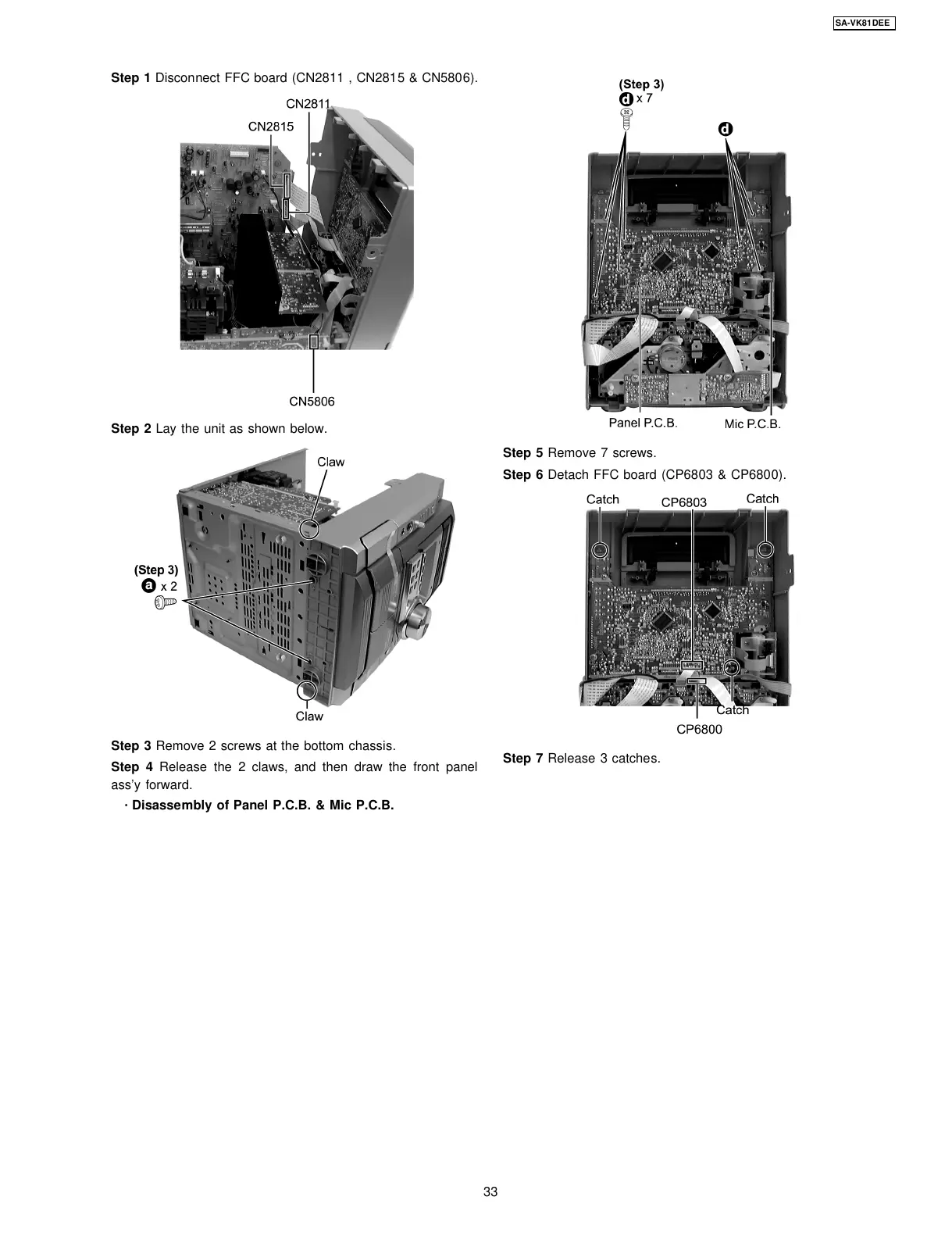
Step 1 Disconnect FFC board (CN2811 , CN2815 & CN5806).
Step 2 Lay the unit as shown below.
Step 3 Remove 2 screws at the bottom chassis.
Step 4 Release the 2 claws, and then draw the front panel
ass’y forward.
·
Disassembly of Panel P.C.B. & Mic P.C.B.
Step 5 Remove 7 screws.
Step 6 Detach FFC board (CP6803 & CP6800).
Step 7 Release 3 catches.
33
SA-VK81DEE








 To Next Page