Step 5 Fix back the bottom chasis with a screw as shown.
NOTE:
Insulate Power P.C.B. with insulation material to avoid short
circuit.
16.5.4. Disassembly of Transformer P.C.B.
·
Follow the (Step 1) - (Step 2) of Item 16.2.
·
Follow the (Step 1) - (Step 7) of Item 16.3.
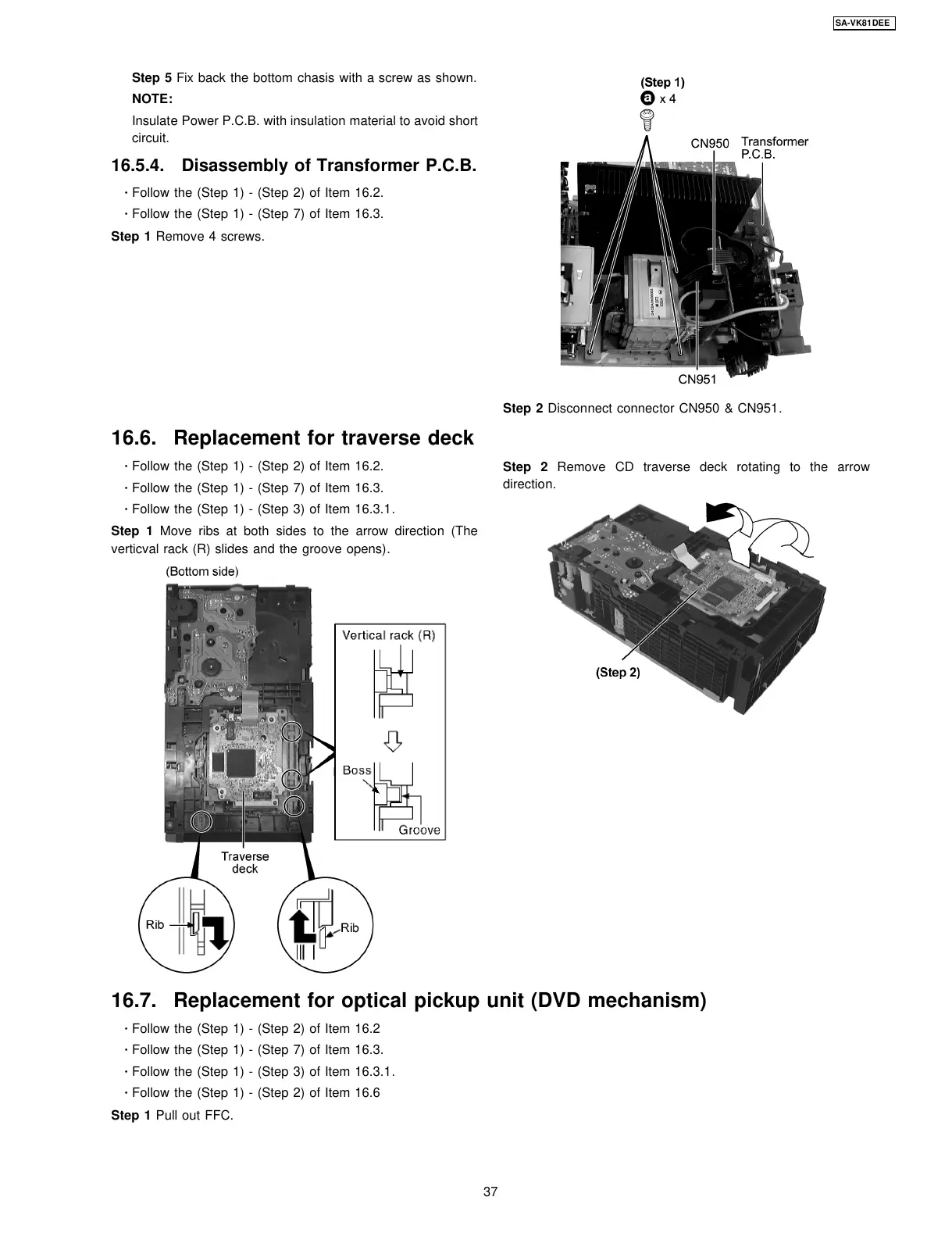
Step 1 Remove 4 screws.
·
Follow the (Step 1) - (Step 2) of Item 16.2.
·
Follow the (Step 1) - (Step 7) of Item 16.3.
·
Follow the (Step 1) - (Step 3) of Item 16.3.1.
Step 1 Move ribs at both sides to the arrow direction (The
verticval rack (R) slides and the groove opens).
Step 1 Pull out FFC.
Step 2 Disconnect connector CN950 & CN951.
Step 2 Remove CD traverse deck rotating to the arrow
direction.
16.6. Replacement for traverse deck
16.7. Replacement for optical pickup unit (DVD mechanism)
·
Follow the (Step 1) - (Step 2) of Item 16.2
·
Follow the (Step 1) - (Step 7) of Item 16.3.
·
Follow the (Step 1) - (Step 3) of Item 16.3.1.
·
Follow the (Step 1) - (Step 2) of Item 16.6
37
SA-VK81DEE








 To Next Page