41
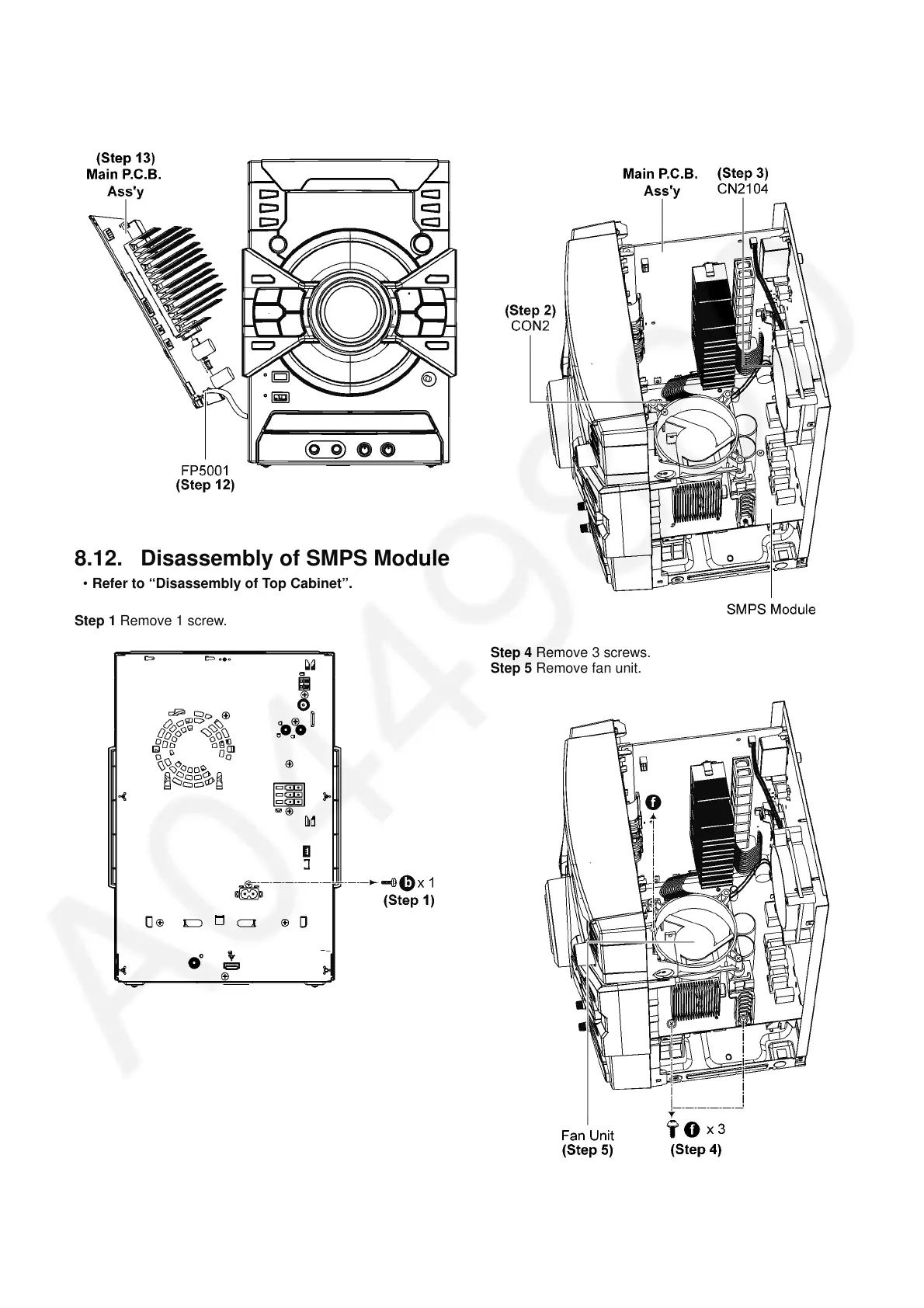
Step 12 Detach 30P FFC at the connector (FP5001) on Main
P.C.B. Ass’y.
Step 13 Remove Main P.C.B. Ass’y.
8.12. Disassembly of SMPS Module
• Refer to “Disassembly of Top Cabinet”.
Step 1 Remove 1 screw.
Step 2 Detach 13P Cable at the connector (CON2) on SMPS
Module.
Step 3 Detach 2P Wire at the connector (CN2104) on Main
P.C.B. Ass’y.
Step 4 Remove 3 screws.
Step 5 Remove fan unit.



 To Next Page