EasyManua.ls Logo

Panasonic SC-CH64M - Normal CD Recording Process; Recording Setup and Control

Panasonic SC-CH64M
44 pages
Print Icon
To Next Page IconTo Next Page
To Previous Page IconTo Previous Page
Loading...
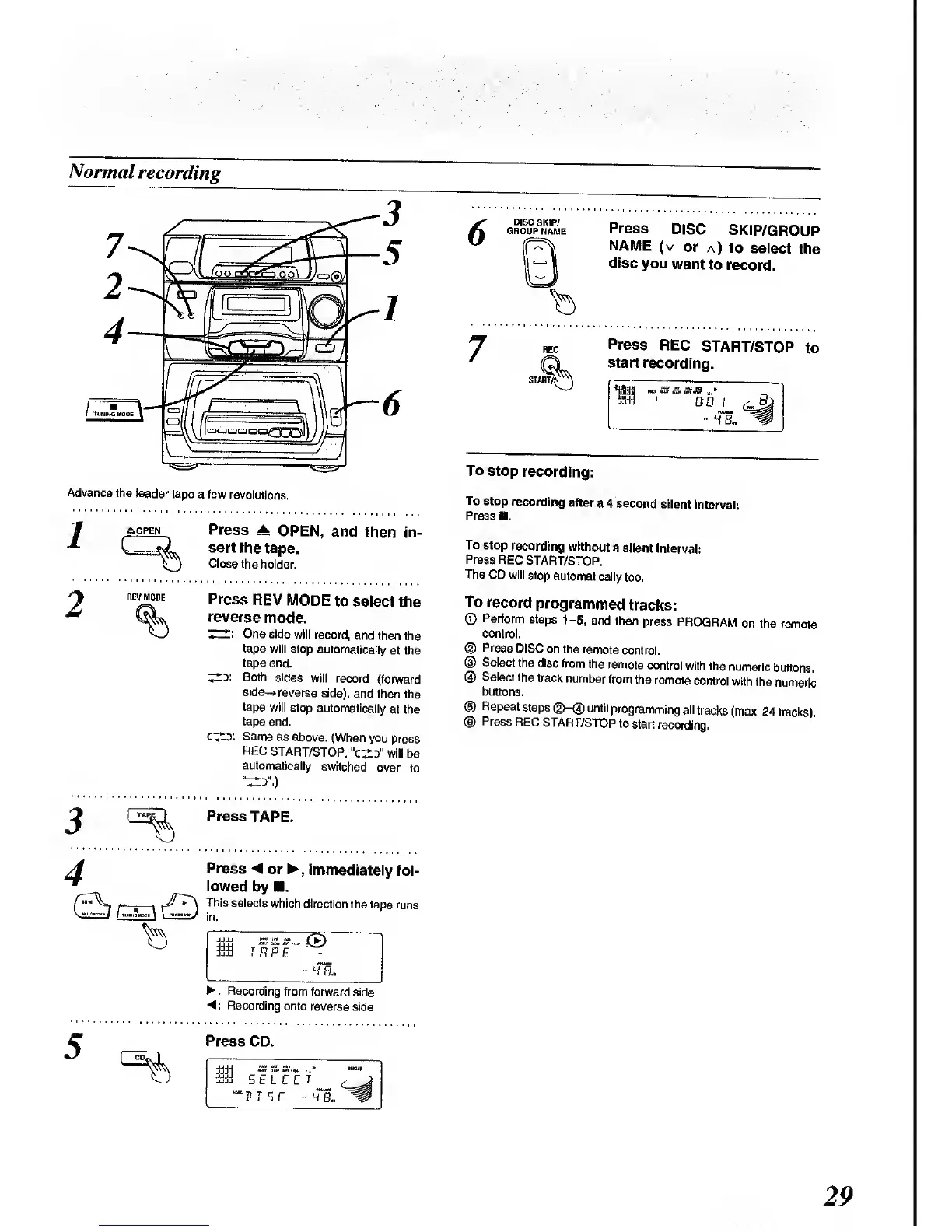
Normal
recording
Advance
the leader
tape
a few
revolutions.
A OPEN
Press
A
OPEN,
and
then
in-
sert
the
tape.
Close the
holder.
REV
MODE
Press
REV MODE
to select
the
reverse
mode.
One side
will
record,
and then
the
tape
will stop
automatically
at the
tape end.
^.y. Both
sides
will
record
(forward
side->
reverse
side),
and
then the
tape
witf
stop
automatically
at the
tape end.
cz^y.
Same
as above.
(When you
press
REC
START/STOP,
XzZJ'
will be
automatically
switched
over
to
3
Press
TAPE.
4
Press
< or
,
immediately
fol-
lowed
by .
r—-
*
Tnis
selects
which
direction
the tape
runs
M J
RPE
Hi.
: Recording from
forward
side
<: Recording
onto
reverse
side
Press
CD.
^4
SELECT
'HISC
-HE.
Press
DISC
SKIP/GROUP
NAME
(v
or
a) to
select
the
disc
you
want
to
record.
Press
REC
START/STOP
to
start
recording.
DO
8,
4B.
To
stop
recording:
To
stop
recording
after
a 4
second
silent
interval:
Press
.
To
stop
recording
without
a
silent
Interval:
Press
REC
START/STOP.
The
CD will stop
automatically
too.
To
record
programmed
tracks:
©
Perform
steps
1-5,
and then
press
PROGRAM
on
the
remote
control.
©
Press
DISC
on the
remote
control.
®
Select the
disc
from
the
remote
control
with the
numeric
buttons.
®
Select
the
track
number
from
the remote
control
with
the
numeric
buttons.
®
Repeat
steps
©-(3)
until
programming
all
tracks
(max. 24
tracks)
©
Press
REC
START/STOP
to
start
recording.
29

Related product manuals