EasyManua.ls Logo

Panasonic SC-CH64M - Using the Record Timer; Setting Record Timer Parameters

Panasonic SC-CH64M
44 pages
Print Icon
To Next Page IconTo Next Page
To Previous Page IconTo Previous Page
Loading...
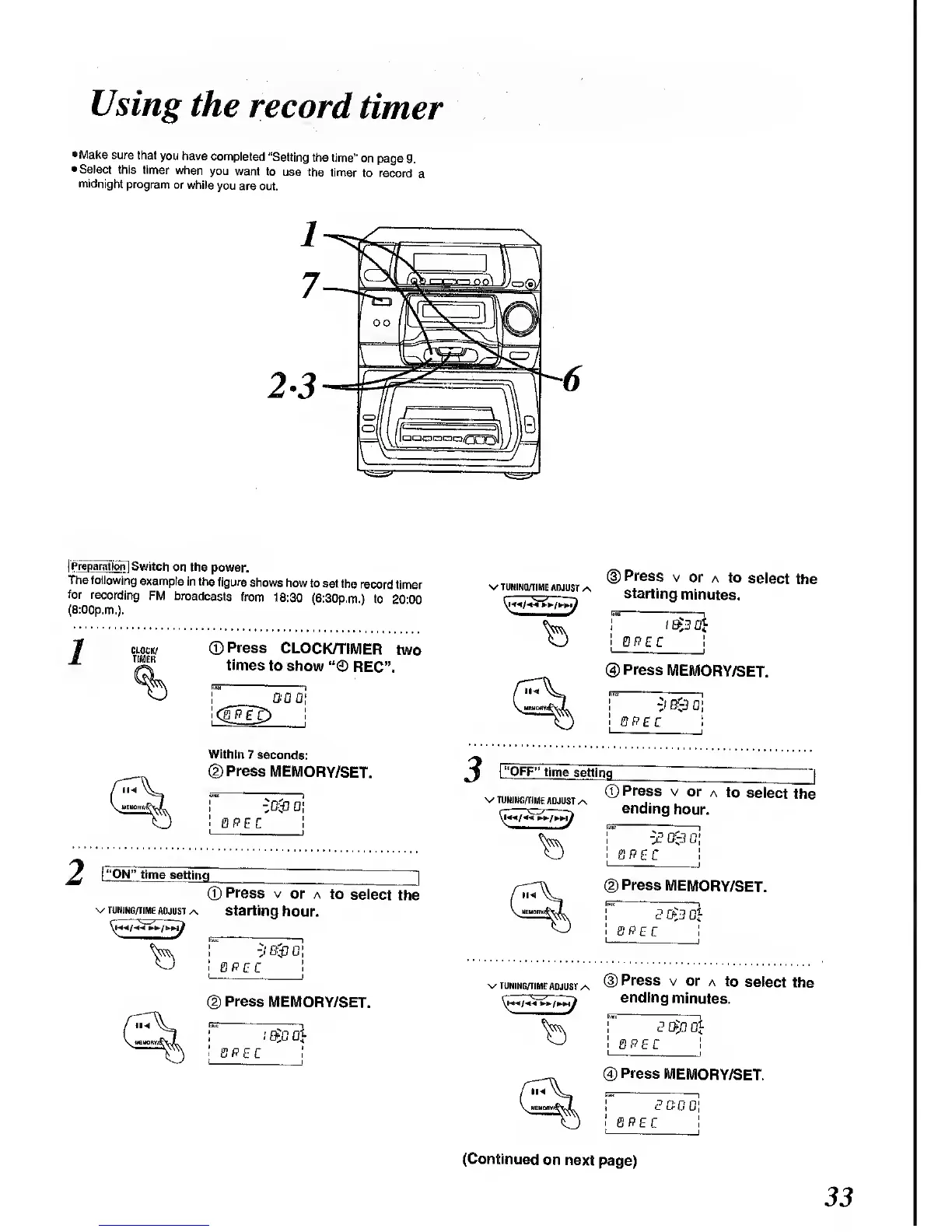
•Make
sure
that
you have
completed
"Setting
the time"
on
page
9.
•Select
this timer
when
you
want to
use the
timer
to record
a
midnight
program
or
while
you
are out.
|
Preparation
]
Switch
on the
power.
The following
example
in the
figure
shows
how to
set the
record
timer
for recording
FM
broadcasts
from
18:30
(6:30p.m.) to
20 00
(8:00p.m.).
CLOCK/
TIMER
©Press
CLOCK/TIMER
two
times
to
show
REC".
GCG!
Within
7
seconds:
©Press
MEMORY/SET.
QPEC
2
I
"ON"
time setting
|
CD
Press
v
or a
to
select
the
•v t uning/time
adjust
/s
starting
hour.
^*
'
f
cir.
-J
&&
0
QPEC
Press
MEMORY/SET.
i
etc
ah
PEC
v
TUNING/TIME
ADJUST
i
Press
v
or a
to
select
the
starting
minutes.
$3 0}
PEC
®
Press
MEMORY/SET.
-J
B
r
-3
01
0
P
£ C
\
"OFF"
time
setting
^
<D
Press
v
or
a to
select
the
V TUNING/TIME
ADJUST
/\
ending
hour.
QPEC
!
(D
Press
MEMORY/SET.
SPEC
v tuning/time
adjust /\
®
Press
v or
a to
select
the
ending
minutes.
EE
(4)
Press
MEMORY/SET.
GOG
PEC
(Continued
on next
page)

Related product manuals