EasyManua.ls Logo

Panasonic SC-CH64M - Play Timer Operation and Settings; Timer Operation and Important Notes

Panasonic SC-CH64M
44 pages
Print Icon
To Next Page IconTo Next Page
To Previous Page IconTo Previous Page
Loading...
Using
the
play
timer
4
VOLUME
©REC/
©PLAY
POWER
STANDBY
Select
the
desired
source
and
then
prepare
the
stereo
for
play.
When
you
play CD(s):
Press
CD
and insert
CD(s).
Stop
the
CD(s)
after
playing.
When
you play
a tape:
Press
TAPE
and insert
a tape.
Stop
the
tape
deck
after
you select
the
direction
of the tape.
When
you
play the
radio:
Press
TUNER
BAND
and
tune
in the
de-
sired
station.
When
you play
a
unit
connected
to
the
"AUX"
terminals:
Press
AUX.
Set the
playback
volume.
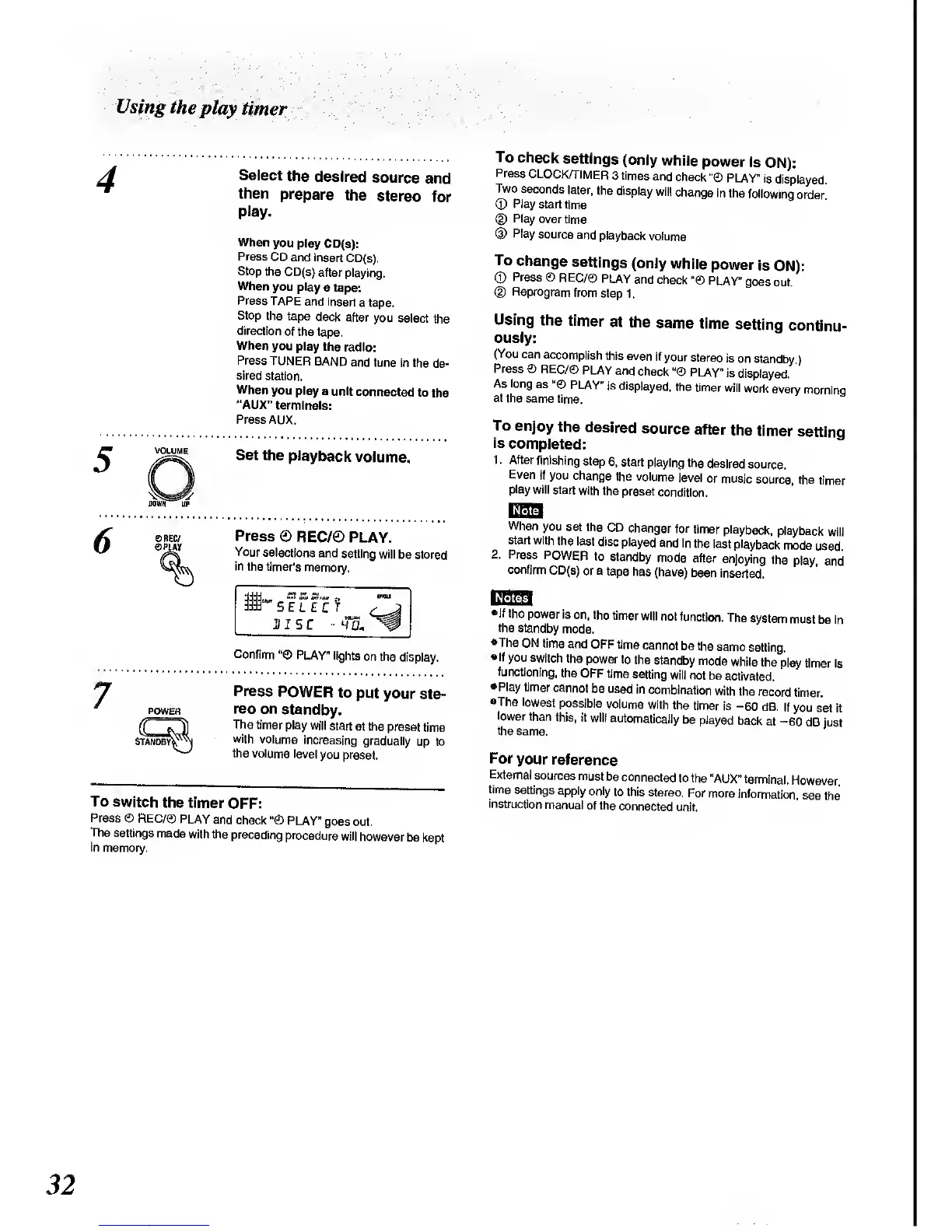
Press
®
REC/®
PLAY.
Your
selections
and
setting
will be
stored
in
the timer's
memory,
Confirm
PLAY"
lights
on the
display.
Press
POWER
to
put your
ste-
reo
on
standby.
The
timer
play will
start
at the
preset
time
with
volume
increasing
gradually
up to
the volume
level
you preset.
To
switch
the timer
OFF:
Press
©
REC/©
PLAY
and
check
H
©
PLAY"
goes
out.
The
settings
made
with the
preceding
procedure
will
however
be
kept
in
memory.
To
check
settings
(only
while
power
is
ON):
Press
CLOCK/TIMER
3
times
and
check
PLAY"
is
displayed.
Two
seconds
later,
the
display
will
change
in
the
following
order
(D
Play
start time
(2)
Play
over
time
(3)
Play
source
and
playback
volume
To
change
settings
(only
while
power
is
ON):
©
Press
©
REC/©
PLAY
and check
PLAY"
goes
out.
(D
Reprogram
from
step
1
.
Using
the
timer
at
the
same
time
setting
continu-
ously:
(You
can
accomplish
this
even
if
your
stereo
is
on standby
}
Press
©
REC/0
PLAY
and
check
PLAY"
is
displayed.
'
As long
as
PLAY"
is
displayed,
the
timer
will
work
every
morninq
al
the same
time.
To
enjoy
the
desired
source
after
the
timer
setting
is
completed:
1
.
After
finishing
step
6, start
playing
the
desired
source.
Even
if
you change
the
volume
level
or
music
source,
the
timer
play
will
start
with
the
preset
condition.
When
you
set the
CD
changer
for
timer
playback,
playback
will
start with
the
last
disc
played
and in
the
last
playback
mode
used
2.
Press
POWER
to
standby
mode
after
enjoying
the
play, and
confirm
CD(s)
or a tape
has (have)
been
inserted.
If the
power
is
on, the
timer
will
not
function.
The
system
must
be in
the
standby
mode.
•The ON
time
and
OFF time
cannot
be the
same
setting.
If
you switch
the
power to
the
standby
mode
while
the
play
timer is
functioning,
the OFF
time
setting
will
not
be activated.
Play timer
cannot
be used
in
combination
with
(he
record
timer.
•The
lowest
possible
volume
with
the
timer
is
-60
dB.
It
you set
it
lower
than
this, it
will
automatically
be
played
back
at
-60
dB
just
the
same.
For
your
reference
External
sources
must
be
connected
to the
"AUX"
terminal.
However,
time
settings
apply
only
to this
stereo.
For
more
information,
see
the
instruction
manual
of the
connected
unit.
32

Related product manuals