12
VQT4L45
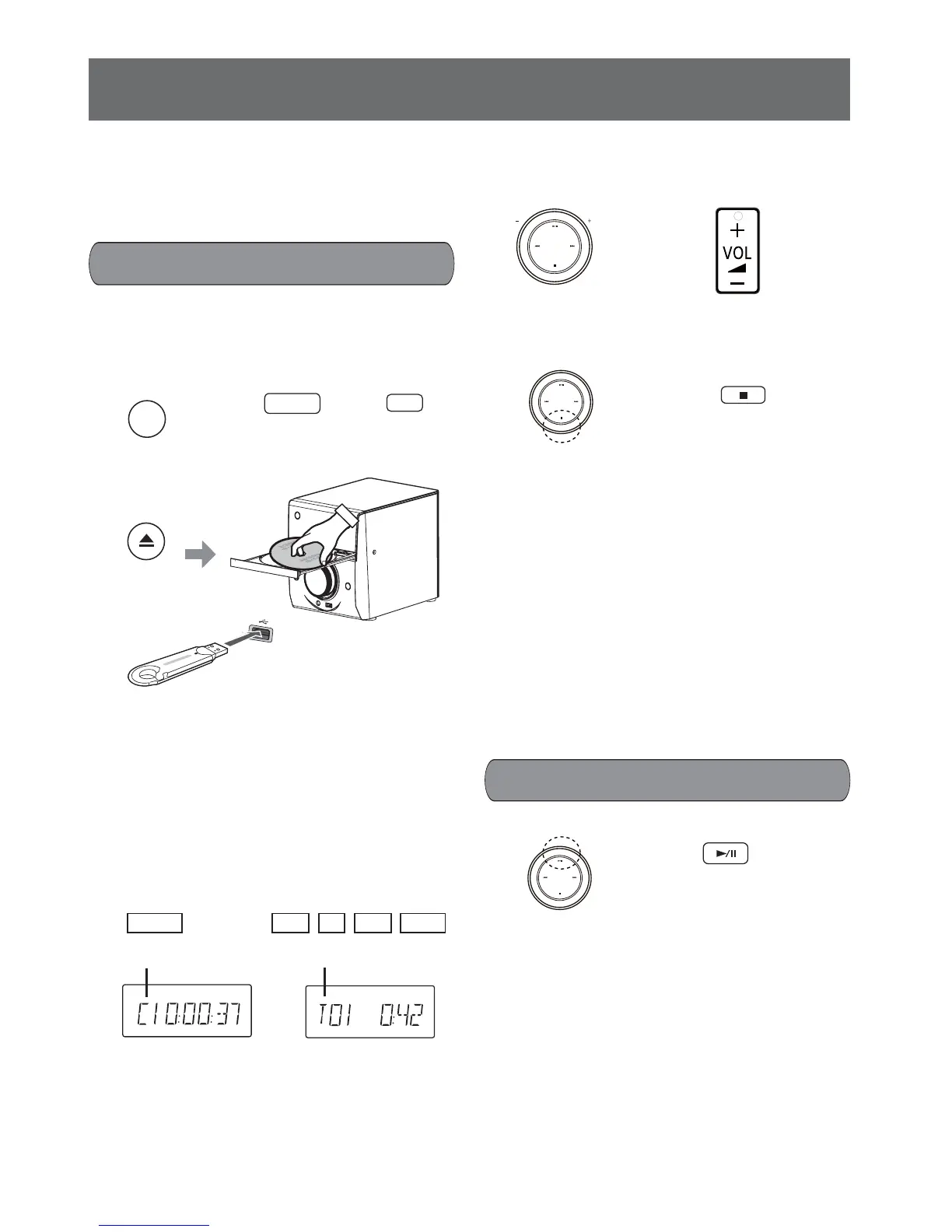
4. Adjust the volume.
5. Stop playback.
During playback press the n button one time.
(The unit goes to PRE STOP condition.)
Press the i button to continue playback.
Press the n button again to stop the playback
completely.
Note:
To save electricity, the power is turned off auto-
matically if there is no button operation for about
10 minutes when playback is stopped com-
pletely or for about 30 minutes when playback is
paused.
After the disc tray is opened for 3 minutes it will
close automatically.
During playback press the i button.
Press the i button again to continue playback.
Discs/USB operation
Basic playback
Preparation
To view picture, switch on your TV and change
its video input mode (example: change to “AV1” if
you use “AV1” for the connection).
1. Select playback source (DVD/CD or
USB).
2. Insert a disc or connect a USB device.
3. Press the
i
button to start playback.
When inserting a DVD disc, playback starts
automatically.
If the playback cannot start automatically,
please press the
i
button.
• If the disc menu appears on the screen,
press the
o
,
p
,
a
or
b
button to select the
desired item, then press the OK button.
• To show the disc menu screen press the
DISC MENU button.
DVD/CD
Remote control
USB
or
Main unit
SELECTOR
or
Main unit
Press the button again
to close the disc tray.
OPEN/CLOSE
VOLUME
Main unit
Remote control
Main unit
Remote control
Pause playback
Remote control
Main unit
DVD-V
ROCK
Track number
MP3
VCD
CD
DivX
ROCK
Chapter number










 To Next Page