VQT4L45
13
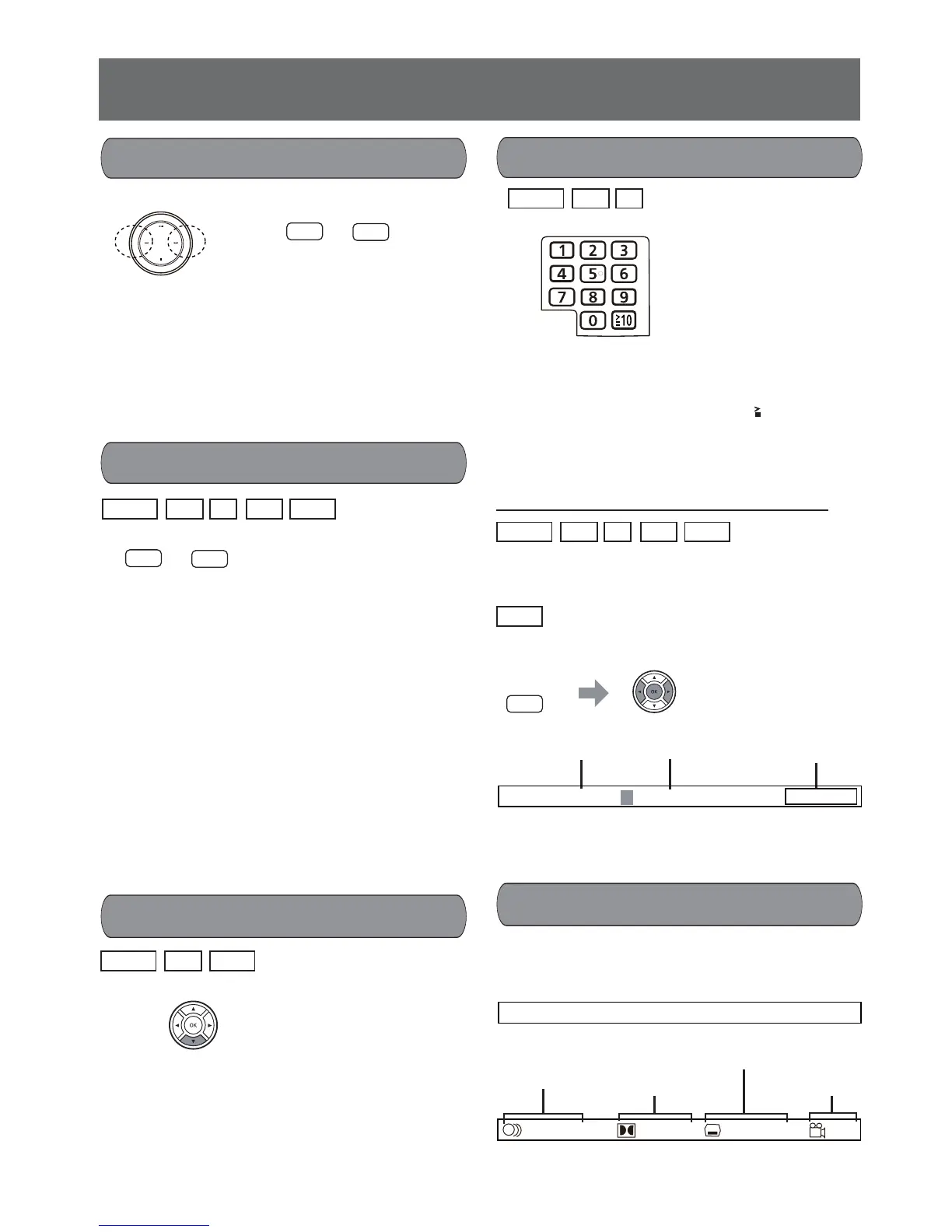
In stop mode or during playback press the numeric
button(s) to start directly from the track or chapter
selected.
To select a 2-digit number press the 10 button fi rst,
and then press two numeric buttons consecutively.
Some discs cannot be played back directly de-
pending on the recorded conditions.
• Selecting by on-screen information
In stop mode or during playback the playback can
start directly from the selected title or chapter or
time.
: In stop mode only the selected track can
be played back.
1. Press the SEARCH MODE button.
2. Press the
b
or
a
button to move the cursor,
press the numeric button to enter the number,
then press the OK button.
1. Press the DISPLAY/CLOCK button to display
the media information on the screen.
Example for DVD-video:
2. Press the DISPLAY/CLOCK button again.
During playback each time the d or c button
is pressed the playback speed of reverse or for-
ward will change as X 2 X 4 X 8 X 20.
The playback may not proceed at the selected
speed in some conditions.
Press the i button to return to normal playback.
- The sound is muted during fast playback. But
for CD or MP3 there is sound output during
playback of double-speed forward or reverse.
- For MP3 when searching to next fi le or previous fi le
playback will start from the beginning of the fi le.
- For DivX in reverse direction when searching to
the beginning of current fi le normal playback will
start. In forward direction when searching to the
end of current fi le, the unit goes to stop mode.
Remote control
Skip track (chapter)
f
e
Remote control
Main unit
d
c
Remote control
Search
Direct playback
- During playback press the f button to skip
back to the beginning of the current track.
Press the button again immediately to skip
back to the beginning of the previous track.
- During playback press the e button to skip
to the next track. A track is skipped each time
the button is pressed.
SLOW
During playback press the SLOW p button to
change to slow playback. Each time the SLOW p
button is pressed the speed will change as
1/2 1/3 1/4 ... 1/8.
Press the i button to return to normal playback.
vvv
vvv v
CD
MP3
DivX
DVD-V
VCD
DivX
DVD-V
VCD
Remote control
MODE
SEARCH
Remote control
Slow playback
CD
MP3
DivX
DVD-V
VCD
CD
DVD-V
VCD
T T
1/ 3 CH 1/35 00 : 03 : 58
DivX
ENG ENG OFF D 5. 1
CH
12
/
11
/
Audio soundtrack
language
Subtitle language
A kind of audio Camera angle
Display media information
Title Playing time
T T 01
/
03 CH 001/035
00 : 03 : 58
Chapter










 To Next Page