English
34
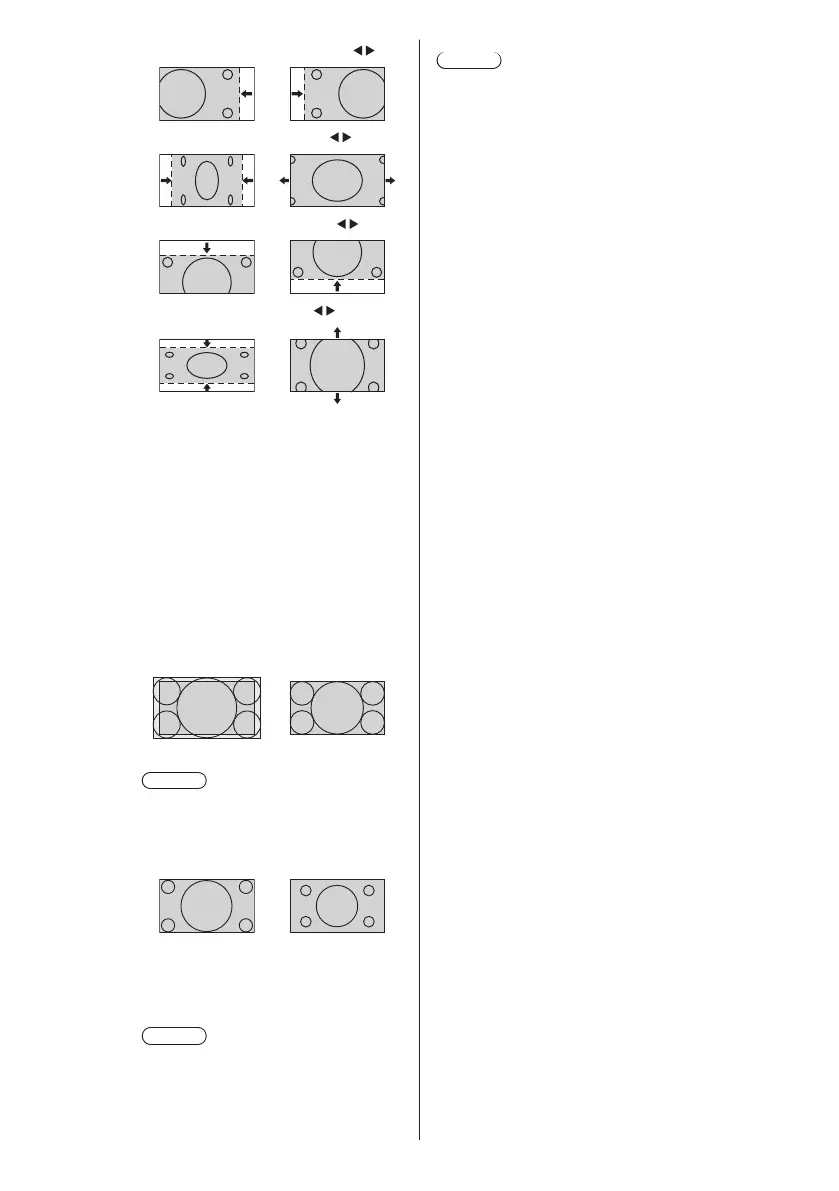
[H-position] Adjust the horizontal position with .
[H-size] Adjust the horizontal size with
.
[V-position] Adjust the vertical position with .
[V-size] Adjust the vertical size with .
[Clock
phase]
(For PC IN input)
In some cases, frame of the screen
appears blurred or smudged, when PC
signal is input.
[Dot clock] (For PC IN input)
Periodic striped pattern interference
(noise) may occur when a striped pattern
is displayed. If this happens, adjust so
that any such noise is minimized.
[Over scan] Turn image over scan On/Off.
Applicable input signal:
525i, 525p, 625i, 625p, 750/60p, 750/50p
(Component Video, RGB, DVI-D, HDMI)
[On] [Off]
Note
●
When [Off] is set, [H-size] and [V-size]
cannot be adjusted.
[1:1 pixel
mode]
Adjusts the display size when 1125i or
1125p signal is input.
[Off] [On]
Applicable input signal:
1125 / 50i, 60i, 24PsF, 24p, 25p, 30p,
50p, 60p
Note
●
Select [Off] when flickering is shown
around the image.
●
[H-size] and [V-size] cannot be
adjusted when [On] is selected.
Note
●
In some cases, noise appears outside the area
picture is displayed, but it is not a malfunction.













 To Next Page