English
38
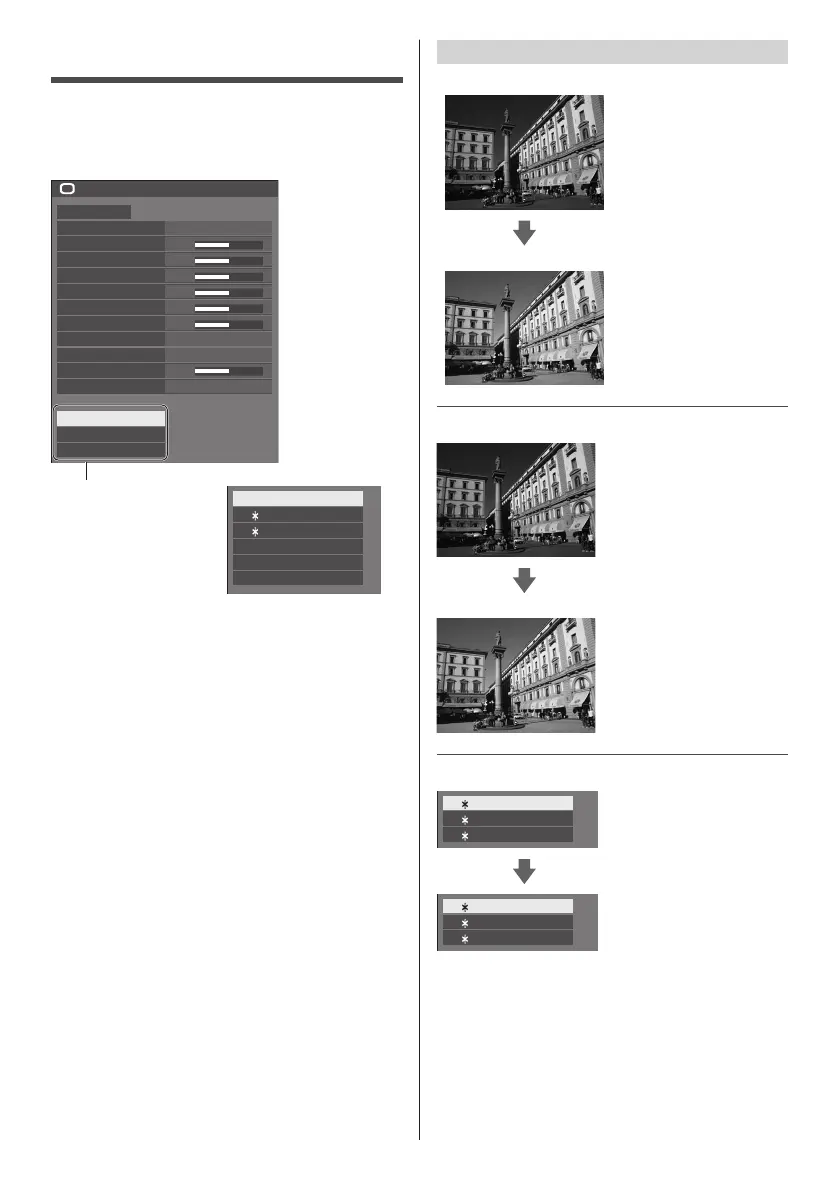
Picture Profiles
Up to 6 combinations of picture adjustment values (in
the [Picture] menu) can be stored in the display memory
as profiles and applied as needed, for a convenient way
to enjoy your preferred picture settings.
50
50
50
50
50
50
5
Picture
Default Default
Picture mode Normal
6500K
Backlight
Contrast
Brightness
Colour
Hue
Sharpness
Colour temperature
Colour enhancement
Memory save
Memory load
Memory edit
Off
Dynamic contrast
Gamma
2.2
[Memory save]
(see page 39)
[Memory load]
(see page 39)
[Memory edit]
(see page 40)
1. [ ]
2. [ ]
3. [ ]
MEMORY1
MEMORY2
MEMORY3
4. [ ] MEMORY4
5. [ ] MEMORY5
6. [ ] MEMORY6
Overview of Picture Profiles
Original picture
Adjust picture.
(see page 36‒37)
Custom picture
Example:
Save the picture adjustment
values in the [MEMORY1]
profile.
[Memory save]
Original picture
Example:
Load [MEMORY1].
[Memory load]
Custom picture
[Memory edit] screen
1. [ ]
2. [ ]
3. [ ]
MEMORY1
MEMORY2
MEMORY3
Example:
Change the memory name
to [MY PICTURE].
[Memory edit]
1. [ ]
2. [ ]
3. [ ]
MY PICTURE
MEMORY2
MEMORY3













 To Next Page