English
48
Date and time
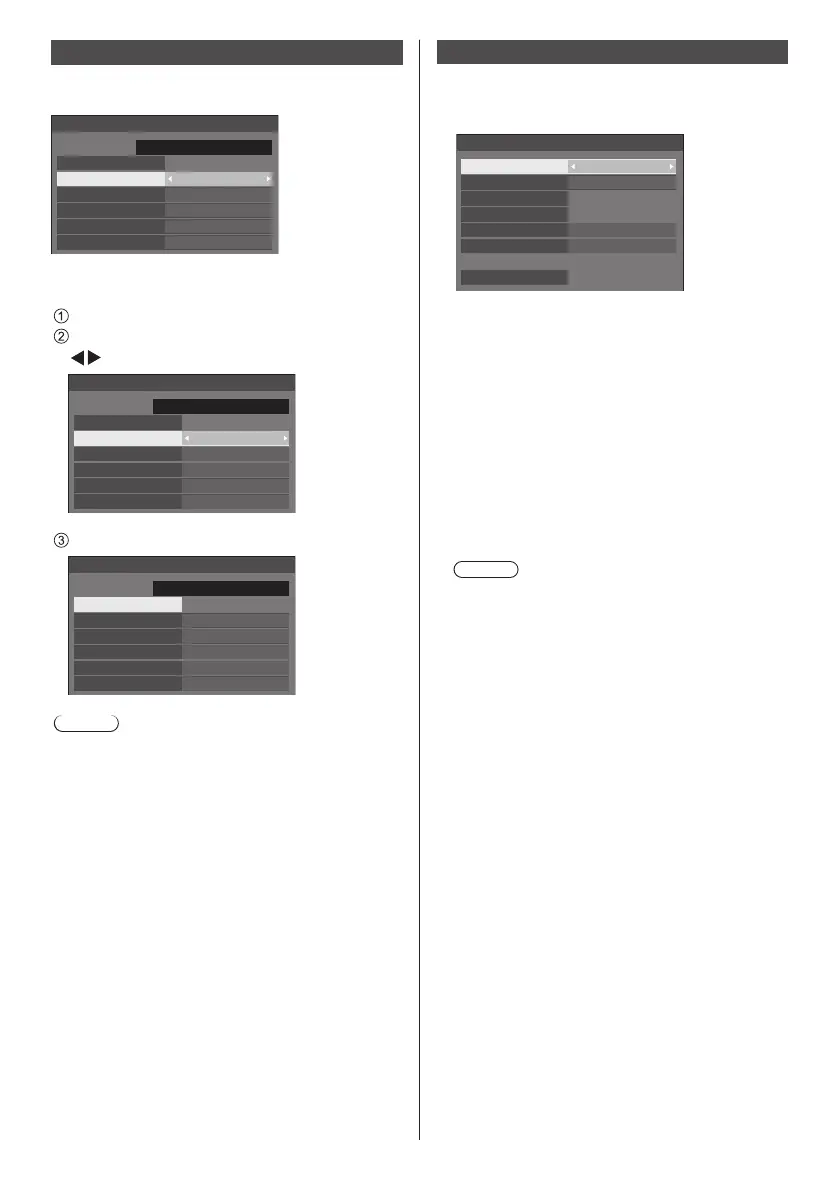
Set date and time. ([- -] shows no programme is set.)
[Date and time] - submenu screen
Date and time
Set
FRIDAY
10:00
2016/01/01
Year 2016
Month
Day
Hour
Minute
1
1
10
0
■ Set date and time
Select [Year / Month / Day / Hour / Minute].
Set the selected item.
Date and time
Set
FRIDAY
10:00
2016/01/01
Year 2016
Month
Day
Hour
Minute
1
1
10
0
Select [Set] and press <ENTER>.
99:992015/01/01
Date and time
Set
FRIDAY
18:00
2016/02/05
Year 2016
Month
Day
Hour
Minute
2
5
18
0
Note
●
If the present date and time are not set, the time
settings for [Set up timer], [Screensaver], etc. cannot
be made.
●
The present date and time setting is reset in the
following case.
When the main unit is left unattended for 7 days or
longer after the main unit is turned off with the <Main
power switch>, the power plug is removed, or power
failure has occurred, etc.
●
Date and time cannot be set when [Year / Month /
Day / Hour / Minute] are set to [- -].
Network settings
Set when networking with a computer.
[Network settings] submenu will be displayed.
Network settings
Network control
EF1-00
Off
Off
Off
Display name
Network status
LAN setup
AMX D. D.
Crestron Connected™
Reset
■ [Network control]
Set when controlling with the unit’s LAN terminal.
[On]:
Controls via LAN using the LAN terminal of the
Display. The power indicator lights orange when
the power is turned off with the remote control
(standby).
[Off]:
Invalidates control with LAN terminal.
(In this case, the power consumption of Standby
condition (when the power is turned off with the
remote control) will be slightly reduced.)
Note
●
When using the LAN control function for “Using
Network Function” (see page 58‒70), set this
function to [On].
■ [Display name]
The name of the Display that is shown on the network
can be changed.













 To Next Page