37
English
User setting of [Colour
temperature]
2 kinds of detailed [Colour
temperature] settings ([USER1]
and [USER2]) can be stored.
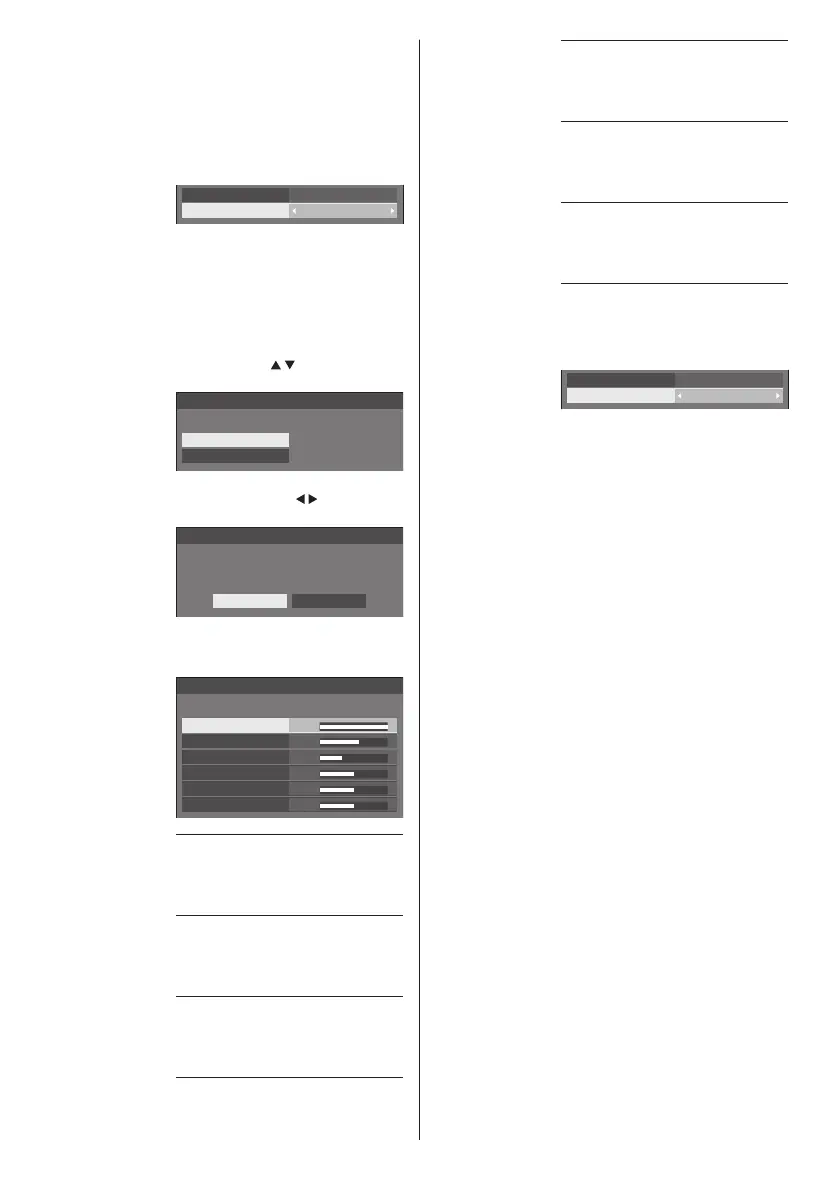
1 Press <ENTER> while setting
[Colour temperature].
2.2
6500K
Gamma
Colour temperature
Example:
When [Colour temperature] is
[6500K], it is possible to reflect
the set point, [6500K], to the set
point of [USER1] and [USER2].
2 Select the user to memorise
settings with
and press
<ENTER>.
Adjust colour temperature
Change to 6500K
USER1
USER2
3 Select [Yes] with and press
<ENTER>.
Adjust colour temperature
Overwrite colour temperature “USER1”?
Yes No
4 Set each item on detail settings
screen.
150
255
64
0
0
0
Adjust colour temperature
USER1
R gain
G gain
B gain
R bias
G bias
B bias
[R gain]
Adjusts the white balance for light
red areas.
0 ‒ 255
[G gain]
Adjusts the white balance for light
green areas.
0 ‒ 255
[B gain]
Adjusts the white balance for light
blue areas.
0 ‒ 255
[R bias]
Adjusts the white balance for dark
red areas.
-127 ‒ 128
[G bias]
Adjusts the white balance for dark
green areas.
-127 ‒ 128
[B bias]
Adjusts the white balance for dark
blue areas.
-127 ‒ 128
The settings are saved for the user.
When you return to [Picture] menu,
the user you have set is selected for
[Colour temperature].
2.2
USER1
Gamma
Colour temperature
●
In [ENGLISH(US)] OSD language, [Hue] is
displayed as [TINT].
[Dynamic
contrast]
Automatically adjusts the contrast by
determining the changes in the use
of colours for images that constantly
change, such as motion pictures.
No effect ↔ Large effect
[Colour
enhancement]
While set to [On], displays images
by emphasising colours.













 To Next Page