13
TH-50VX100U / TH-50VX100E
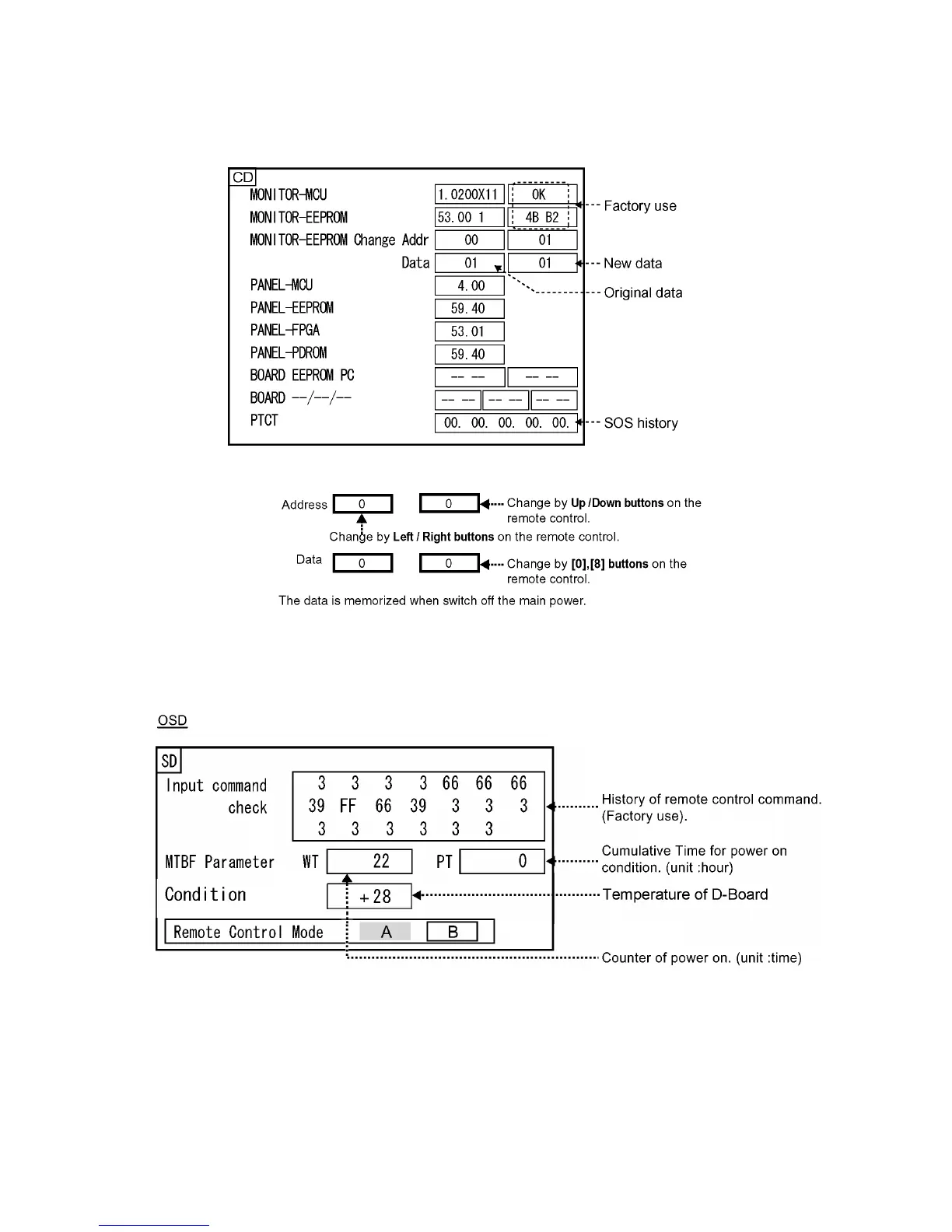
6.1.2. CD mode
Select the CD mode by Up/Down button on the remote control at the front page of CAT mode and then press the [5] button on the
remote control more than 3 seconds.
Memory data change
To exit the CD mode, press the RETURN button on the remote control.
6.1.3. SD mode
Select the SD mode by Up/Down button on the remote control at the front page of CAT mode and then press the OK button on the
remote control.
To exit the SD mode, press the RETURN button on the remote control.





 To Next Page