65
English
■ [Function button guide]
Sets the function display when numeric buttons are
pressed. Set this for each function group.
[On]:
Displays the function list for the numeric buttons.
[Off]:
Does not display the function list. Operation starts
when numeric buttons are pressed.
Note
●
When <FUNCTION> is pressed, [Function button
guide] will be displayed regardless of the [On] / [Off]
settings.
■ To use shortcut (numeric buttons)
1
Press <FUNCTION> or <1> ‒ <6>.
[Function button guide] will be displayed.
[Function button guide]: When [Off] is set, pressing
the numeric button starts operation.
Example: Input
1.
2.
3.
4.
5.
6.
HDMI1
HDMI2
DIGITAL LINK
DVI-D
PC
USB
Input
2
Press <FUNCTION> to switch function
group.
Example: Memory load
1.
2.
3.
4.
5.
6.
MEMORY1
MEMORY2
MEMORY3
MEMORY4
MEMORY5
MEMORY6
Memory load
3
Press <1> ‒ <6>.
The function for the pressed button starts to operate.
Example: When <2> is pressed.
Memory load
Load from “MEMORY2”
Ok Cancel
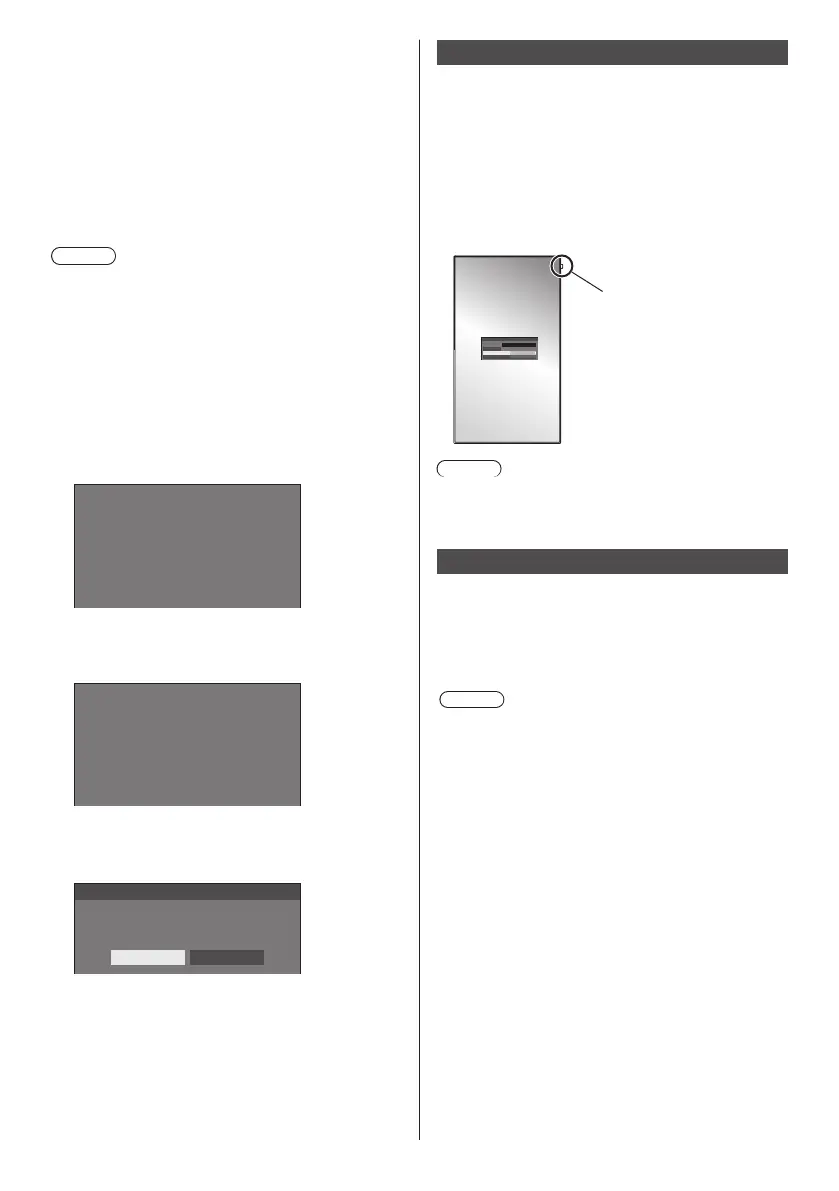
Display orientation
Sets the on-screen display orientation in the portrait
setting.
[Landscape]:
On-screen display angle is for horizontal
installation.
[Portrait]:
The on-screen display rotates clockwise by 90
degrees for easy view in the portrait setting.
Power indicator
18:00
Note
●
In the portrait setting, the power indicator shall come
to the upper side.
Image rotation
Sets the picture rotation in the portrait setting.
[Off]:
Pictures are not rotated.
[180 degrees]:
Pictures are rotated 180 degrees.
Note
●
This function does not operate when [Display
orientation] is [Landscape].










 To Next Page