EasyManua.ls Logo

Panasonic TX-86PW100A - Msound Mute.11; Programme Number up and Down.11; G 9 VOLUME down and; I I G I COLOURED BUTTONS.11

Panasonic TX-86PW100A
48 pages
Print Icon
To Next Page IconTo Next Page
To Previous Page IconTo Previous Page
Loading...
SOUND
MUTE
Pressing
this
button
reduces
the
sound
from
the
television
to
nii.
Pressing
the
button
again
returns
the
sound
to
the
original
setting.
Pressing
the
Volume
Up
{
+
)
or
Down
(-)
will
also
restore
the
volume
level
setting.
PROGRAMME
NUMBER
UP
AND
DOWN
Pressing
this
button
selects
the
next
higher
{A)
or
lower
(V)
Programme
Number
in
sequence.
Programme
Numbers
which
have
been
ā€œSkipped"
(See
page
31)
wiii
be
bypassed
when
this
button
Is
used.
VOLUME
DOWN
AND
UP
This
button
is
used
to
increase
(+)
or
decrease
(-)
the
volume
output
level
rrom
the
television.
TV/AV
Pressing
the
TV/AV
Burton
will
cycle
between
TV,
the
current
AV
Input,
RGB
and
back
to
TV.
While
the
AV
indicator
Is
still
on
screen
the
different
AV
inputs
can
be
selected
using
the
coloured
buttons.
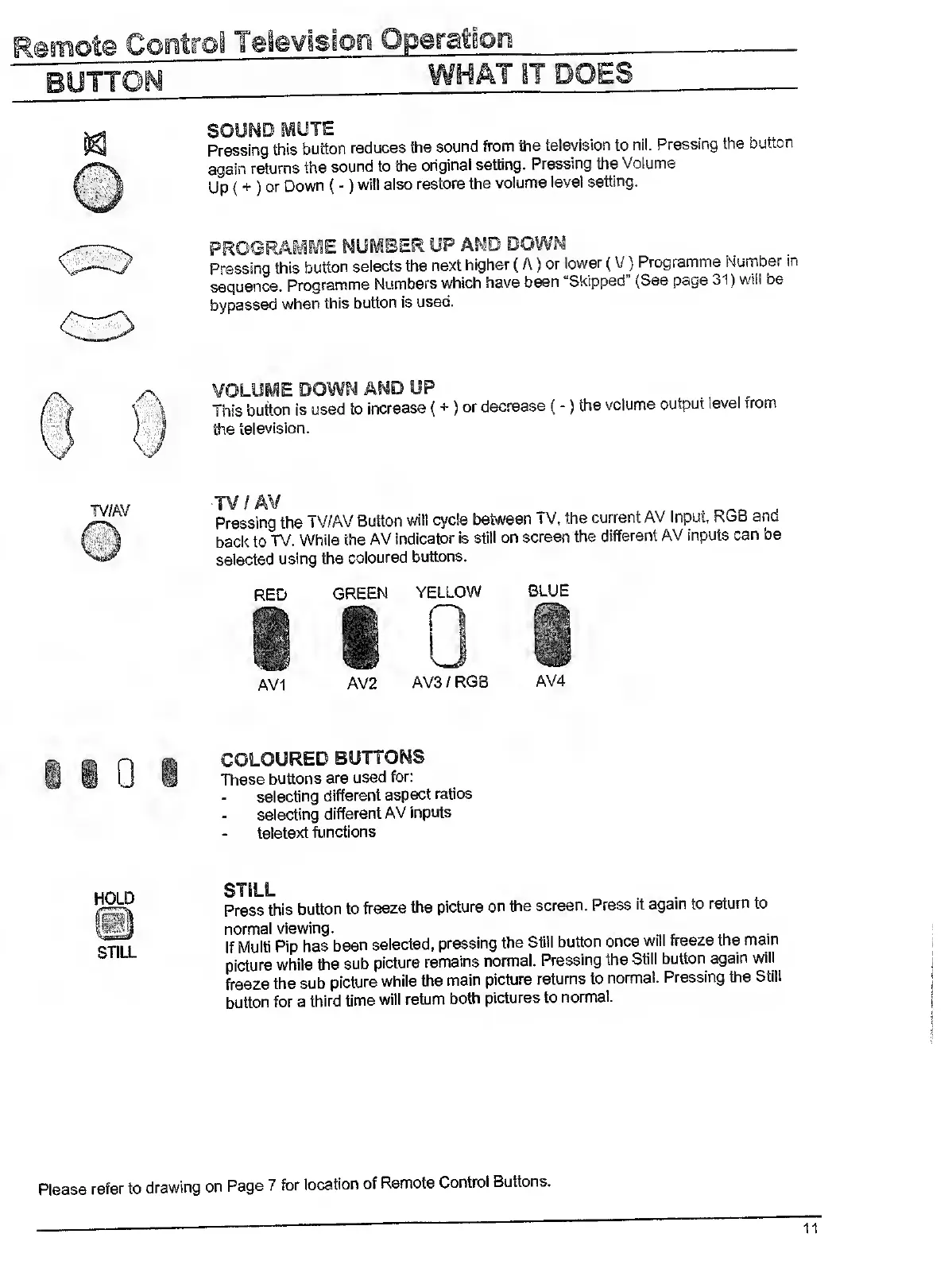
AVI
GREEN
YELLOW
BLUE
AV2
AV3/RGB
AV4
COLOURED
BUTTONS
These
buttons
are
used
for:
selecting
different
aspect
ratios
selecting
different
AV
inputs
teletext
functions
HOLD
STILL
STILL
Press
this
button
to
freeze
the
picture
on
the
screen.
Press
it
again
to
return
to
normal
viewing.
If
Multi
Pip
has
been
selected,
pressing
the
Still
button
once
will
freeze
the
mam
picture
while
the
sub
picture
remains
normal.
Pressing
the
Still
button
again
will
freeze
the
sub
picture
while
the
main
picture
returns
to
normal.
Pressing
the
Still
button
for
a
third
time
will
return
both
pictures
to
normal.
refer
to
drawing
on
Page
7
for
location
of
Remote
Control
Buttons.

Related product manuals