EasyManua.ls Logo

Panasonic TX-86PW100A - Scan Mode.15

Panasonic TX-86PW100A
48 pages
Print Icon
To Next Page IconTo Next Page
To Previous Page IconTo Previous Page
Loading...
Al
SCAN
MODE
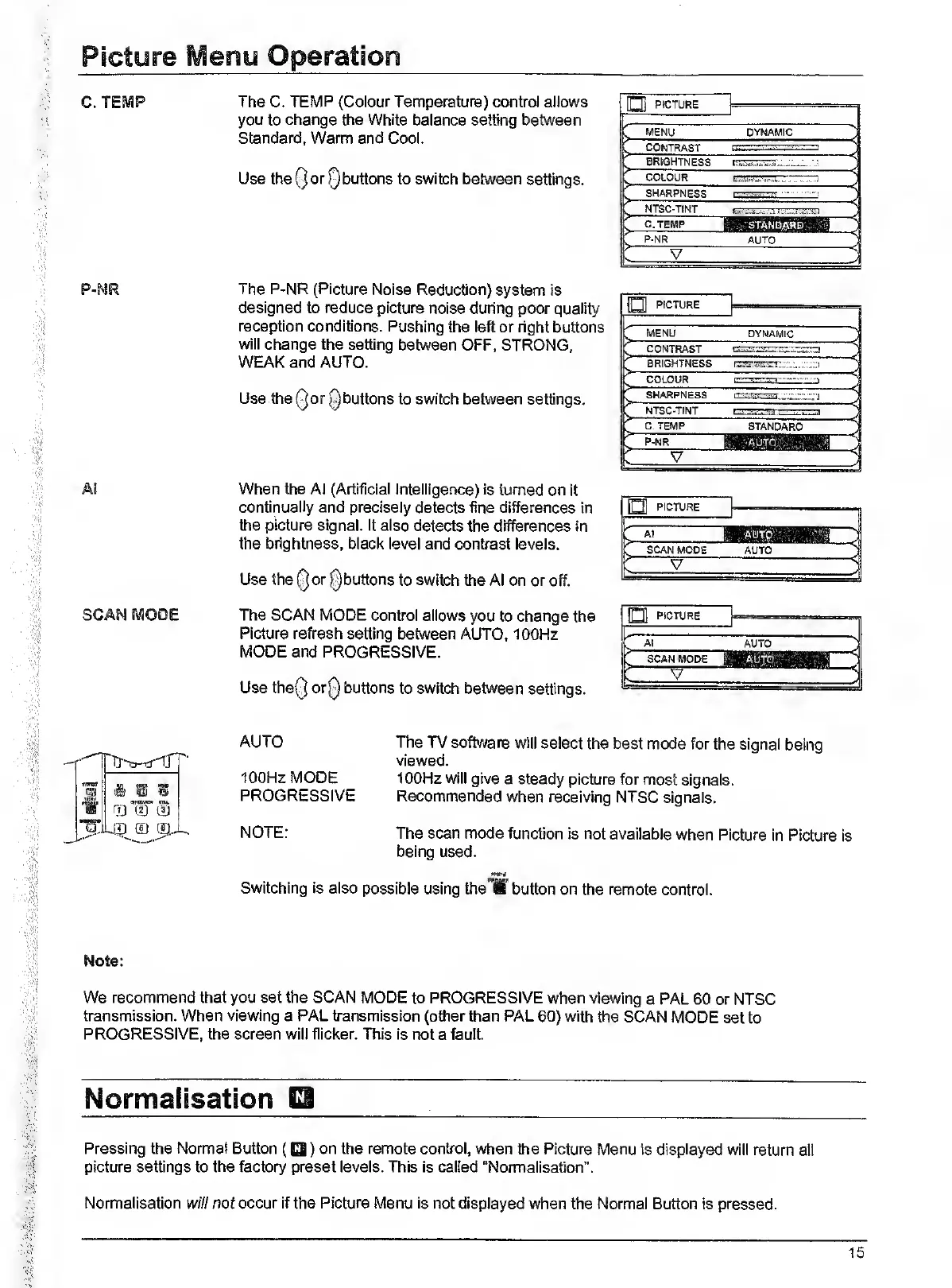
The
C.
TEMP
(Colour
Temperature)
control
allows
you
to
change
the
White
balance
setting
between
Standard,
Warm
and
Cool.
Use
theQorQbuttons
to
switch
between
settings.
O
PICTURE
MENU
DYNAMIC
*>
>-
CONTRAST
COLOUR
..J
—<
SHARPNESS
1
...'t.
.1
.r
“<
NTSC-TINT
—<
—<
P-NR
AUTO
,
V
—<
The
P-NR
(Picture
Noise
Reduction)
system
is
designed
to
reduce
picture
noise
during
poor
quality
reception
conditions.
Pushing
the
left
or
right
buttons
will
change
the
setting
between
OFF,
STRONG,
WEAK
and
AUTO.
Use
theQorQbuttons
to
switch
between
settings.
r
MENU
DYNAMIC
1
CONTRAST
1
BRIGHTNESS
rrwrysr^rr.
--
>-
COLOUR
.-.'
-<
SHARPNESS
AI\
.t
NTSC-TINT
LsrrsTTri—
-<
C.
TEMP
STANDARD
>
P-NR
1
KEiBUBai
1
'i
V
h
When
the
Al
(Artificial
Intelligence)
is
turned
on
It
continually
and
precisely
detects
fine
differences
in
the
picture
signal.
It
also
detects
the
differences
in
the
brightness,
black
level
and
contrast
levels.
Use
the
or
^buttons
to
switch
the
Al
on
or
off.
O
PICTURE
:
A,
1
AUTO
:
;
SCAN
MODE
The
SCAN
MODE
control
allows
you
to
change
the
Picture
refresh
setting
between
AUTO.
100Hz
MODE
and
PROGRESSIVE.
Use
the(5
or0
buttons
to
switch
between
settings.
PiCnjRE
Al
SCAN
MODE
V
AUTO
ff)
(2J
t.U
._!T)
iT)
jrt..
AUTO
100Hz
MODE
PROGRESSIVE
The
TV
software
will
select
the
best
mode
for
the
signal
being
viewed.
100Hz
will
give
a
steady
picture
for
most
signals.
Recommended
when
receiving
NTSC
signals.
NOTE:
The
scan
mode
function
is
not
available
when
Picture
in
Picture
is
being
used.
Switching
Is
also
possible
using
the
'If
button
on
the
remote
control.
Note:
We
recommend
that
you
set
the
SCAN
MODE
to
PROGRESSIVE
when
viewing
a
PAL
60
or
NTSC
transmission.
When
viewing
a
PAL
transmission
(other
than
PAL
60)
with
the
SCAN
MODE
set
to
PROGRESSIVE,
the
screen
will
flicker.
This
Is
not
a
fault
Pressing
the
Normal
Button
(Q)
on
the
remote
control,
when
the
Picture
Menu
is
displayed
will
return
all
picture
settings
to
the
factory
preset
levels.
This
is
called
“Normalisation”.
Normalisation
w///nof
occur
if
the
Picture
Menu
is
not
displayed
when
the
Normal
Button
is
pressed.
15

Related product manuals