EasyManua.ls Logo

Panasonic TX-86PW100A - Page 16

Panasonic TX-86PW100A
48 pages
Print Icon
To Next Page IconTo Next Page
To Previous Page IconTo Previous Page
Loading...
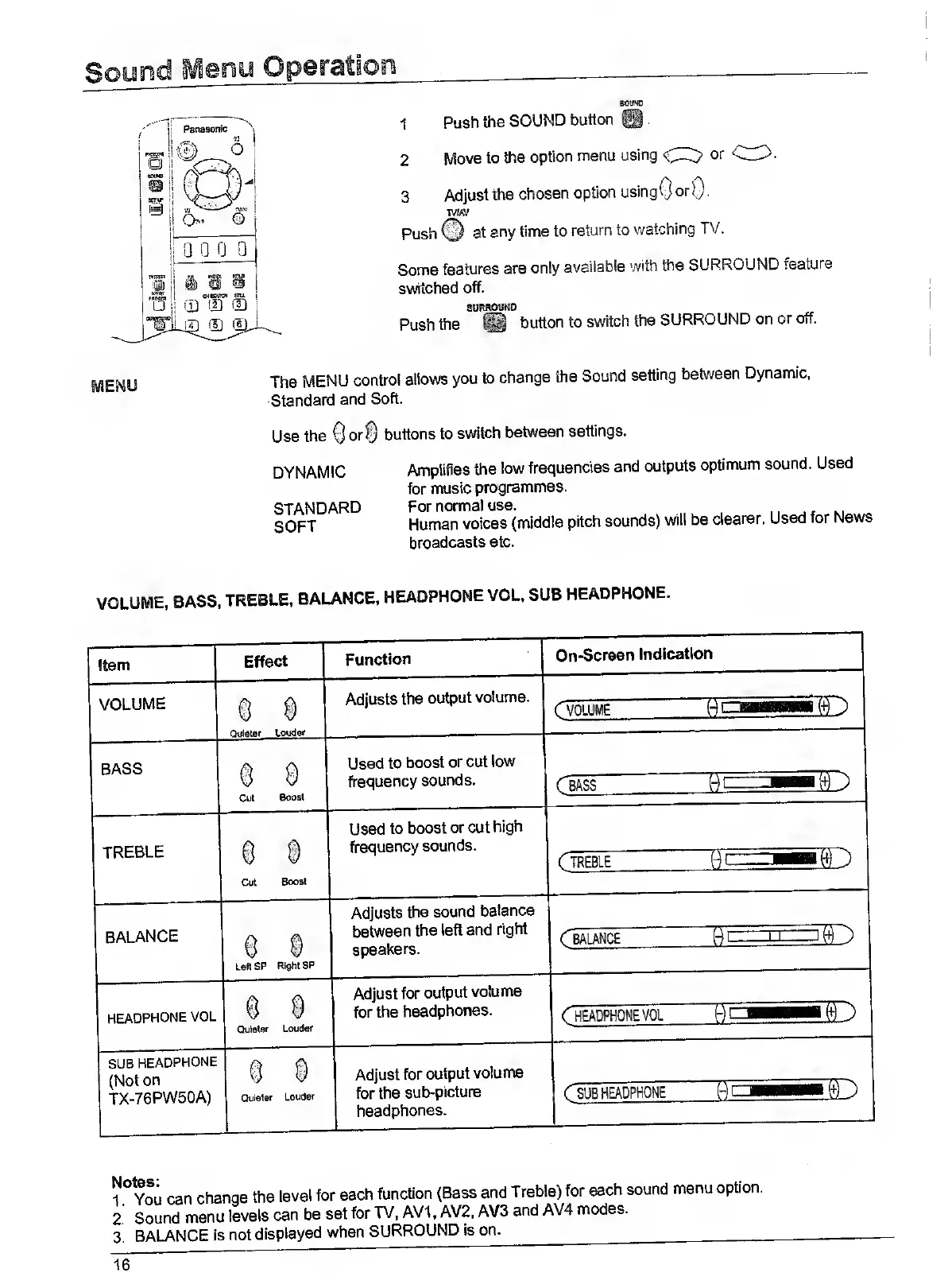
1
Push
the
SOUND
button
50UW
2
Move
to
the
option
menu
using
CI^
or
3
Adjust
the
chosen
option
using
0
orO-
tm/
Push
©
at
any
time
to
return
to
watching
TV.
Some
features
are
only
available
with
the
SURROUND
feature
switched
off.
»ti»OUND
Push
the
®
button
to
switch
the
SURROUND
on
or
off.
The
MENU
control
allows
you
to
change
the
Sound
setting
between
Dynamic,
Standard
and
Soft.
Use
the
Qor©
buttons
to
switch
between
settings.
DYNAMIC
STANDARD
SOFT
Amplifies
the
low
frequencies
and
outputs
optimum
sound.
Used
for
music
programmes.
For
normal
use.
Human
voices
(middle
pitch
sounds)
will
be
clearer.
Used
for
News
broadcasts
etc.
SUB
HEADPHONE
^
A
(Not
on
^
^
TX-76PW50A)
Quieter
Louder
Adjust
for
output
volume
for
the
sub-picture
headphones.
SUB
HEADPHONE
1
You
can
change
the
level
for
each
function
(Bass
and
Treble)
for
each
sound
menu
option.
2.
Sound
menu
levels
can
be
set
for
TV,
AV1,
AV2,
AV3
and
AV4
modes.
3.
balance
is
not
displayed
when
SURROUND
Is
on.
____
16

Related product manuals